Press
The pointer shrinks while you hold the button, then springs a little past full size and settles. A quick click takes about a third of a second. Picking a Pointing hand turns it on when no other click effect is set.
Cursor styles
Click a style and your pointer on this page turns into it: the arrow, the hand over links and buttons, the I-beam over text.Tap a style and the screen below wears it. Press, drag and watch it move. In Cutscript the editor draws your recorded pointer in the style you pick.
GlovePro
Pointing hands
The glove hand from tinyhand, held on a rod from the bottom of the frame.
One hand draws every pointer, so it never turns into an I-beam. Move over the screen, or drag on it, to work the stick.
Settings › Cursor
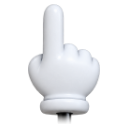 GlovePro
A Pointing hand does not lean: its arm turns by itself.
While you record, it shows on screen in place of your pointer.
Tap a style to see it on the screen.
What the editor does with it
Cutscript records where your pointer goes and when you click, then draws the pointer again in the editor. So the style, the size and the click effects are yours to change after the take. Clicks come from click tracking on a Mac.
The pointer shrinks while you hold the button, then springs a little past full size and settles. A quick click takes about a third of a second. Picking a Pointing hand turns it on when no other click effect is set.
The Mouse sets draw a computer mouse in place of the arrow. On a click the button you pressed lights up and fades: the right one for a right click, the left one for any other.
The pointer tilts the way it moves across the picture and settles upright when it stops. Up and down movement does not tilt it. Subtle, Normal or Strong: up to 8°, 13° or 18°.
Free The six Classic styles (Modest light, Modest dark, Chunky, High visibility, Soft rounded, Minimal line), your Mac’s own pointers and your own cursors.
Pro The other 76: Neon, Pixel, Gradient, Polished, Playful, Mouse and the Pointing hands. On the free plan you can preview any of them in the editor.
Choosing a cursor before a take, in the recorder or in Settings › Cursor, comes with Pro.
On a Mac, the cursor you choose in the recorder or in Settings › Cursor shows on screen for the whole take, in place of your pointer, above every window and the Dock. It shrinks while you hold a button and springs back when you let go.
It is never in the recording itself: the editor draws it once from the pointer’s path. On Windows your own pointer shows while you record.
Each hand is held on a stick that comes up from the bottom of the video. The arm turns so the fingertip lands on the pointer, and the stick follows with a short lag, like a puppet.
A hand draws every pointer, so it never turns into an I-beam.
Add a PNG, WebP or SVG in the Cursor panel, click the picture to set the tip, and add a second design for links and buttons if you like. Your own cursors work on every plan.
The Classic styles come from Mocu by sevmeyer and Kenney’s Cursor Pack (both CC0), Phosphor and Lucide. The Pointing hands come from tinyhand. Neon, Pixel, Gradient, Polished, Playful and Mouse were drawn for Cutscript.
Download Cutscript for Mac or Windows. The six Classic styles and your own cursors are free.
Pro adds the other 76 styles, a cursor chosen before you record, and the rest of the Pro tools.


