Cutscriptvs Screen Studio
Pick Screen Studio for polished zooms, share links and iPhone recording on a Mac. Pick Cutscript, a 0.1 beta screen recorder and editor, for Windows, a multitrack timeline and AI on your own accounts.
Written by the people who make Cutscript. Checked 31 October 2026. Screen Studio and its logo are trademarks of their owner, and Cutscript is not affiliated with or endorsed by them.
Pick Cutscript if
- You need Windows, which Screen Studio has no near-term plans for
- You want to export video before you pay, with a watermark on it
- You want to cut with tracks, transitions and several edits of one recording
- You want an AI chat that edits, on your own plan, keys or local models
- You want to grade the screen recording itself, on a Mac now
Pick Screen Studio if
- You want zooms and cursor polish above all. Version 4 adds Glass Loupe
- You want to send a link instead of a file, with view counts and comments
- You want a product with history: version 4.1, 4.2 in beta, a public roadmap
- You want captions with no AI account. Screen Studio makes them on your Mac
- You record an iPhone or iPad screen, by cable or iPhone Mirroring
At a glance
| What | Cutscript | Screen Studio |
|---|---|---|
| Best for | Product demos, tutorials and talks cut by text, on Mac or Windows | Product demos, courses, tutorials and social posts on a Mac |
| Maturity | 0.1 beta. Expect rough edges | Version 4.1, with 4.2 in beta and a public roadmap |
| Price (checked 31 Oct 2026) | Free, or Pro at $4.17 a month paid yearly ($49.99 a year), or $9.99 monthly | $9 a month on the yearly plan (about $108 a year, our sum), or $29 monthly |
| Free plan | YesEvery feature except timeline export. Free account needed | PartlyAll features except exporting video files |
| Watermark | PartlyA moving watermark on free video exports. Pro removes it | Not found in their docsNone noted, but free video file export is not offered |
| Platforms | YesMac and Windows. Recording on a Mac needs macOS 15 | PartlyMac only, macOS 13.1 or later recommended. No near-term Windows plans |
| Where files live | On your computer. Cloud AI steps send audio, text or frames | On your Mac, unless you share a link or use cloud features |
| Sharing | NoYou get a file and post it yourself | YesPrivate links, view counts, comments, up to 30 minutes |
| Editing | YesScript and multitrack timeline, with transitions | PartlyTranscript and a clip timeline. Multi-clip is in progress |
| AI | YesChatGPT plan, Claude plan (Mac), your keys or local models | PartlyNarrow automation such as auto zoom. No AI chat found |
| Automatic zooms | YesOn a Mac, from recorded clicks | YesFrom clicks, plus Glass Loupe and an on-Mac upscaler |
| Computers | One computer at a time | Not stated on their home page |
YesPartlyNoNot found in their docs
Recording
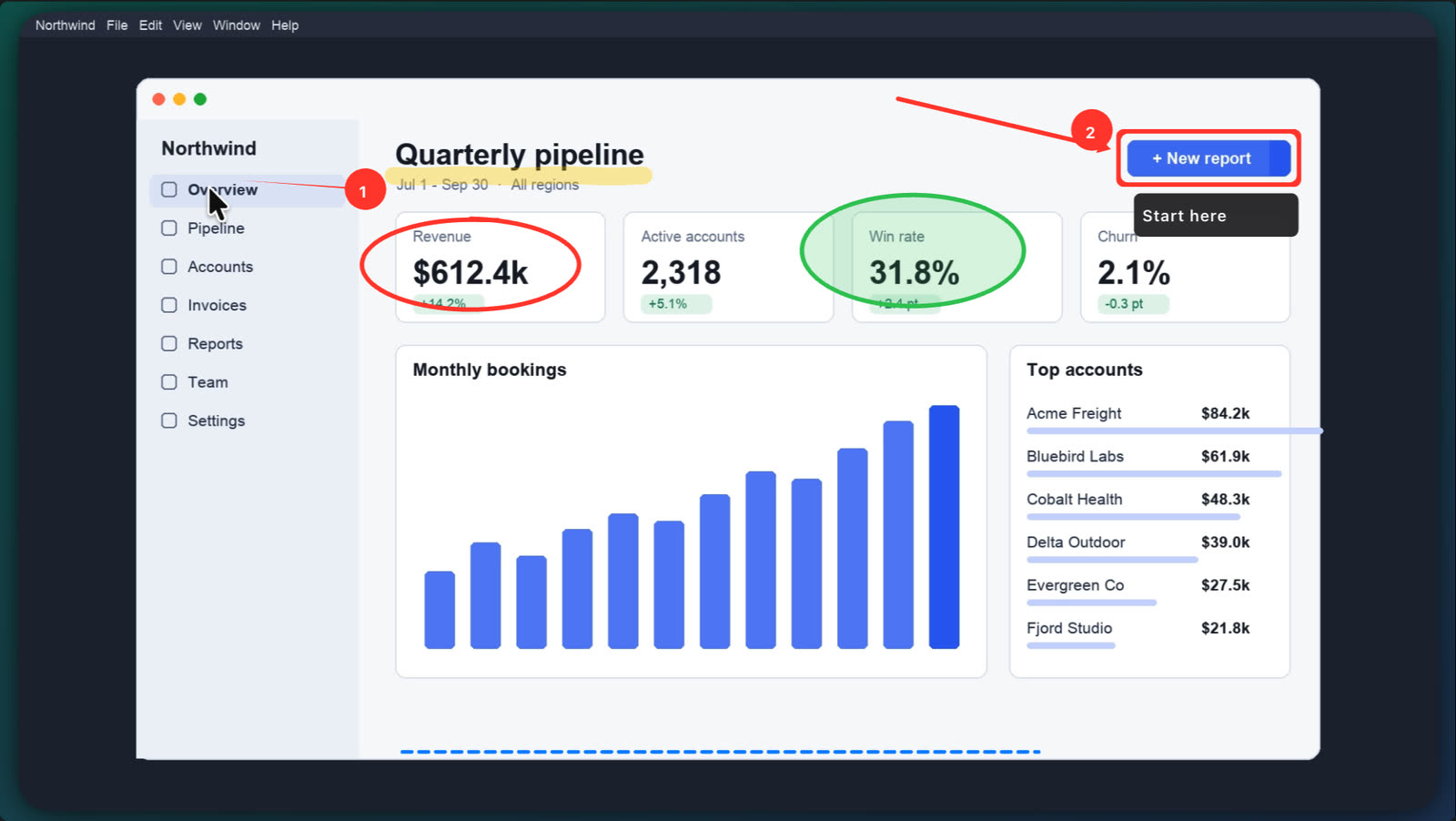
On a Mac, both record a display, window or area. Cutscript has drawing and extra pictures. Screen Studio has speaker notes and iPhone Mirroring.
CutscriptSeveral pictures in one take, each on its own track
Screen StudioA display, window or area, with recovery after a power loss
| What | Cutscript | Screen Studio |
|---|---|---|
| Display and window | YesMac and Windows | YesMac |
| Area | YesMac only. Free, 16:9, 9:16, 4:3, 1:1 or exact size | YesA selected area |
| More than one picture in a take | YesUp to three. Windows: displays and windows | Not found in their docsNot found in their docs |
| Sound from chosen apps | PartlyExperimental, Mac only. Off until you turn it on | YesAll apps, or chosen apps |
| iPhone or iPad | PartlyExperimental, Mac only, over a cable | YesUSB cable or iPhone Mirroring (macOS 15) |
| Draw on screen during a take | YesMac only. Fades on a timer or stays | Not found in their docsNot found in their docs |
| Speaker notes during a take | NoNot offered | YesPrivate teleprompter, not in the export |
| Recover an interrupted take | YesTurn the saved files into a project | YesSaved every two seconds |
More detail
Cutscript
- Display and window on Mac and Windows. Area recording and hiding desktop icons are Mac only. Recording on a Mac needs macOS 15.
- Add up to two more pictures to a take, each in its own file with no sound. Voice, system sound and camera also stay separate.
- On a Mac, draw during a take with pen, arrows, a step counter, a laser pointer, a spotlight and a whiteboard.
- iPhone, iPad and per-app sound are experimental, Mac only, off until you turn them on, and not yet checked on real hardware.
- After a crash or a restart, you can turn the saved files of an unfinished take into a project.
Screen Studio
- Record a whole display, a single window or a selected area, with a countdown and pause.
- Resize the recorded window to an exact size in one click, and hide desktop icons.
- Takes are saved to disk every two seconds, so you can recover one after a power loss.
- Speaker notes work as a private teleprompter that stays out of the recording and the export.
- iPhone and iPad record over USB, or through iPhone Mirroring on macOS 15 or later. Taps are not captured, so no auto zoom.
Editing by text and timeline
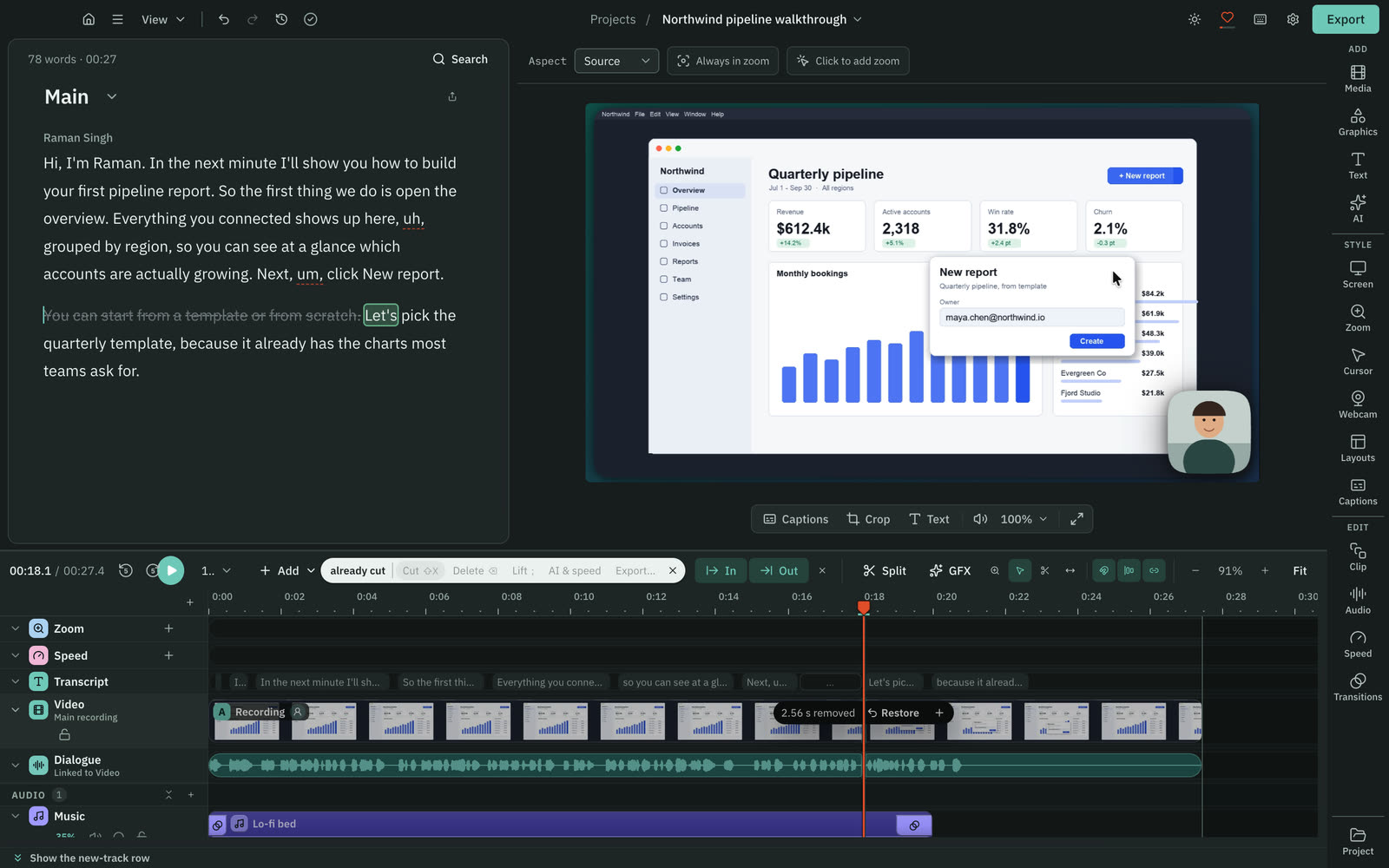
Both cut video by deleting words from a transcript. Cutscript has tracks, transitions and several edits of one recording.
CutscriptA script and a multitrack timeline
Screen StudioTranscript editing and a clip timeline
| What | Cutscript | Screen Studio |
|---|---|---|
| Delete words to cut | YesDelete words, restore any cut | YesSelect and delete words |
| Keep a cut word visible | YesIgnore keeps it struck through | Not found in their docsNot found in their docs |
| Filler words and pauses | YesOn your computer, once a transcript exists | PartlyNeeds Cloud transcription, macOS 26, account |
| Repeated phrases | YesKeeps your last take. Up to 8 words, adjustable | Not found in their docsNot found in their docs |
| Speed up typing | PartlyBy hand, 0.25x to 4x | YesFinds typing sections, offers to speed up |
| Multitrack timeline | YesHide, mute, solo, lock, reorder, rename | Not found in their docsNot found in their docs |
| Transitions between clips | YesDissolve, dip, push, slide, wipe, iris | Not found in their docsNot found in their docs |
| Several edits of one recording | YesCompositions, sharing media | Not found in their docsNot found in their docs |
More detail
Cutscript
- Delete words and the picture and sound follow. Ignore keeps a cut word struck through, and any cut can be restored.
- Filler words, long pauses and repeated phrases are found on your computer with no AI, once a transcript exists.
- Editing by text needs a transcript, from your own key or from Whisper on a Mac with Apple silicon.
- The timeline holds video, image and audio tracks, with razor and slip tools, markers and speed changes from 0.25x to 4x.
- Compositions keep several edits of one recording in one project. Imports (MP4, MOV, MKV, WebM) never change your originals.
Screen Studio
- Select words in the transcript and delete them to cut that part of the video.
- Cuts are scissors cuts and edge trims. Zooms, layouts and masks have their own timelines.
- It finds typing sections and offers to speed them up.
- Filler word and pause removal needs Cloud transcription, which uploads mic audio and needs macOS 26 or later and an account.
- A project can start from an existing MP4. Cursor animations and the selfie camera are not available for imported content.
Zooms and cursor
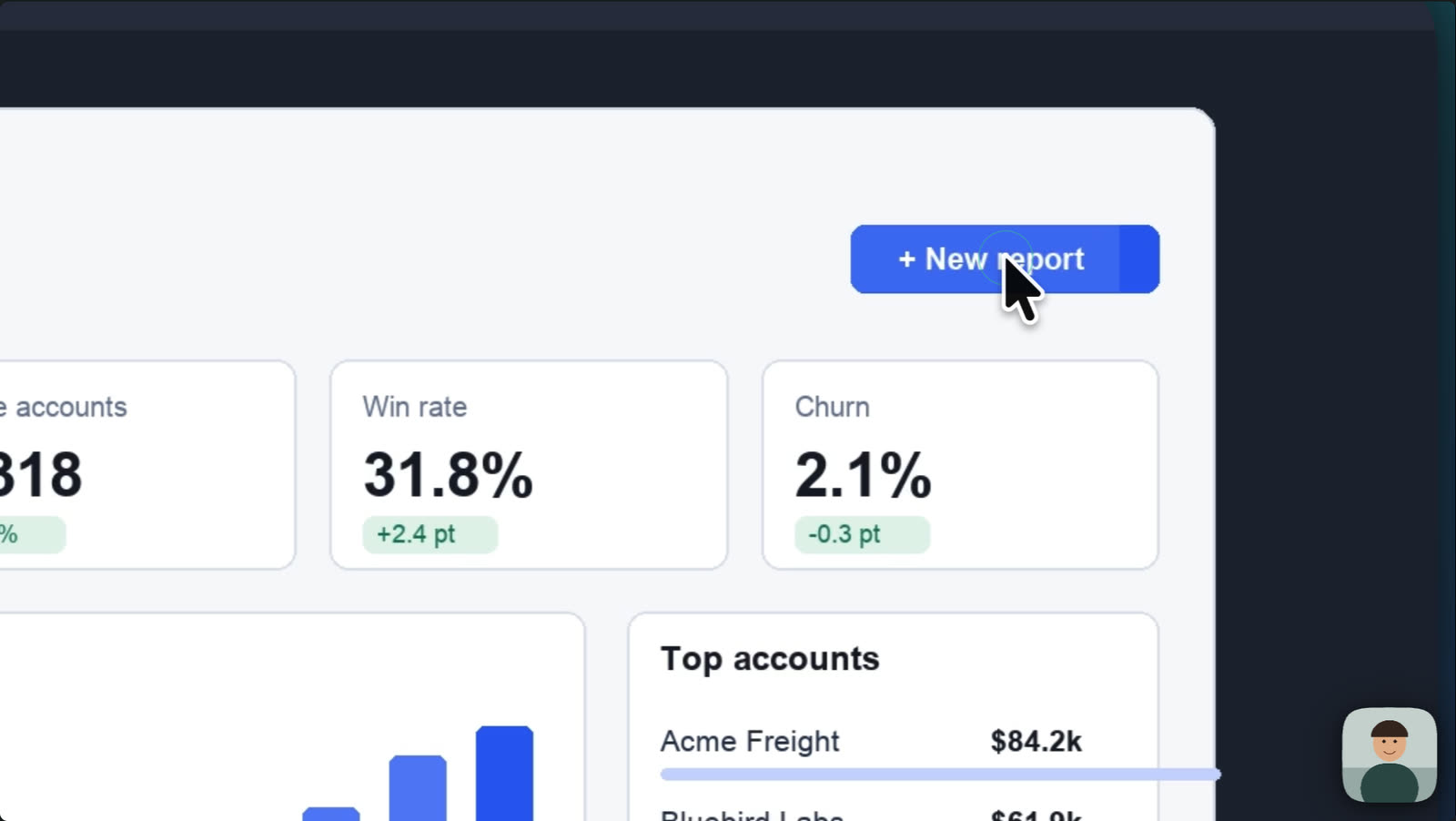
This is central to Screen Studio, which adds Glass Loupe and an upscaler. Cutscript does the same idea on a Mac, and on Windows you add zooms by hand.
CutscriptAutomatic zooms and a redrawn pointer, on a Mac
Screen StudioAuto zoom on clicks, a smooth cursor and Glass Loupe
| What | Cutscript | Screen Studio |
|---|---|---|
| Automatic zooms from clicks | YesMac only, for takes recorded in Cutscript | YesAuto or Manual per zoom |
| Zooms by hand | YesMac and Windows, on any video | YesManual zoom, you pick the area |
| Sharper text in a zoom | NoNot offered | YesOn-Mac AI upscaler |
| Smooth cursor movement | YesMac only. Four presets plus smoothing controls | YesSmooth, Medium, Rapid or None |
| Click effects | YesMac only. Six, including Ripple and Circle | YesA circle or a ripple |
| Click sounds | YesMac only. Five, mixed into the export | YesOptional click sounds |
| Motion blur | PartlyOnly in Whip moves and the Whip pan transition | YesIncluded |
| Keyboard shortcut overlays | NoNot offered | YesShown as real keycaps |
More detail
Cutscript
- On a Mac, a take recorded with click tracking gets zooms from your clicks. Pick Fewer, Balanced or More, then redo or remove them.
- On Mac and Windows, add zooms by hand: press Z, drag on the Zoom lane or click the paused preview. Depth is 1x to 5x.
- On a Mac, restyle the pointer after recording, with six bundled styles or your Mac's own, at 0.5x to 10x size.
- On a Mac, pick a movement preset (Natural, Raw, Silk or Lively), a click effect and a click sound.
- An imported video has no pointer or click data, so you add its zooms by hand.
Screen Studio
- Auto zoom focuses on the areas where clicks occurred. Each zoom is Auto or Manual, and you drag its edge to change its length.
- Screen Studio 4 adds a Glass Loupe zoom that bends the recording through a curved glass edge.
- An on-Mac AI upscaler sharpens zoomed-in text, given as a 6.5x upscale.
- Cursor settings include size, macOS or Touch type, hide if not moving, rotate while moving and remove cursor shakes.
- Animation style is Smooth, Medium, Rapid or None, and smoothing can be switched off for a fragment, such as a drop-down menu.
Look and camera
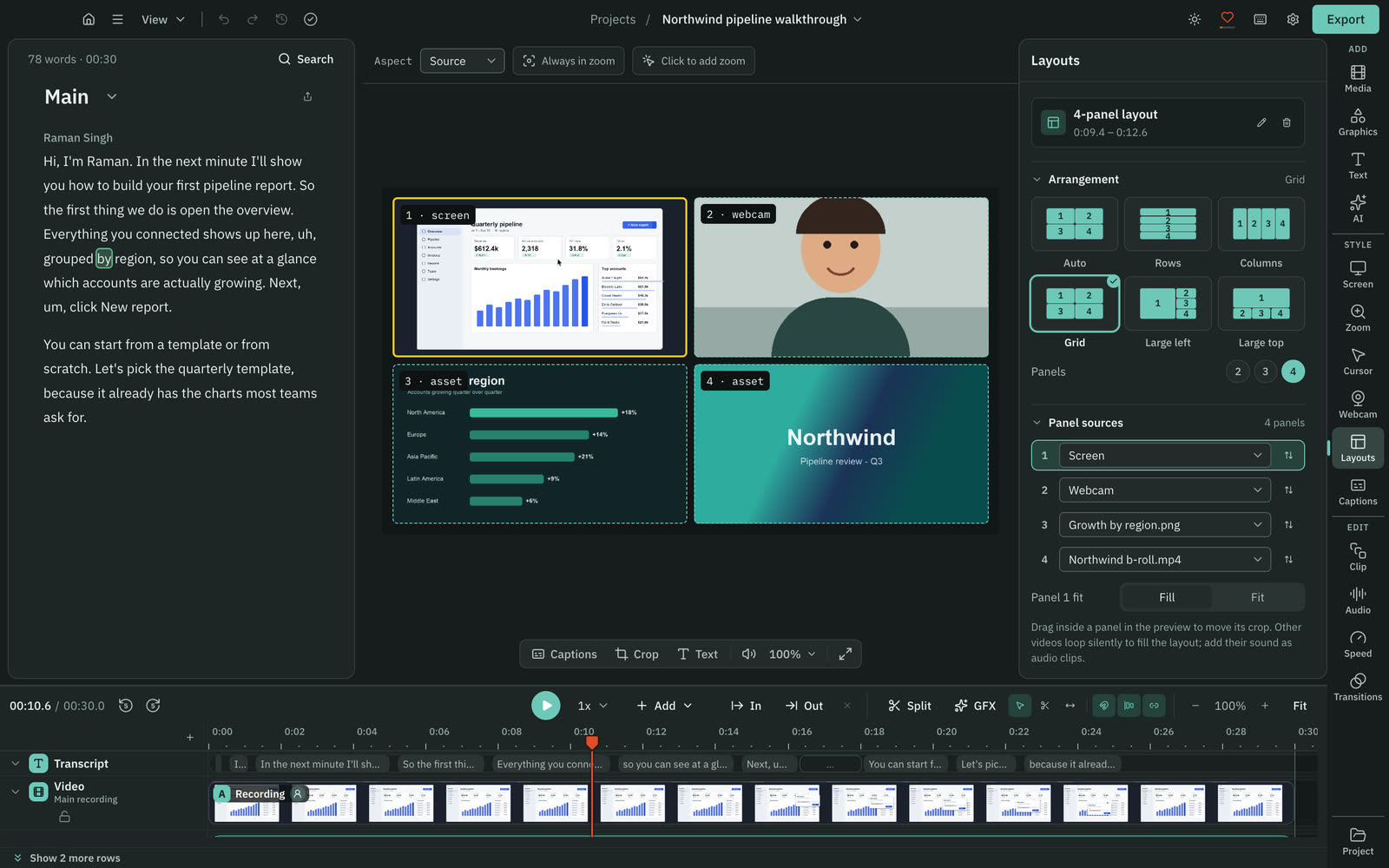
Backgrounds, padding and corners are close. Screen Studio has camera cutout and face tracking. Cutscript has panel layouts and bubble shapes.
CutscriptFour looks, bubble shapes and up to four panels
Screen StudioFive camera layouts, cutout and face tracking
| What | Cutscript | Screen Studio |
|---|---|---|
| Backgrounds | YesGradient, image, colour. Wallpapers on Mac | YesWallpaper, gradient, colour, image |
| Padding, corners and shadow | YesPer video or per clip | YesIncluded, plus inset |
| Video shapes | YesSource, 16:9, 9:16, 1:1, 4:3, 4:5, 16:10 | YesAuto, 16:9, 9:16, 1:1, 4:3, 3:4 |
| Social app interface preview | NoNot offered | YesReel mode: Instagram and TikTok |
| Camera layouts | YesBubble, full screen, hidden, or 2 to 4 panels | YesFive named layouts, many per recording |
| Remove the camera background | PartlyChroma key, one solid colour only | YesCamera cutout (beta), on a Mac |
| Follow a face | PartlyFace bubble. Mac now, Windows with next Store update | YesFace tracking keeps you centred |
| Save and share a look | PartlyCopy and paste look, plus brand kits | YesPreset files you send to your team |
More detail
Cutscript
- Four looks (Bare, Studio, Spotlight and Soft), with gradient, image and colour backgrounds. Wallpapers are Mac only.
- Padding, corners and shadow per video or clip. In a tall video, the frame can follow your pointer if the take has pointer data.
- The camera bubble comes as a circle, pill, oval, tall shape and more, with a two-colour border that can flow around it.
- Chroma key removes one solid colour. It does not find people in the picture, so you need a plain backdrop.
- Layouts show the screen, the camera or other media in 2, 3 or 4 panels for part of the video.
Screen Studio
- Wallpaper, gradient, colour and image backgrounds, plus padding, corners, inset and shadow. Unsplash search needs an account.
- Reel mode shows how the Instagram or TikTok interface would sit on top of your video.
- Five layouts: Fullscreen camera, Split screen, Camera overlay, Screen only and Camera cutout. One recording can mix them.
- Camera cutout (beta) removes your background on the Mac. Face tracking keeps you centred, with a Hide during silence option.
- Presets save your settings, and you can send one to your team as a file.
Colour grading
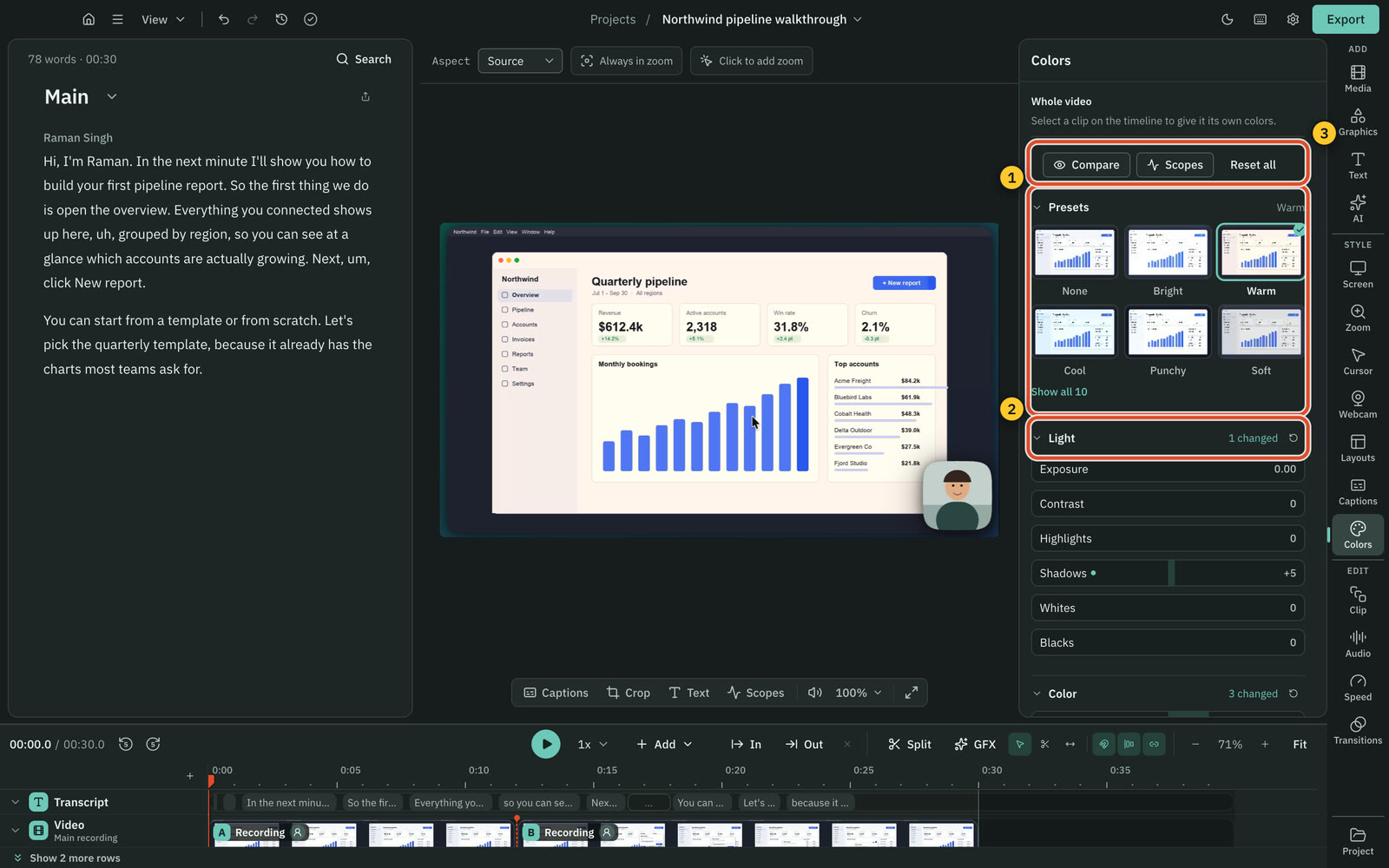
Screen Studio grades the camera. Cutscript grades the recording, not the camera bubble. Colors and Face are on a Mac now, Windows with the next Store update.
CutscriptWheels, scopes and .cube looks for the recording
Screen Studio12 looks for the camera, or your own LUT
| What | Cutscript | Screen Studio |
|---|---|---|
| Grade the screen footage | YesMac now. Windows with next Store update | Not found in their docsNot found in their docs |
| Grade the camera | NoNot offered. The bubble is left as it is | Yes12 looks with a strength control |
| Load a LUT | Yes.cube file with intensity | YesYour own LUT, for the camera |
| Scopes | YesFour, over the preview | Not found in their docsNot found in their docs |
| Colours for the face only | YesMac now. Windows with next Store update | Not found in their docsNot found in their docs |
More detail
Cutscript
- Sliders, presets that preview your own frame, color wheels, a vignette and .cube looks with an intensity control.
- Waveform, Parade, Vectorscope with a skin-tone line, and Histogram.
- Grade one clip or the whole video. The background, the camera bubble and your graphics keep their own colours.
- Face colours change only the faces Cutscript finds. It finds them on your computer, and nothing is uploaded.
- Grade with AI looks at up to four frames, then checks its own result, on your own AI account with the price shown first.
Screen Studio
- Grading is for your camera: pick one of 12 looks, adjust its strength or load your own LUT.
- Screen Studio 4 also lists less colour banding.
- Grading of screen footage, scopes and a face-only grade were not found in their docs.
Captions
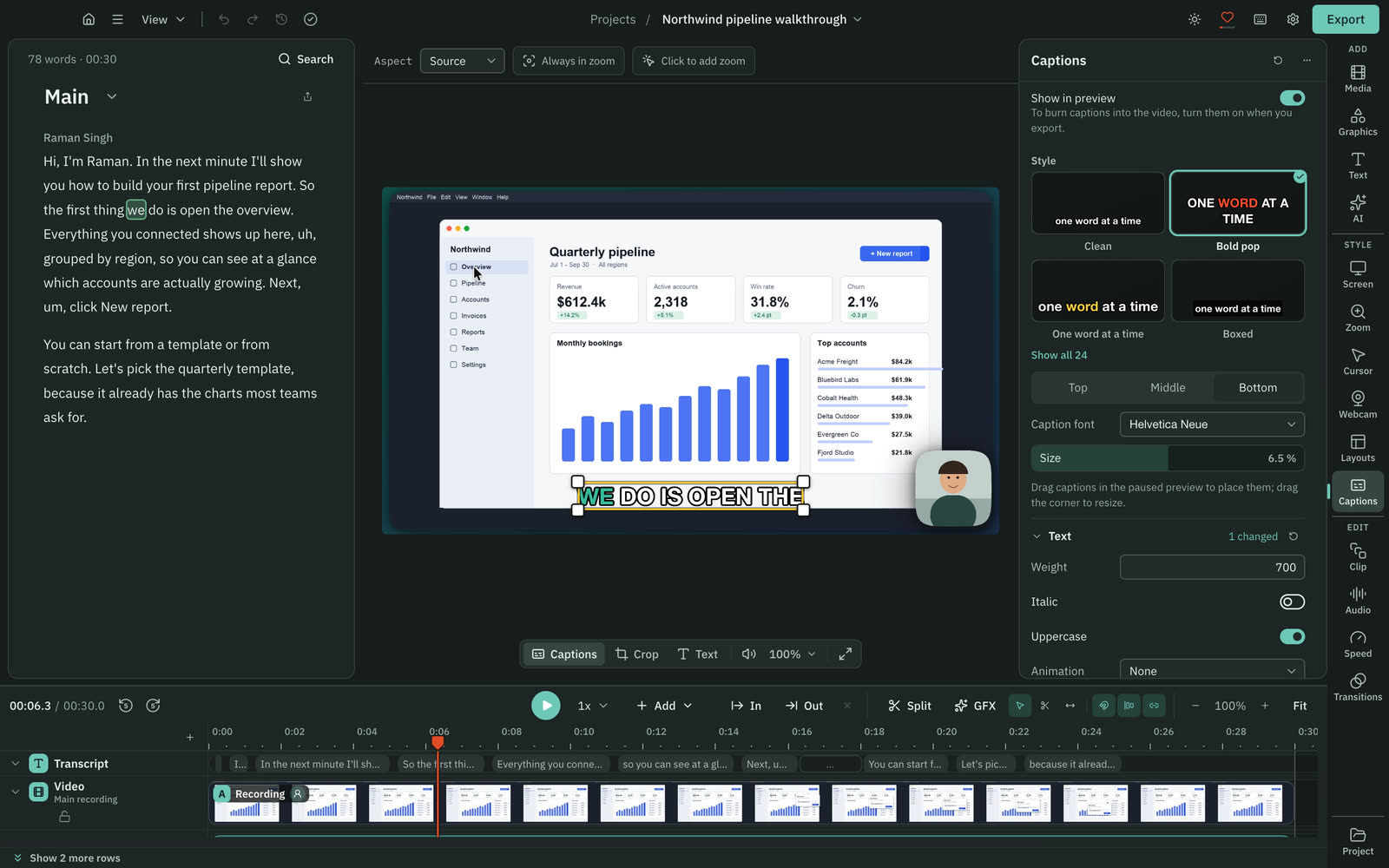
Both show captions line by line or word by word. Screen Studio makes the words on your Mac. Cutscript needs your own key, or Whisper on an Apple silicon Mac.
Cutscript24 styles, from a transcript you bring
Screen StudioCaptions made on your Mac, with style options
| What | Cutscript | Screen Studio |
|---|---|---|
| Where the words come from | PartlyYour own key, or Whisper on Apple silicon | YesYour Mac. Cloud transcription is optional |
| What a transcript costs | PartlyProvider bills you. Whisper on Apple silicon: free | YesCloud transcript in plan, no separate charge found |
| Speaker labels | PartlySome cloud models only. Not Whisper on your Mac | Not found in their docsNot found in their docs |
| Style presets | Yes24 presets | Not found in their docsNot found. You choose font, colour, position |
| Word animation | YesNone, Fade, Pop, Slide, Bounce, Pulse | YesAppear, fade in, slide in |
| Languages | YesScribe v2 90+, Whisper (Apple silicon) 99 | YesAuto or chosen. Count not found |
| Subtitle files | YesSRT or VTT | Yes.srt |
More detail
Cutscript
- A transcript needs an ElevenLabs, fal.ai or OpenRouter key, or Whisper on an Apple silicon Mac. ChatGPT and Claude plans cannot.
- Whisper on your Mac is free and slower than the cloud, and it has no speaker labels.
- 24 presets, each a starting point. Highlight the word being said, reveal words as spoken, or show only the active word.
- Any installed font, an Outline or Box background, and drag captions into place. One clip can have its own style.
- Burn captions into the video when you export, or save an SRT or VTT file timed to your edit.
Screen Studio
- Made on your Mac with Whisper (Base, Small or Medium) or Apple speech recognition on macOS 26.0 or later. They need mic audio.
- On macOS 26 or later, Whisper is removed from the transcript methods.
- Cloud transcription is optional. It uploads mic audio and needs macOS 26 or later and an account.
- Choose a font style, colour and position, line by line or word by word. Words can appear, fade in or slide in.
- Export the transcript as an .srt that matches the edited video.
Hiding private details
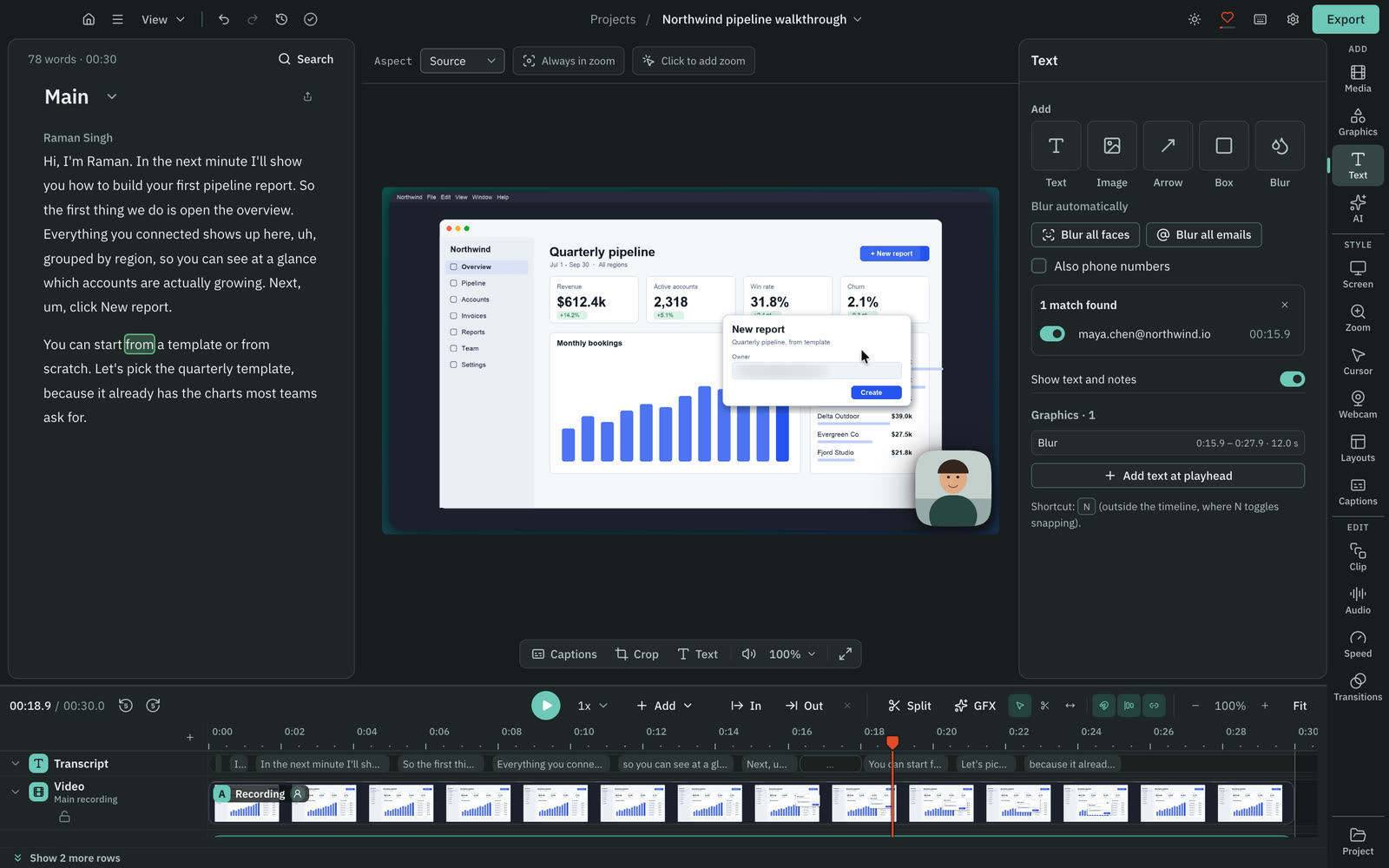
On a Mac, both find faces, emails and phone numbers for you and cover them. Screen Studio also finds card numbers and keys.
CutscriptTracked blur, with one-button faces and emails on a Mac
Screen StudioAutomatic hiding of sensitive data and faces
| What | Cutscript | Screen Studio |
|---|---|---|
| Cover an area by hand | YesBlur or pixelate. Mac and Windows | YesMasks on a mask timeline |
| Follow moving content | YesPixel lock, plus Apple Vision on a Mac | Not found in their docsReported by a third party, not confirmed |
| Find faces for you | YesMac only | YesAvatars, photos, video calls |
| Find emails for you | YesMac only, read from the screen | YesIncluded |
| Find phone numbers for you | YesMac only, with Also phone numbers ticked | YesIncluded |
| Find card numbers and keys | NoNot offered. Place a blur by hand | YesIncluded |
More detail
Cutscript
- Blur or pixelate any area on Mac and Windows, with a strength and an optional tint.
- Pixel lock tracks text, windows and logos in a screen recording. Export warns you if a blur lost its subject.
- On a Mac, Blur all faces and Blur all emails find them, and phone numbers if you tick that box. You review the list.
- Emails are read from the picture. An address that is only spoken is not found.
- A blur is applied at export. A project package can still carry the original recording, unless you leave the media out.
Screen Studio
- Covers emails, phone numbers, card numbers and keys, and blurs faces in avatars, photos and video calls.
- It needs no manual masking and runs on the Mac. Masks blend into the video and take their colour from what they cover.
- You can also add masks by hand on a mask timeline. That older guide says a mask will not follow the screen when scrolling.
- A third-party site says the covers track text as you scroll and type. We could not confirm this officially.
Sound and music
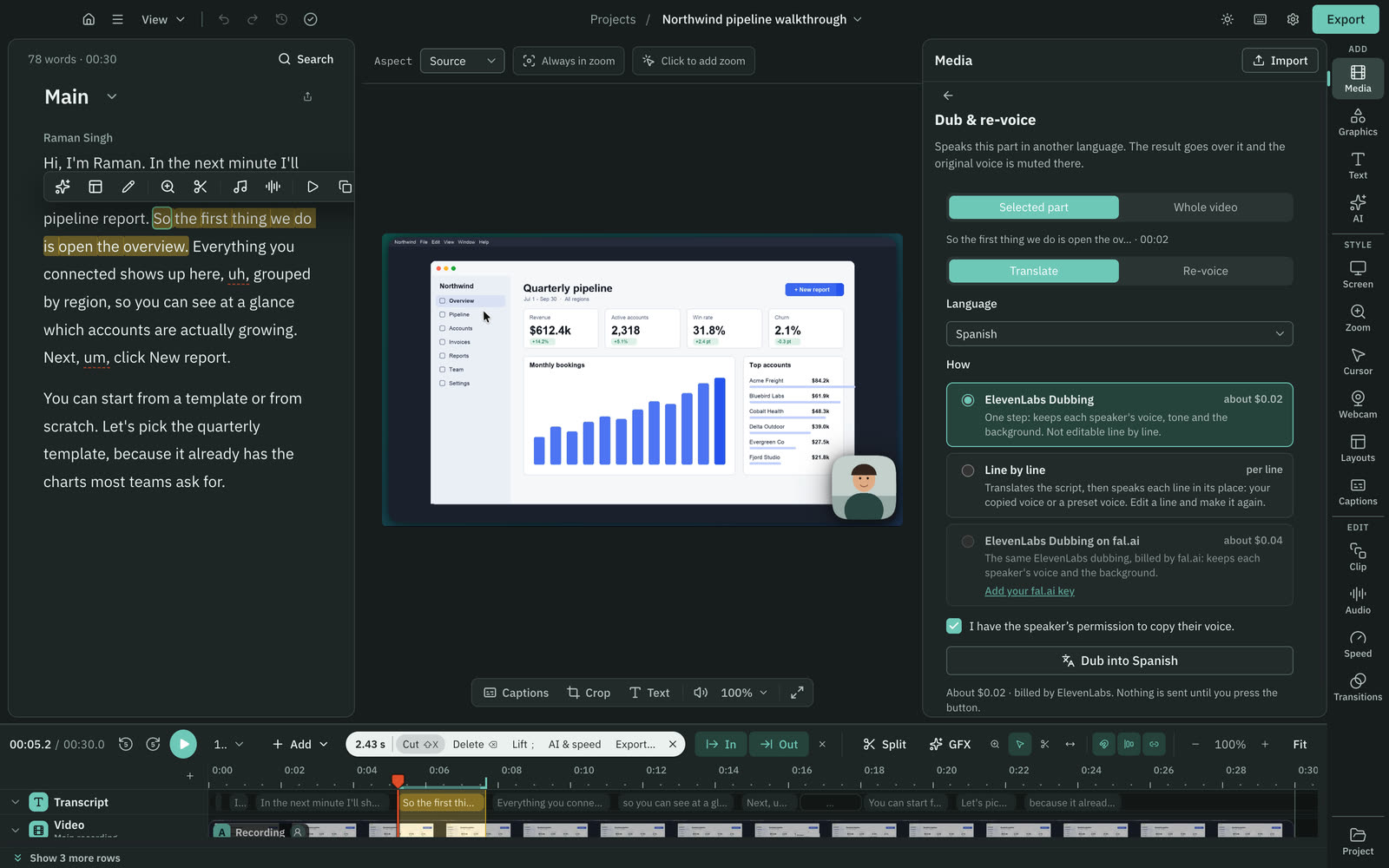
Both clean up a voice on your computer. Screen Studio has a music library. Cutscript has none: you bring files or generate audio on your own account.
CutscriptVoice clean-up, plus audio you generate on your account
Screen StudioNoise reduction, Podcast mode and a music library
| What | Cutscript | Screen Studio |
|---|---|---|
| Clean up a voice on your computer | YesBuilt in, plus Apple Voice Isolation on a Mac | YesNoise reduction and Podcast (beta) |
| Music library | NoNot offered. Bring files or generate music | YesBuilt in and royalty-free |
| Generate music and sound effects | YesFrom a prompt, on your own account | Not found in their docsNot found in their docs |
| Voiceover from text | YesCloud account, or a voice on Apple silicon | PartlyListed, but still in progress on their roadmap |
| Voice cloning | YesElevenLabs or Fish (10 to 30 s sample), your key | Not found in their docsNot found in their docs |
| Dubbing | YesYour own key, or a voice on Apple silicon | Not found in their docsNot found in their docs |
| Separate mic and system tracks | YesEvery input saved as its own track | Not found in their docsNot found in their docs |
More detail
Cutscript
- Enhance voice has a free built-in clean-up, and Apple Voice Isolation on a Mac. ElevenLabs and fal.ai run on your own key.
- Microphone and system sound are separate tracks, each with its own level.
- Generate music and sound effects from a prompt on an ElevenLabs, fal.ai or OpenRouter account.
- Voiceover and dubbing run on a cloud account, or with a voice on a Mac with Apple silicon. Each provider bills you.
- Export can set loudness to a peak of -1 dB or to -14, -16, -18 or -23 LUFS.
Screen Studio
- Mic modes are Standard, Noise reduction and Podcast (beta). The control does not appear on Intel or macOS 13 and earlier.
- A built-in royalty-free music library, or your own audio as MP3 or MP4.
- Type a script to add a voice. AI Voiceover is still In Progress on their roadmap, so it may not be in every build.
- Text, voice and language go to Speechify in the United States, only when you choose to generate audio.
- System audio can come from all apps, or from an app or group you pick.
AI and graphics
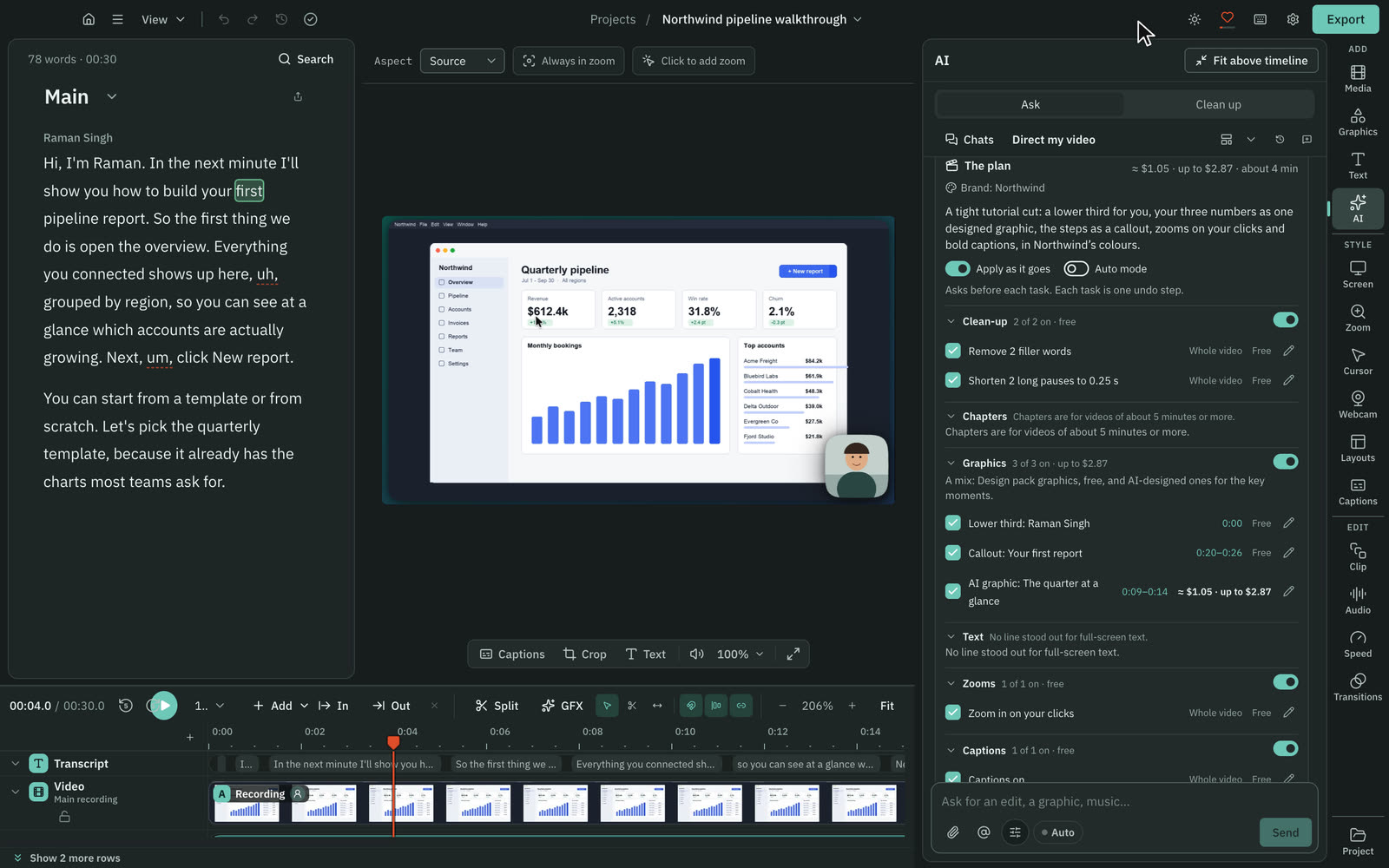
Cutscript has an AI chat that plans and makes edits on your own accounts, so you set it up and your provider bills you. Screen Studio's automation is narrower.
CutscriptOne chat for edits, plans and graphics
Screen StudioFocused automation, with an MCP server in progress
| What | Cutscript | Screen Studio |
|---|---|---|
| Ask for edits in plain words | YesOne AI, with cards you apply or discard | Not found in their docsNot found in their docs |
| AI plan for a whole video | YesDirect my video, priced first | Not found in their docsNot found in their docs |
| Short clips from a long video | YesUp to ten scored clips | Not found in their docsNot found in their docs |
| AI motion graphics | YesDesign director, storyboard and price first | Not found in their docsNot found in their docs |
| Ready-made motion graphics | YesDesign pack of 31, offline, no AI | Not found in their docsNot found in their docs |
| Brand kits | YesUp to 16 colours, four fonts, logos | Not found in their docsNot found in their docs |
| Your own AI accounts | YesChatGPT plan, Claude plan (Mac), keys, Ollama | Not found in their docsNot found in their docs |
| What AI costs you | PartlyYour provider bills you. No AI credits included | PartlyCloud transcript in plan. No other AI charge found |
More detail
Cutscript
- One AI takes edits in plain words, and Direct my video writes a priced plan you approve first.
- Make short clips finds up to ten scored clips. Each follows a face on a Mac, or the pointer or a still crop on Windows.
- The Design director makes motion graphics from a storyboard. The Design pack has 31 graphics that work offline with no AI.
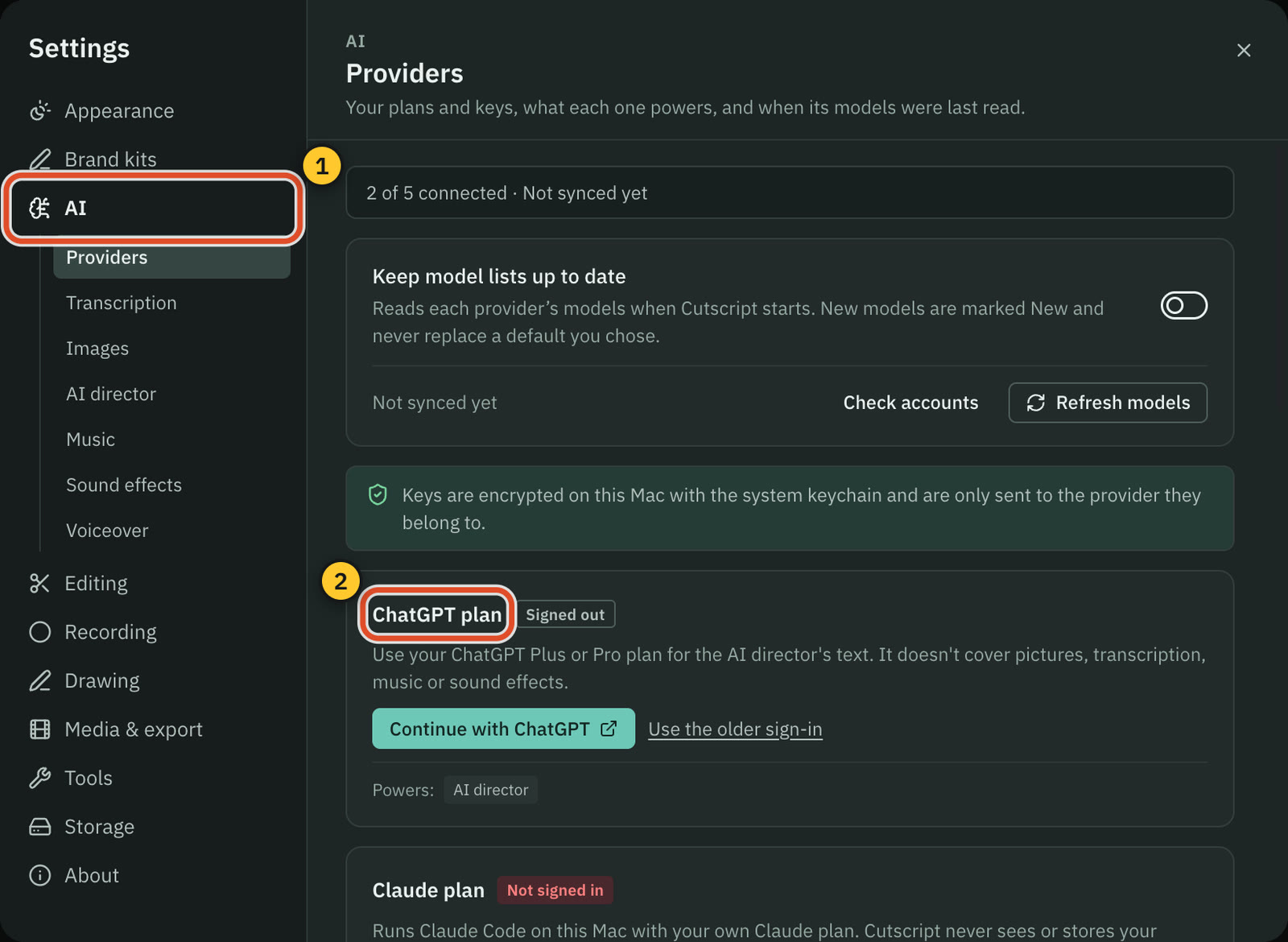
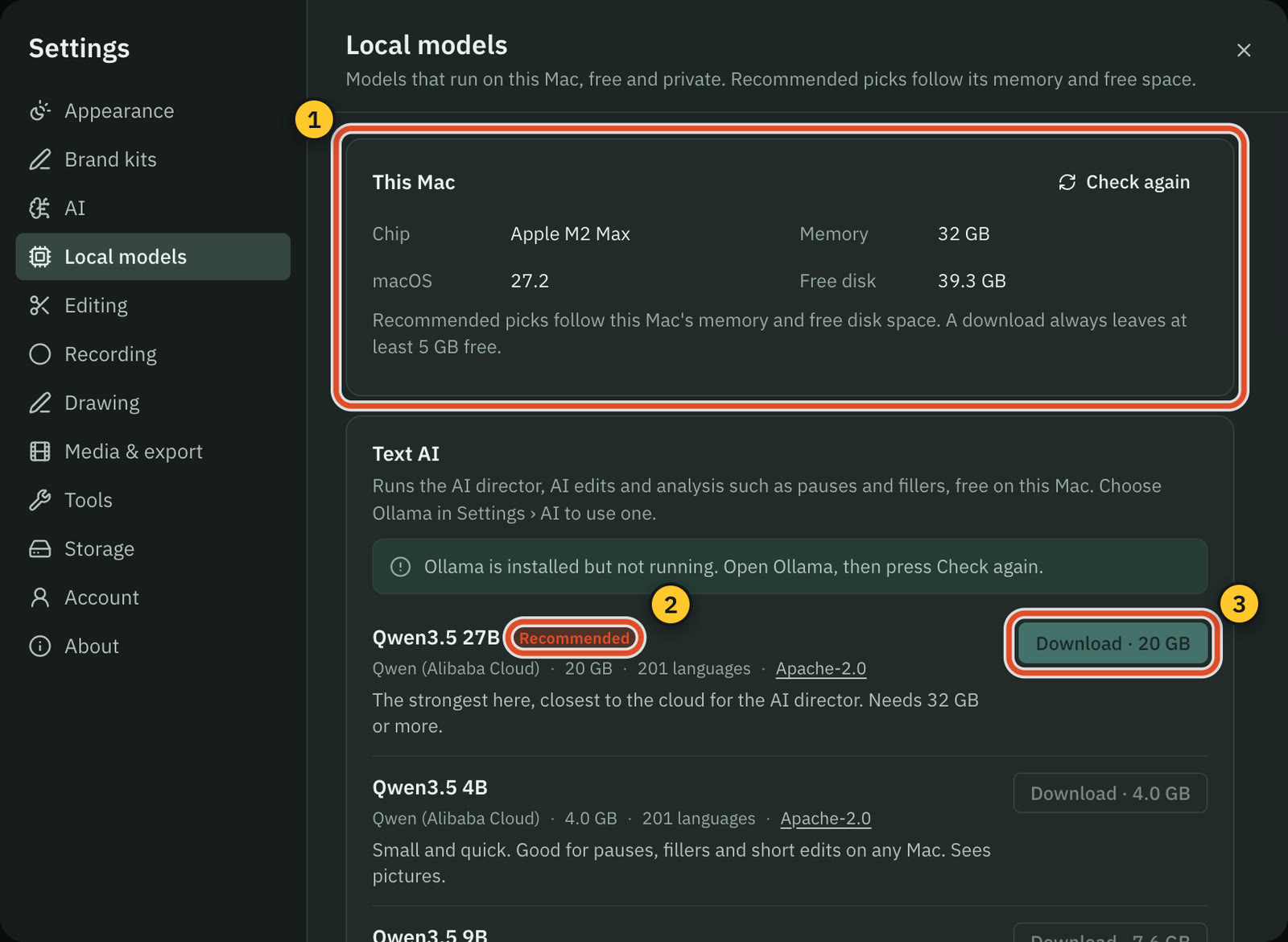
- AI runs on your ChatGPT plan, Claude plan on a Mac, your own keys or Ollama models. Neither plan includes AI credits.
- Files stay on your computer. Cloud AI steps send the text, audio or still frames they need to the provider you pick.
Screen Studio
- Automation found: auto zoom, typing segments, filler word and pause detection, and hiding of sensitive data and faces.
- Transcription, voice enhancement, face tracking and export run on-device, and you are told before anything leaves your Mac.
- An MCP server, to use Screen Studio from AI tools like Claude and Cursor, is In Progress on their roadmap.
- An AI chat that edits, a whole-edit plan, or your own ChatGPT or Claude plan, keys or Ollama were not found in their docs.
Export and sharing
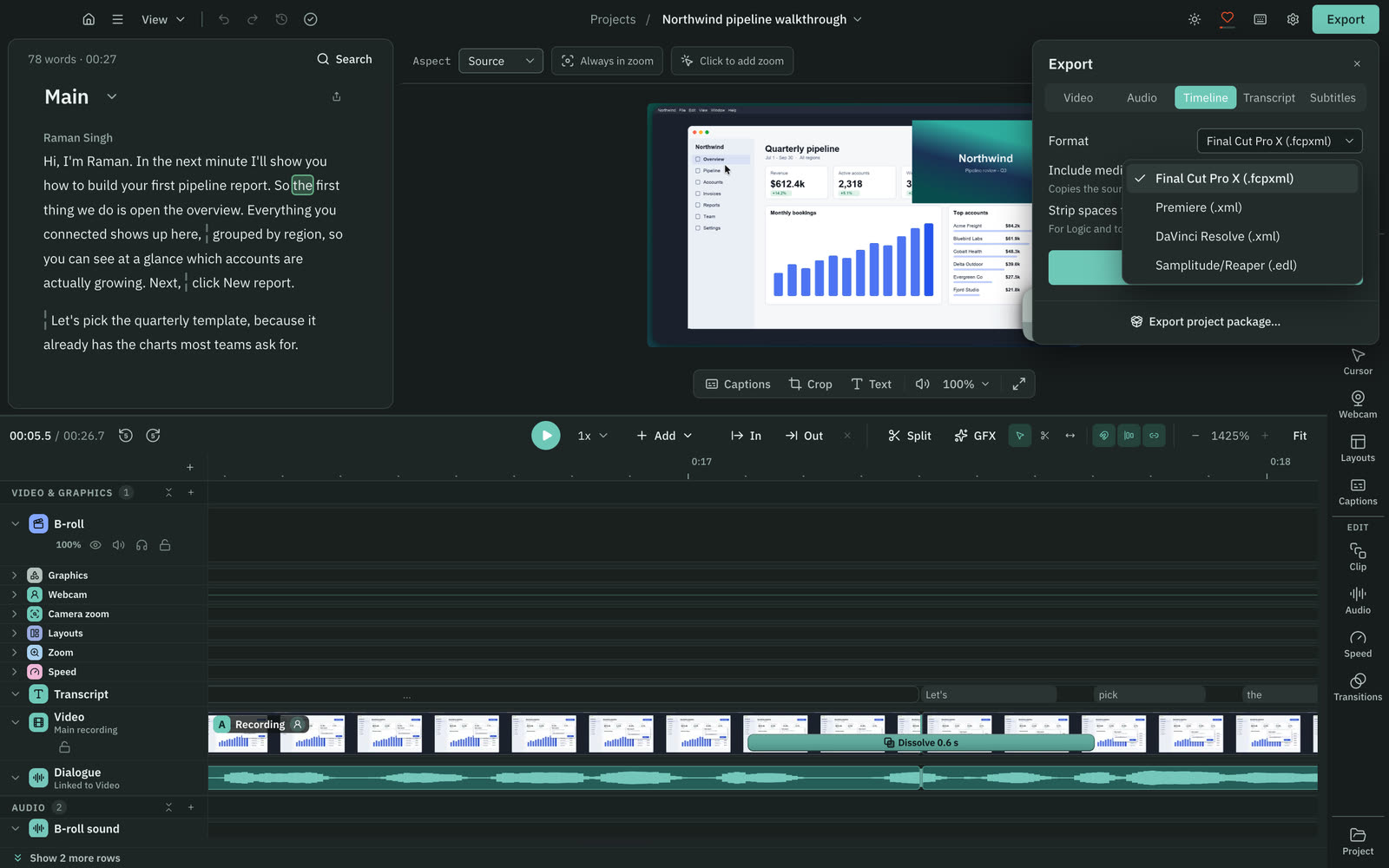
Both export video files. Only Screen Studio hosts links with view counts and comments. In Cutscript, motion effects limit video to MP4 H.264, so check this for ProRes.
CutscriptLocal files, with timeline hand-off on Pro
Screen StudioMP4, GIF and ProRes, plus hosted links
| What | Cutscript | Screen Studio |
|---|---|---|
| Video up to 4K at 60 fps | YesSource or 480p to 4K, 24 to 60 fps | Yes720p, 1080p or 4K, up to 60 fps |
| ProRes | PartlyLT, 422 or 422 HQ, without motion effects only | Yes422 LT, 422, 422 HQ or 4444 |
| GIF and clipboard | NoNot offered | YesGIF up to 1080p, plus Clipboard export |
| Timeline file for another editor | YesPro only: Final Cut, Premiere, Resolve or EDL | Not found in their docsNot found in their docs |
| Hosted share links | NoNot offered. You post the file yourself | YesPrivate, 1080p at 60 fps, up to 30 minutes |
| View counts and comments | NoNot offered | YesView count, comments on the exact second |
| Send an editable project | Yes.csproj for Mac or Windows, media optional | YesShare project (beta) needs an account |
More detail
Cutscript
- MP4 H.264, MP4 HEVC, MOV ProRes and WebM VP9, from 480p to 4K, 24 to 60 fps. On Windows, HEVC needs a graphics card encoder.
- Zooms, cursor, camera bubble, padding and other motion effects limit video to MP4 H.264. A new recording starts with padding.
- Pro only: a timeline for Final Cut, Premiere, Resolve or an EDL, with cuts and audio clips but no motion effects or speed changes.
- Audio saves as M4A, WAV, MP3 or FLAC, and transcripts as Word, Markdown, HTML, TXT or RTF.
- A project package (.csproj) moves a project as one file between Mac and Windows.
Screen Studio
- MP4 at 720p, 1080p or 4K up to 60 fps, GIF up to 1080p, and a Clipboard export that pastes the video into apps.
- ProRes 422 LT, 422, 422 HQ and 4444, to keep editing in Final Cut Pro, DaVinci Resolve or Premiere Pro.
- Extract raw recording files saves files to a folder you choose. Which tracks and formats it writes is not stated.
- Links are private, 1080p at 60 fps, up to 30 minutes. You can hide the view count, and viewers comment on the exact second.
- Share project (beta) sends an editable project as a link. It needs an account, with a 20 GB limit.
Price
Cutscript Pro costs less on both terms, with AI billed by your provider. Without a plan, Cutscript exports video with a watermark; Screen Studio exports no video files.
CutscriptFree, or Pro at $49.99 a year ($4.17 a month)
Screen Studio$9 a month on the yearly plan, or $29 monthly
| What | Cutscript | Screen Studio |
|---|---|---|
| Paid monthly | Yes$9.99 a month | Yes$29 a month |
| Paid yearly | Yes$4.17 a month ($49.99 a year) | Yes$9 a month, about $108 a year by our sum |
| Features without paying | YesAll but timeline export. Free account needed | YesAll but video file export |
| Export video without paying | YesWith a watermark | NoVideo files need an active plan |
| Watermark | PartlyOn free video exports. Pro removes it | Not found in their docsNothing to compare: no free video export |
| Computers | YesOne computer at a time on Pro | Not found in their docsNot stated on their home page |
| Student discount | NoNot offered | Yes40% off for students and educators |
| Team plan | NoNot offered | NoNot yet. Teams plans are in progress |
More detail
Cutscript
- Free has every feature except timeline export, and needs a free cutscript.dev account.
- Free video exports get a watermark that moves around the frame. Audio, subtitle and transcript exports have none. Pro removes it.
- Pro adds timeline export: $4.17 a month paid yearly ($49.99 a year), or $9.99 paid monthly.
- Pro covers one computer at a time, Mac or Windows. You can remove up to 3 computers every 30 days.
- A review of Cutscript on X earns two video exports without the watermark.
Screen Studio
- The yearly plan is shown as $9 a month, labelled a 69% saving. The yearly total is not printed, so $108 is our arithmetic.
- Every feature is in every plan, including export up to 4K at 60 fps, shareable links, cloud transcript and project sharing.
- Without an active plan you can use all features except exporting video files. No watermark and no free trial are mentioned.
- Students and educators get 40% off. One-time licences are no longer sold, and existing ones stay valid.
- Plans renew at the same rate and term unless you cancel before renewal. Fees are non-refundable.
Platforms and offline
Screen Studio is Mac only and recommends macOS 13.1 or later. Cutscript runs on Mac and Windows, and needs macOS 15 to record on a Mac.
CutscriptMac and 64-bit Windows, with more on a Mac
Screen StudiomacOS only, with macOS 13.1 or later recommended
| What | Cutscript | Screen Studio |
|---|---|---|
| macOS | Yes14 to open, 15 to record | YesVentura 13.1 or later, recommended |
| Windows | Yes64-bit Windows 10 (1809) or later, or 11 | NoNot offered |
| Intel Macs | YesSupported. Local transcripts need Apple silicon | PartlyMacBook Pro 2018 or later, Air 2020 or later |
| Works offline | PartlyRecord, edit and export offline for up to 14 days | YesWorks offline, cloud features optional |
| Account | PartlySign in once, free plan too | PartlySome features need one. App itself not stated |
| Where recordings stay | YesOn your computer | YesOn your device, unless you share a link |
More detail
Cutscript
- Mac (Apple silicon or Intel) opens on macOS 14 or later, and recording needs macOS 15.
- Windows needs 64-bit Windows 10 version 1809 or later, or Windows 11, from the Microsoft Store. There is no browser or phone app.
- Mac only: area recording, click tracking, drawing, iPhone and iPad, one-app sound, Blur all faces and emails, and the Claude plan.
- Editing by text works offline once the transcript exists. Making a transcript offline needs Whisper on an Apple silicon Mac.
- Colors and Face are on a Mac now, and on Windows with the next Microsoft Store update.
Screen Studio
- It supports macOS only, with no near-term plans for Windows. Neither a mobile app nor Windows is on the roadmap.
- macOS Ventura 13.1 or later is recommended, with Apple M1 or later recommended and 8GB RAM the minimum.
- Intel is supported only on MacBook Pro 2018 or later and MacBook Air 2020 or later.
- It works offline, with optional cloud features. Unsplash backgrounds, Cloud transcription and Share project each need an account.
- The current build is 4.1.0, and 4.2.0 is in beta.
Where Screen Studio is the better pick
Zoom and cursor polish
Auto zoom on clicks, a smooth cursor, click effects and sounds are central. Version 4 adds a Glass Loupe zoom and an on-Mac upscaler for zoomed text.
Sharing with a link
Send a private link instead of a file. Viewers comment on the exact second, and you get a view count. You can also send an editable project.
iPhone and iPad recording
Record over a wired connection, or through iPhone Mirroring on macOS 15 or later, with device frames. In Cutscript this is experimental.
Camera tools
Five layouts, camera cutout (beta), face tracking and Hide during silence, plus 12 colour looks or your own LUT for the camera.
Hiding more kinds of data
It finds emails, phone numbers, card numbers and keys, and faces in avatars, photos and video calls, on your Mac with no manual masking.
One price, no AI setup
Every feature is in every plan. Captions are made on your Mac, so you need no provider account. Students and educators get 40% off.
Moving from Screen Studio to Cutscript
- Install Cutscript and sign in once with a free cutscript.dev account. On Windows, use the Microsoft Store.
- Screen Studio projects do not import. Export a video as MP4, not ProRes, before your plan ends.
- Choose File › New Project… and pick the file. An imported video has no pointer data, so add zooms by hand.
- For captions or editing by text, add an ElevenLabs, fal.ai or OpenRouter key, or Whisper on Apple silicon.
- Record new work in Cutscript. On a Mac, takes get an editable pointer, and zooms if you allow click tracking.
- Try your whole routine on the free plan first. Video exports carry a watermark until you buy Pro.
Questions
Is Cutscript cheaper than Screen Studio?
On the prices we read on 31 October 2026, yes. Cutscript Pro is $4.17 a month paid yearly ($49.99 a year), or $9.99 paid monthly. Screen Studio is $9 a month on its yearly plan, or $29 monthly. Cutscript AI steps are billed by your provider.
Does Screen Studio work on Windows?
No. It supports macOS only, with no near-term plans for Windows. Cutscript runs on 64-bit Windows from the Microsoft Store, without area recording, click tracking or drawing, which need a Mac.
Can I use either one for free?
Cutscript's free plan has every feature except timeline export and needs a free account. Its video exports carry a moving watermark, and Pro removes it. Without a plan, Screen Studio has every feature except exporting video files.
Does Cutscript zoom on clicks like Screen Studio?
On a Mac, yes, for takes recorded in Cutscript with click tracking on. Screen Studio goes further with Glass Loupe and an on-Mac upscaler. On Windows or an imported video, you add Cutscript zooms by hand.
Can Cutscript make a share link?
No. Cutscript writes a file to your computer and you post it yourself. Screen Studio has private links with a view count and comments on the exact second, for videos up to 30 minutes.
Do I need an AI account to use Cutscript?
Not to record, edit on the timeline, add zooms or export. Captions and editing by text need a transcript: your own ElevenLabs, fal.ai or OpenRouter key, or Whisper on an Apple silicon Mac. Screen Studio makes captions on your Mac.
Can I open Screen Studio projects in Cutscript?
No. Cutscript has no importer, so zooms, cuts and layouts stay in Screen Studio. Export an MP4 from Screen Studio before your plan ends, import it, then add zooms by hand.
Try it on your own video.
Free with a Cutscript account. Video exports have a watermark, and Pro removes it.
Download CutscriptFirst published 31 October 2026, last checked 31 October 2026. Prices and features change, so check before you decide. The people in our screenshots are stock footage and do not use or endorse Cutscript. Screenshots show Cutscript 0.1 beta. Seen something wrong or out of date? Tell us and we will fix it.