Cutscriptvs Riverside
Pick Cutscript to record your own screen and keep files on your computer. Pick Riverside for remote guests, live streams and webinars. Cutscript is a 0.1 beta screen recorder and editor for Mac and Windows.
Written by the people who make Cutscript. Checked 31 October 2026. Riverside and its logo are trademarks of their owner, and Cutscript is not affiliated with or endorsed by them.
Pick Cutscript if
- You record your screen and want click zooms and a restyled pointer, on a Mac
- You want files on your own computer. Cloud AI steps send what they need
- You want recording, the timeline and export to work offline
- You want a free plan to keep. Riverside's pricing page lists a 14-day trial
- You pay for ChatGPT or Claude (Claude on a Mac), or want your own AI keys or local models
Pick Riverside if
- You record remote guests, up to 10 people, each on their own device
- You stream live from the Grow plan, or run webinars on the Webinar plan
- You record or edit on a phone or in a browser
- You want hosting and publishing in one account
- You need a team to review and edit together
At a glance
| What | Cutscript | Riverside |
|---|---|---|
| Best for | Screen demos, tutorials and talks you cut by their words | Remote interviews, live streams and webinars |
| Maturity | 0.1 beta. Expect rough edges | Dozens of releases, April to October 2026 |
| Price (checked 31 Oct 2026) | Free, or Pro at $4.17 a month paid yearly ($49.99 a year), or $9.99 monthly | Pro $24 a month paid yearly ($288 a year), or $29 monthly. Live streaming starts at Grow, $34 paid yearly |
| Free plan | YesEvery feature except timeline export. Free account needed | NoNone on pricing page. 14-day trial, capped free recorder |
| Watermark | PartlyA moving watermark on free video exports. Pro removes it | PartlyNone on Pro. Free browser recorder has one |
| Platforms | PartlyMac and Windows only. Recording on a Mac needs macOS 15 | PartlyWeb, Mac, iOS, Android. Windows app not found |
| Where files live | On your computer | Recorded locally, uploaded to their cloud as you record |
| Sharing | NoYou get a file and post it yourself | YesPreview links with comments. Editor seat is an add-on |
| Editing | YesEdit by text (needs a transcript), plus a timeline | YesEdit by text, plus a timeline |
| AI | YesYour ChatGPT plan, Claude plan (Mac), your keys, or local models | YesBuilt in: Co-Creator and four Agents, some on AI credits |
| Remote guests | NoNot offered | YesUp to 10 people, each on their own device |
| Live streaming and hosting | NoNot offered | YesStreaming and hosting from the Grow plan |
YesPartlyNoNot found in their docs
Recording your screen
Both record your screen. Riverside's pages say little about it, so a row marked not found does not mean the feature is missing.
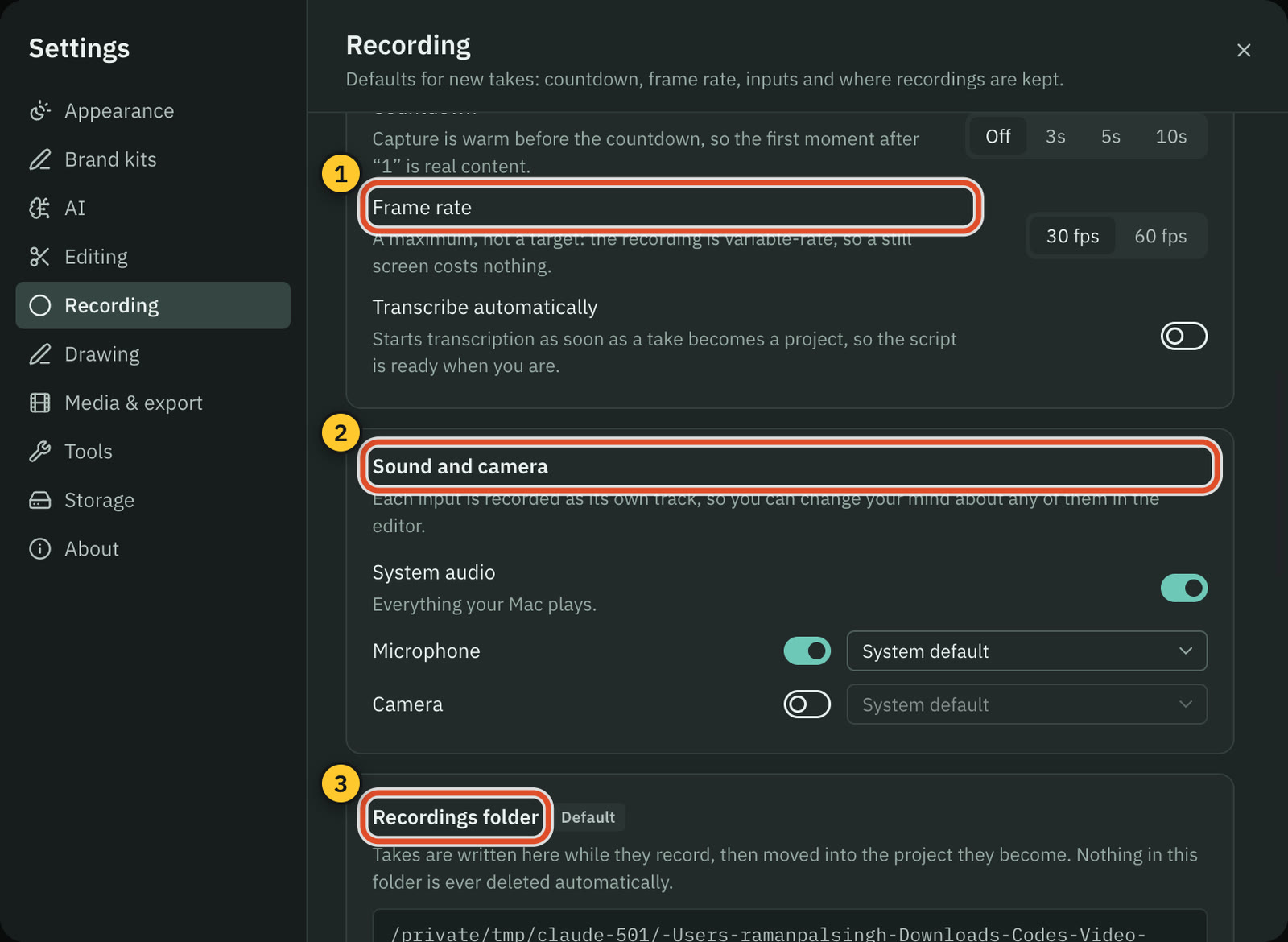
CutscriptBuilt-in recorder, every input on its own track
RiversideScreen shares as own tracks, plus a free recorder
| What | Cutscript | Riverside |
|---|---|---|
| What you can capture | YesA display or a window. An area, on a Mac | YesA Chrome tab, a window or the whole screen |
| Where you record | YesMac (macOS 15 or later) or Windows PC | YesMac app, browser, iOS 27 phone |
| Frame rate | Yes30 or 60 fps | Partly24 FPS free recorder. Paid not found |
| System sound | YesAll sound or none. Chosen apps on Mac, experimental | PartlyFree recorder has it. Studio not found in their docs |
| Separate tracks | YesPicture, voice, system sound, camera | YesEach screen share and each participant |
| Recording with no connection | YesWorks offline once signed in | YesLocal recording continues if it drops |
More detail
Cutscript
- You record a display or a window on Mac and Windows. Area recording is on a Mac.
- Picture, voice, system sound and camera each save as a separate track, so you can change any of them later.
- You pick 30 or 60 fps. It is a maximum, not a target.
- Recording works offline once you are signed in. On a Mac, recording needs macOS 15.
- Recording with some microphones and cameras is still being checked on real hardware.
Riverside
- In the browser studio you share a tab, a window or the screen. Each share is its own downloadable track.
- In the Mac app a shared screen records locally as its own track, in line with the others: up to 4K, uncompressed 48 kHz audio.
- The free browser recorder needs no sign-up, on Windows or Mac: 720p at 24 FPS, up to 30 minutes, with a watermark.
- Signing up removes the recorder's watermark and allows 4K. Riverside puts 4K on Pro and up.
- On iOS 27 you can share the phone screen as a separate track while the camera records. Android: not found.
Recording other people
Riverside leads here. It records remote guests on their own devices, and Cutscript does not.
CutscriptYour own computer only, no remote guests
RiversideUp to 10 people, each recorded on their own device
| What | Cutscript | Riverside |
|---|---|---|
| Remote guests | NoNot offered | YesUp to 10 people, no guest account needed |
| A track for each person | PartlyYour own camera and mic, no guest tracks | YesSeparate audio and video tracks per person |
| Several cameras in one room | NoNot offered | YesMac app, synced tracks, Pro and above |
| A phone as a camera | NoNot offered. Cabled iPhone screen on a Mac, experimental | YesThrough a QR code in the lobby |
| Several pictures, one computer | YesUp to three. On Windows, displays and windows only | Not found in their docsNot found in their docs |
More detail
Cutscript
- Cutscript has no studio and no guest link. A take records what is on your own computer.
- A take holds up to three pictures, each saved to its own file. On Windows you add displays and windows only.
- Your camera records on its own track, and you can use any video as the camera.
- A cabled iPhone or iPad can be a source on a Mac. It is experimental and not yet checked on real hardware.
- Import an interview recorded elsewhere. For tall or square video, AI can frame a wide shot on whoever talks, on your AI account.
Riverside
- Up to 10 participants (9 guests plus the host) record at once on separate audio and video tracks. Guests need no account.
- Each speaker records locally at up to 4K with uncompressed audio and uploads in the background. 4K and 48 kHz are Pro and up.
- In the Mac app, in-person multi-camera recording keeps each camera and mic as its own track. Several cameras need Pro or above.
- A phone can be a second webcam through a QR code in the lobby. An iPad can take a USB camera or capture card, Pro and up.
Zooms, cursor and drawing
Cutscript has pointer tools, which need a take recorded on a Mac. Riverside has manual zoom and pan, and no pointer tools were found.
CutscriptThe pointer stays editable, on a Mac
RiversideManual zoom and pan. Pointer tools not found
| What | Cutscript | Riverside |
|---|---|---|
| Zoom by hand | YesPress Z or drag the Zoom lane. 1x to 5x | YesStart and end frames, Pro and up |
| Automatic zoom from clicks | YesFewer, Balanced or More, on a Mac | Not found in their docsNot found in their docs |
| Pointer styles and smoothing | YesSix styles plus your Mac's, 0.5x to 10x. Mac only | Not found in their docsNot found in their docs |
| Click effects and sounds | YesSix effects and five sounds. Mac only | Not found in their docsNot found in their docs |
| Draw while recording | YesPen, highlighter, shapes, laser and more. Mac only | Not found in their docsNot found in their docs |
More detail
Cutscript
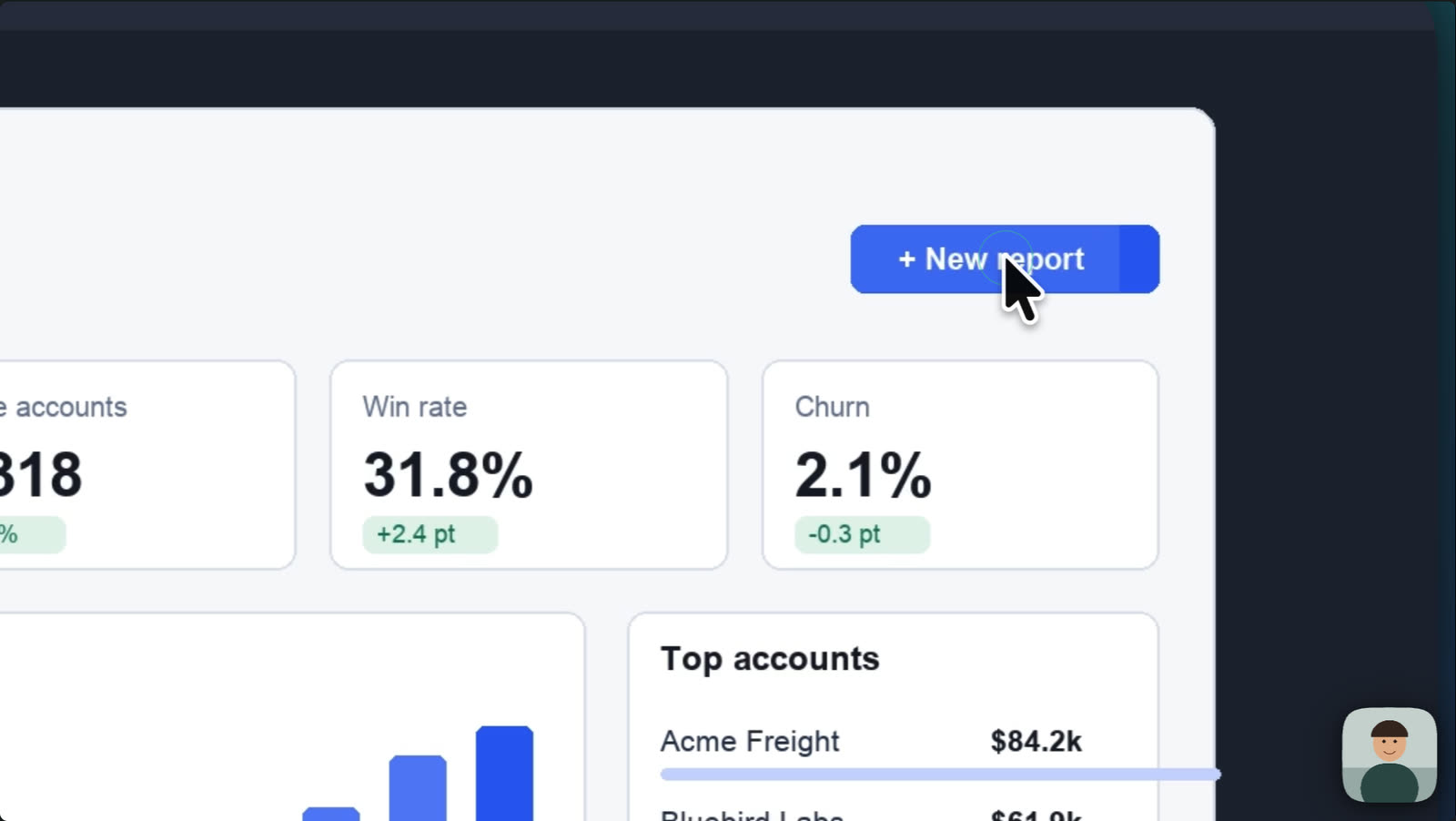
- On a Mac the pointer is saved as data, not baked into the picture. You change its style, size and smoothing after the take.
- On a Mac, clicks are tracked and feed automatic zooms, six click effects and five click sounds. It needs one macOS permission.
- A take recorded on Windows has the pointer in the video and no click data. You add zooms by hand, which works on both.
- On a Mac you can draw while you record: pen, highlighter, arrows, shapes, numbered steps, laser pointer and spotlight.
Riverside
- In the editor you set start and end frames and a zoom level on a tile or overlay, with optional easing.
- Zoom and pan carries a Pro and up label and shipped on 23 Sep 2026.
- Cursor following and click-triggered zoom are not mentioned. Cursor styles, smoothing and click effects: not found.
- No drawing or annotation tool is mentioned on the free recorder or screen-share pages.
Editing by text and timeline
Both edit by text and on a timeline. Cutscript needs a transcript from your own key or Whisper first.
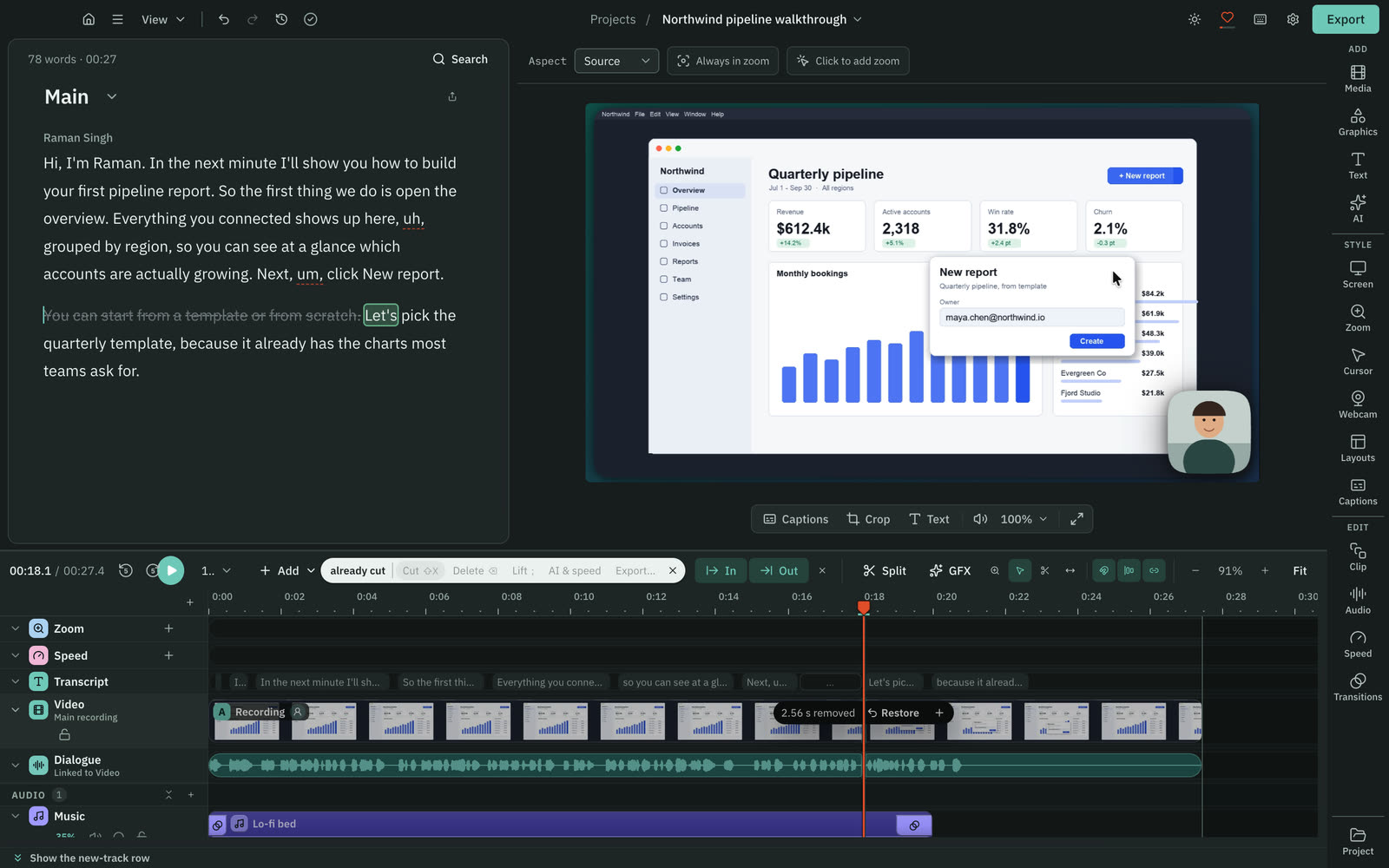
CutscriptEdit the script, then polish on the timeline
RiversideText editing is the core of the editor
| What | Cutscript | Riverside |
|---|---|---|
| Edit the transcript | YesOnce a transcript exists | YesCore of the editor |
| What a transcript costs | PartlyProvider bills you. Free with Whisper on Apple silicon | PartlyText editing unlimited on Pro. Transcript price not found |
| Filler words | YesFind, review, delete or ignore. Editable word list | YesMute, cut or both |
| Pauses | YesYou set the lengths. Default: over 0.8 s becomes 0.3 s | YesSet how long a pause must be to cut |
| Repeated phrases | YesKeeps your last take. Up to 8 words, adjustable to 20 | Not found in their docsNot found in their docs |
| Multitrack timeline | YesVideo, images and audio | YesTracks, overlays, music, b-roll |
| Transitions | YesDissolve, dip, push, slide, wipe, iris and more | PartlyCrossfade, adjustable length. Larger set not found |
| Editing offline | PartlyNeeds a transcript. Offline: Whisper on Apple silicon | Not found in their docsNot found in their docs |
More detail
Cutscript
- Delete a word in the script and the video cuts there. Your original media stays untouched.
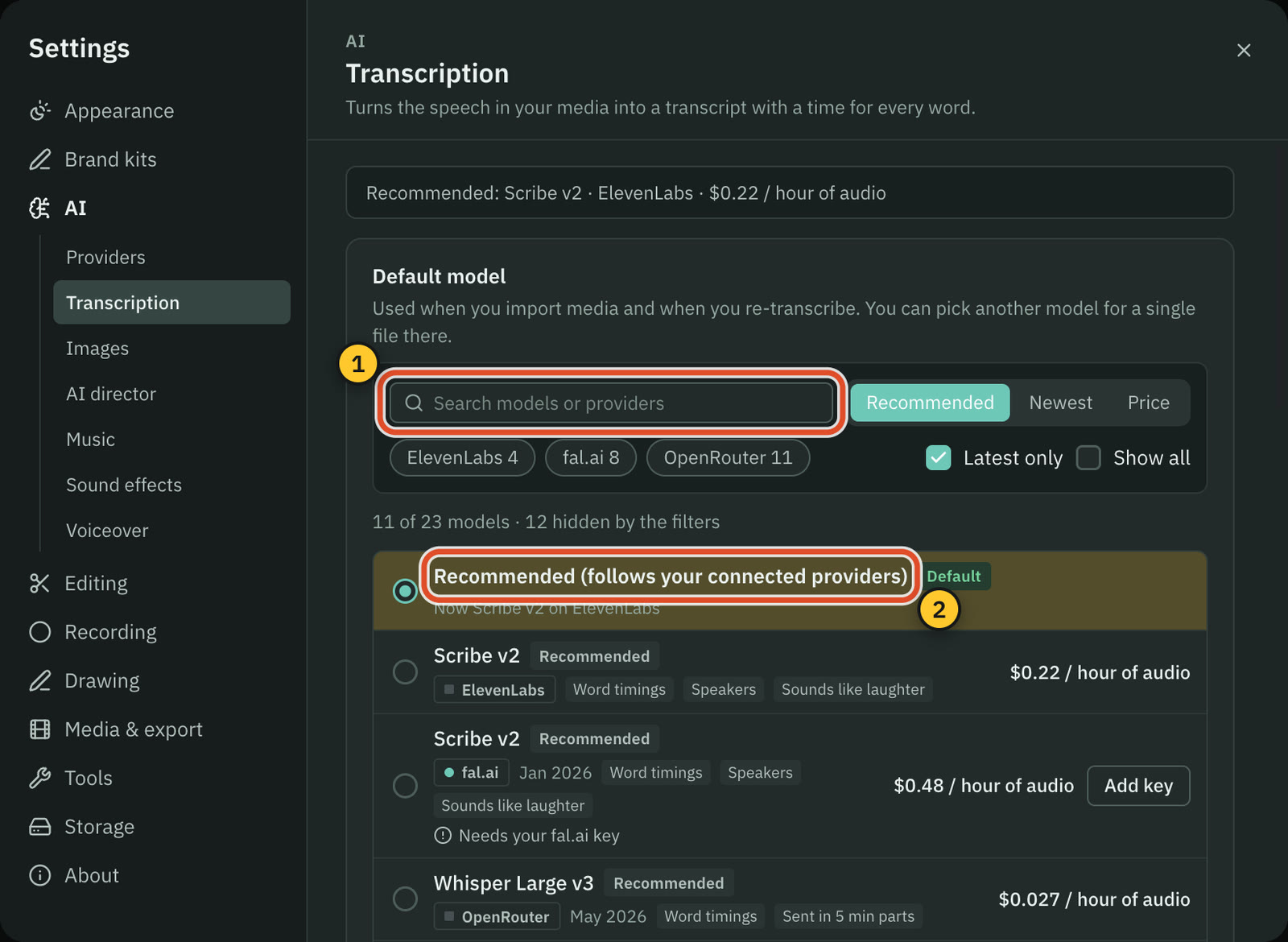
- The script needs a transcript from your ElevenLabs, fal.ai or OpenRouter key, or Whisper on an Apple silicon Mac.
- A ChatGPT or Claude plan cannot transcribe. Filler, pause and repeat removal use no AI and cost nothing.
- Editing by text works offline once the transcript exists. Making one offline needs Whisper on an Apple silicon Mac.
- The timeline has several tracks, Razor and Slip tools, markers, speed from 0.25x to 4x and transitions of 0.1 to 4 seconds.
Riverside
- You edit the transcript like a document and the video updates. Unlimited text-based editing is listed under Pro.
- Remove Pauses sets how long a pause must be before it is cut. Filler words can be muted, cut or both.
- Pause removal skips screen shares and media unless you tick a box.
- The timeline cuts, splits, trims, moves tracks and adds overlays, music and b-roll.
- Smooth cuts, a one-click jump-cut smoother, shipped on 11 Oct 2026. It uses AI credits and is Pro and up.
Backgrounds, camera and graphics
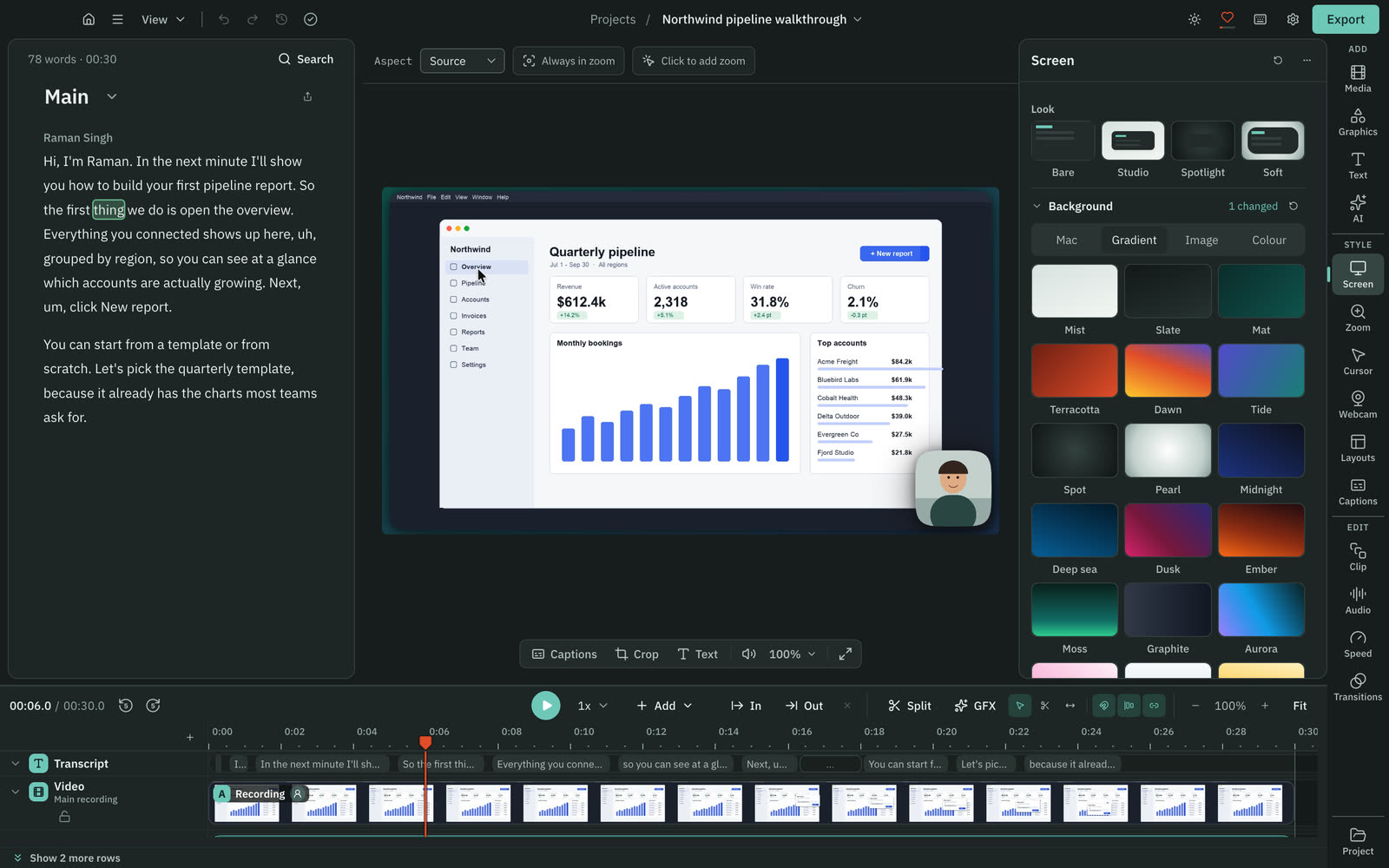
Cutscript frames a recording on a styled background. Riverside uses scenes and speaker layouts and can replace the background behind a person.
CutscriptA styled frame and a camera bubble you can shape
RiversideBackground replacement, scenes and Smart Layouts
| What | Cutscript | Riverside |
|---|---|---|
| Behind the video | YesA gradient, image or colour | PartlySwaps a person's background. Tile backdrop not found |
| Remove a background | PartlyChroma key, one solid colour. Does not find people | YesWorks with no green screen, on old clips too |
| Padding and corners | YesPadding 0 to 100%, corners 0 to 50%, shadow 0 to 200% | PartlyCorner radius and shadows. Padding not found |
| Camera shape | YesCircle, pill, oval, diamond, hexagon and more | PartlyCorner radius. Circle and other shapes not found |
| Layouts | YesAuto, rows, columns, grid or large panel | YesScenes, plus Smart Layouts by speaker |
| Ready-made motion graphics | Yes31 in the Design pack, offline, no AI | YesCalls to action, charts, quote cards |
| Graphics from a prompt | YesDesign director, priced first, on your AI account | YesLogo animations and lower thirds |
| Brand kits | YesUp to 16 colours, four fonts, logos. Both plans | YesBusiness: fonts, colours, logos. Editor: palette, logo |
More detail
Cutscript
- A new recording opens on the Studio look: a gradient, padding, rounded corners and a soft shadow.
- Backgrounds can be a gradient, an image or a colour. Desktop wallpapers are on a Mac.
- The camera bubble comes in shapes such as circle, pill, oval, diamond and hexagon, with a two-colour flowing border.
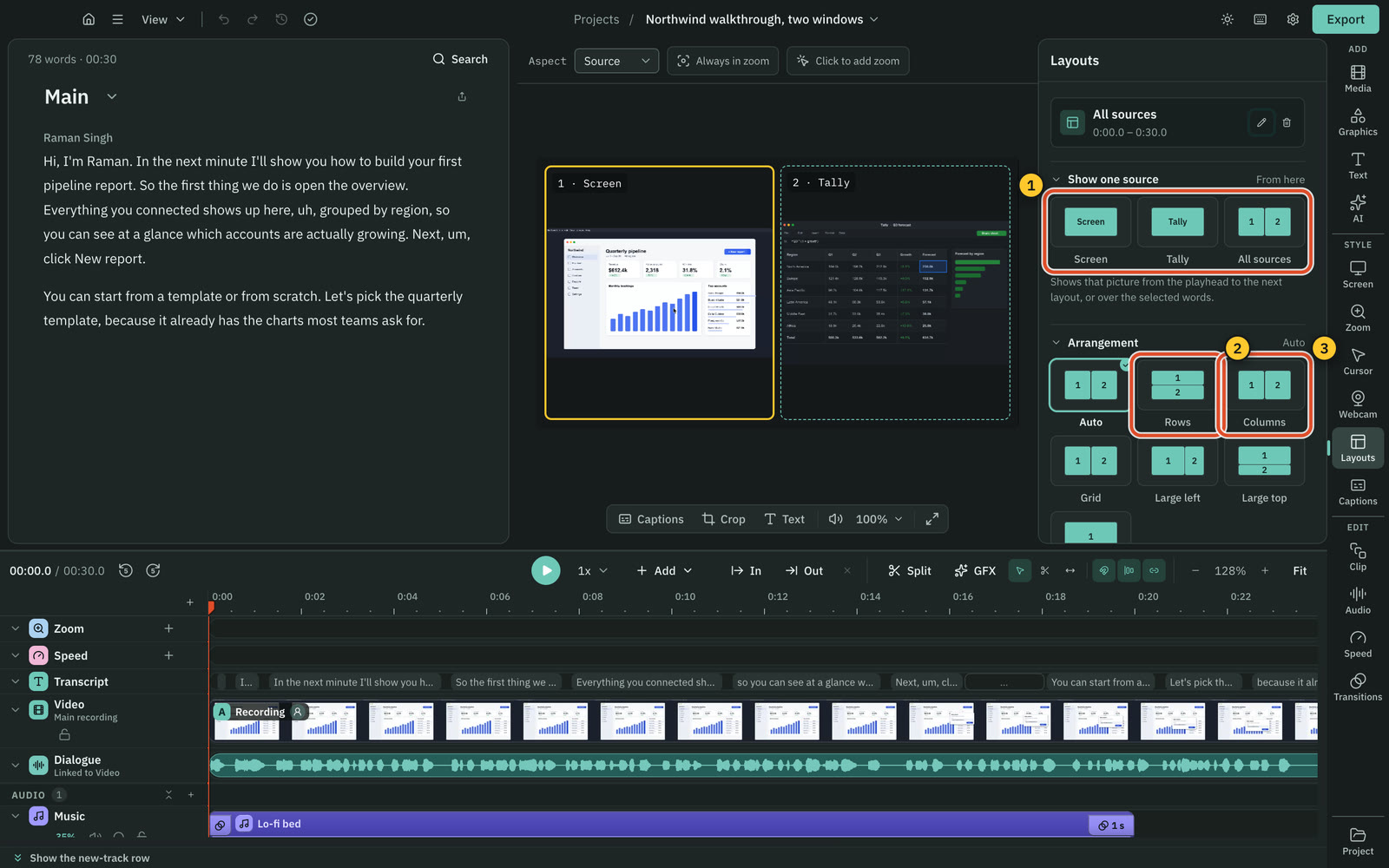
- Layouts of 2, 3 or 4 panels can show the screen, the camera or other media.
- The Design pack has 31 motion graphics that work offline with no AI. The design director makes new ones on your AI account.
Riverside
- Background replacement: slight or full blur, a cutout, or built-in or uploaded images. No green screen needed.
- It works on new and old recordings, and the changelog lists it as Pro and up.
- Corner radius is set for each track in the Design tab, and custom shadows are labelled Free in the changelog.
- Adding a scene changes the layout from that point. Smart Layouts switch scenes by who is speaking.
- Motion graphics are labelled Free, including custom ones from a prompt. AI b-roll and guest cards use AI credits, Pro and up.
Colour and blur
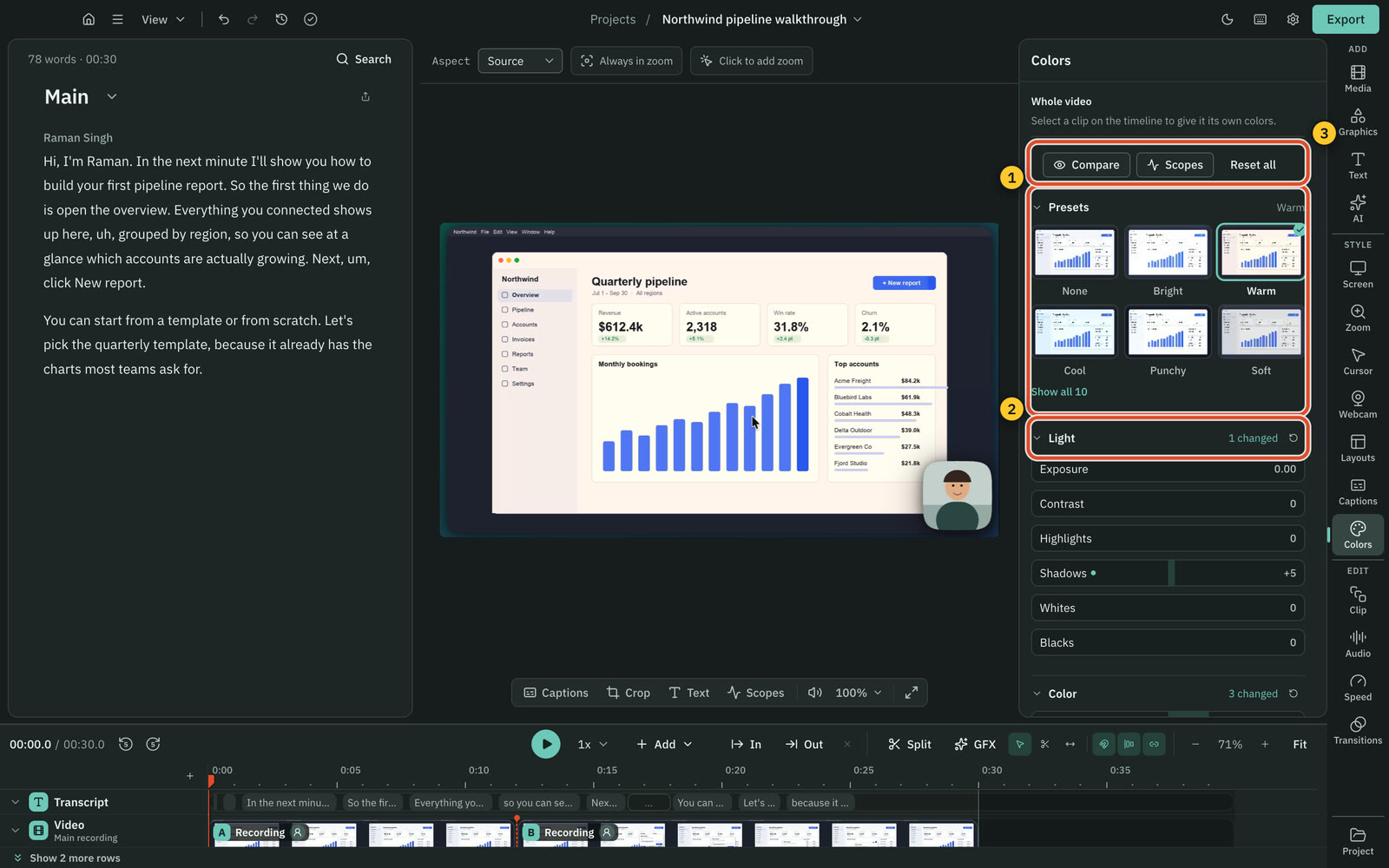
Cutscript has a grade panel, scopes and tracking blur. Colors and Face are on a Mac now, and on Windows with the next Store update.
CutscriptA full grade with scopes, and blur that follows
RiversidePer-speaker colour and background blur
| What | Cutscript | Riverside |
|---|---|---|
| Colour sliders | YesTen sliders, exposure to vibrance. Mac for now | YesBrightness, temperature, saturation, contrast |
| LUT import | YesA .cube look, with intensity. Mac for now | Not found in their docsNot found in their docs |
| Scopes | YesWaveform, parade, vectorscope, histogram. Mac for now | Not found in their docsNot found in their docs |
| Face-only colour | YesPresets and sliders for the face alone. Mac for now | Not found in their docsNot found in their docs |
| Blur that tracks | YesPixel lock on both. Apple Vision on a Mac | Not found in their docsNot found in their docs |
| Blur all faces or emails | YesOne button each. Mac only | Not found in their docsNot found in their docs |
| Blur behind a person | NoNot offered. Chroma key removes one colour | YesSlight or full blur, no green screen |
More detail
Cutscript
- Colors has light and colour sliders, shadow, midtone and highlight wheels, a vignette and presets that preview your frame.
- You can import a .cube look and read the waveform, parade, vectorscope and histogram.
- Face has presets and sliders that change the face only. Faces are found on your computer and nothing is uploaded.
- You can blur or pixelate an area and have it track what it covers. Blur all faces and Blur all emails are on a Mac.
- Colors and Face are on a Mac now, and on Windows with the next Microsoft Store update. A graded video exports as H.264.
Riverside
- The editor lists per-speaker brightness, temperature, saturation and contrast adjustments.
- LUT import, scopes and face-only colour: not found. Its colour grading glossary defines the terms but claims no support.
- The only blur found is background blur, slight or full, inside background replacement.
- Tracked blur, automatic face blur and email blur: not found.
Captions and short clips
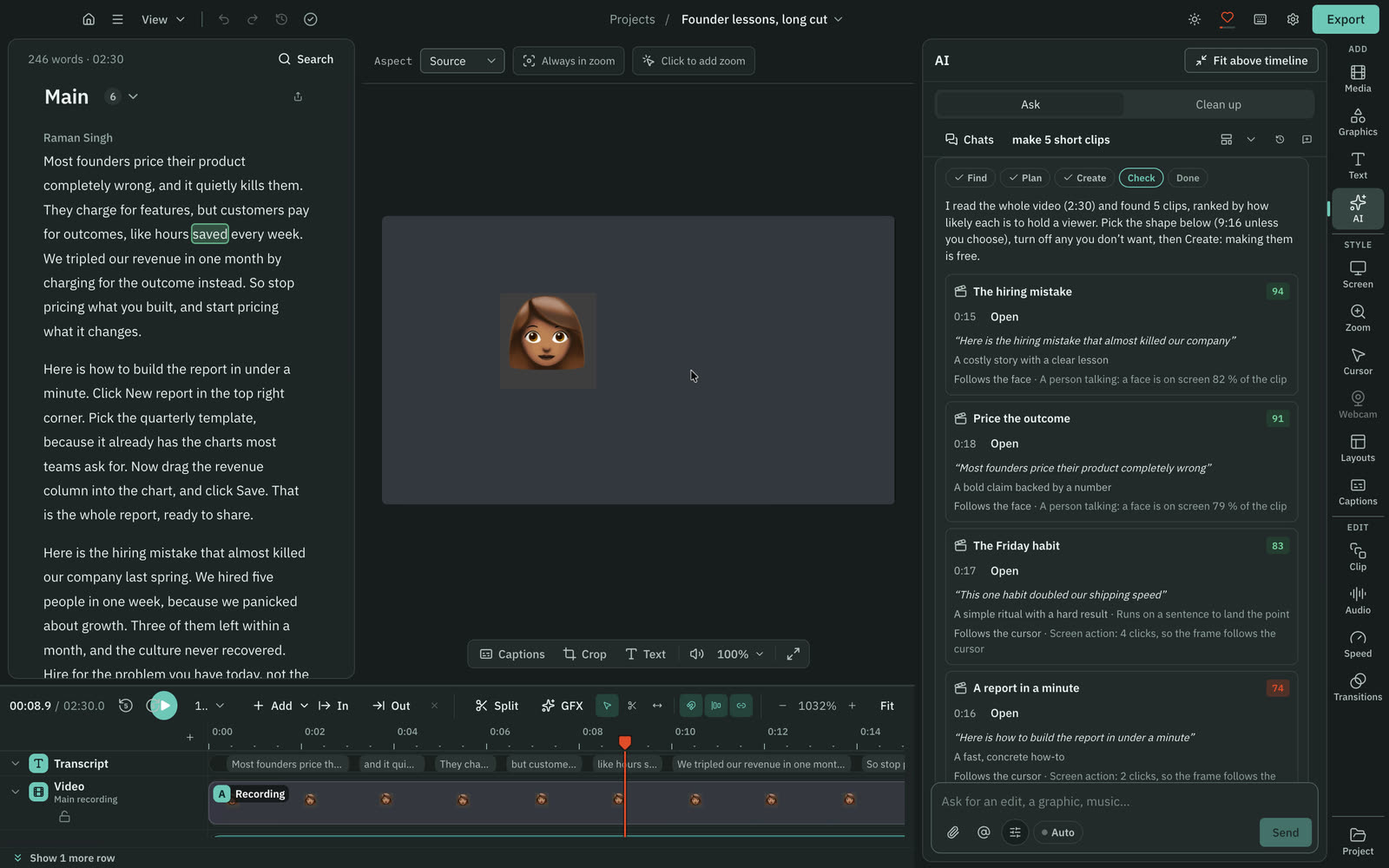
Both style captions and cut short clips. Riverside clips in one click. Cutscript needs a transcript and an AI source, then you review a scored plan.
Cutscript24 caption styles, and a clipper you review
RiversideStyled captions and one-click Magic Clips
| What | Cutscript | Riverside |
|---|---|---|
| Caption styling | Yes24 presets, every setting editable | YesFont, colour, size, alignment, animation |
| Highlight the spoken word | YesReveal as spoken, active word only, or animate | Not found in their docsNot found in their docs |
| Languages | Yes90+ with Scribe v2. 99 with Whisper, Apple silicon | Yes100+ languages claimed |
| Subtitle files | YesSRT or VTT | YesSRT. Other formats not found |
| Finding short clips | YesUp to ten scored clips. Needs a transcript and AI | YesOne click. No AI credits needed |
| Framing a tall clip | YesFace or pointer on Mac. Pointer or still crop on Windows | PartlySpeaker priority and Auto-crop. Face tracking not found |
| Import from a link | YesYouTube, Instagram, TikTok, Vimeo, X, Reddit, more | PartlyYouTube. Other sites not found |
More detail
Cutscript
- 24 caption styles with word highlighting, any installed font and drag-to-place captions. Captions come from the transcript.
- You can export subtitles as SRT or VTT, or burn captions into the video.
- Make short clips finds up to ten, scored 0 to 100. Finding them is priced on the Send line, and making them is free.
- On a Mac a clip can follow the speaker's face. On Windows it follows the pointer or uses a still crop.
- Download from link takes YouTube, Instagram, TikTok, Vimeo, X, Reddit and more, for videos you have the right to use.
Riverside
- Captions can be styled by font, colour, size, alignment and animation, then dragged into place. SRT download is offered.
- Magic Clips picks highlights and makes clips in one click, with adjustable length, layout, branding and captions, up to 4K.
- Magic Clips is called free, and the pricing FAQ says it needs no AI credits.
- Clips switch between vertical, widescreen and square. You can prioritise a speaker or keywords.
- Auto-crop shipped on 26 Aug 2026 and clips from the edited version on 28 Oct 2026, both labelled Free.
AI and who supplies it
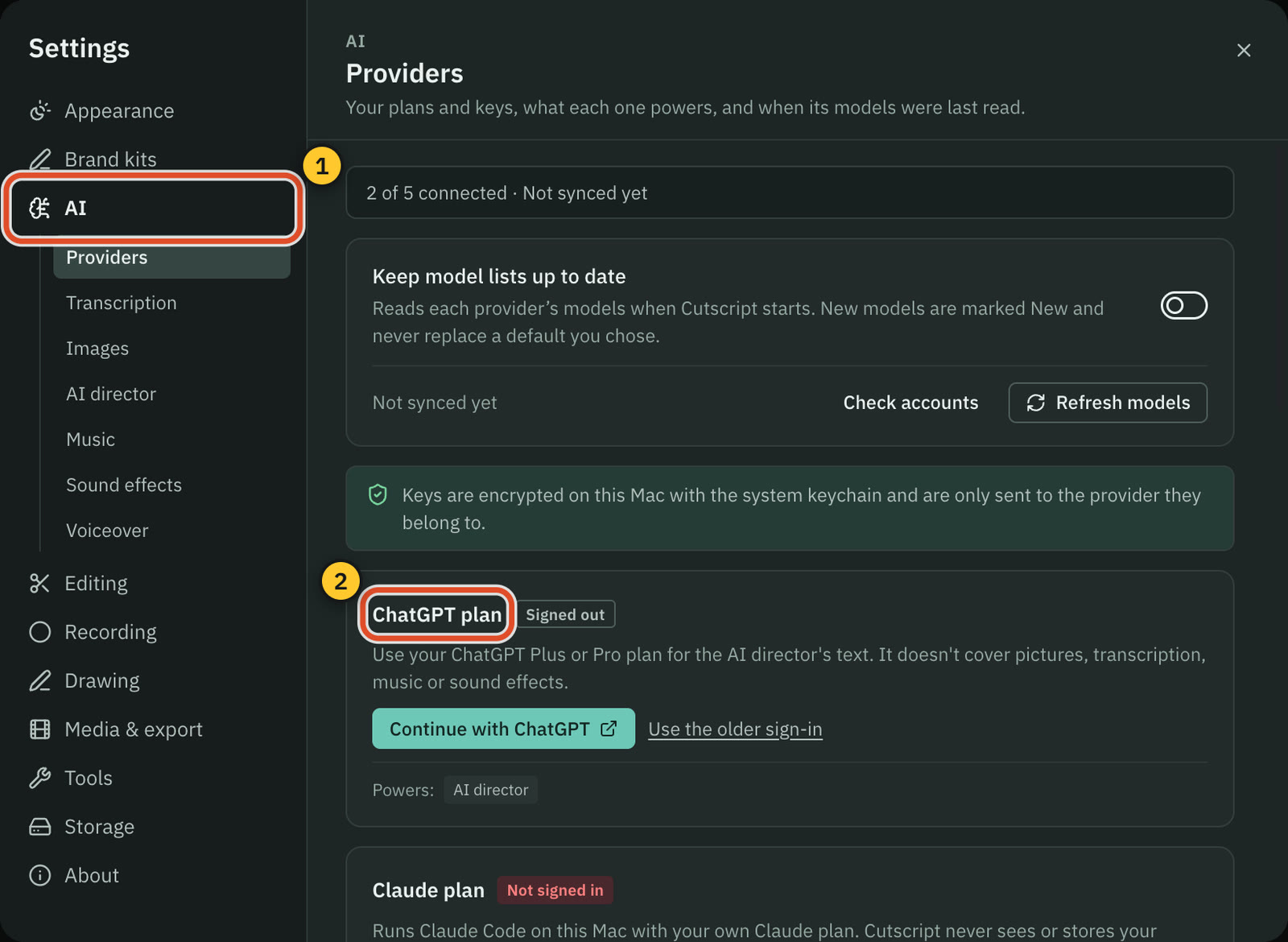
Both have AI chat in the editor and can plan a whole edit. Riverside builds the AI in, and Cutscript runs on accounts you bring.
CutscriptYour plan, your keys or your own computer
RiversideCo-Creator and four Agents, built in
| What | Cutscript | Riverside |
|---|---|---|
| Chat that edits | YesOne AI, once you connect an AI source | YesCo-Creator, in the editor |
| Plan a whole edit | YesDirect my video: a priced plan you approve | YesEditor agent plans the full episode |
| Whose AI runs it | YesYour accounts. Cutscript sells no AI | YesIts own "proprietary AI". Some features use credits |
| Your ChatGPT or Claude plan | YesFor text. Claude plan on a Mac | Not found in their docsNot found in their docs |
| Your own API keys | YesOpenRouter, ElevenLabs, fal.ai, OpenAI | Not found in their docsNot found in their docs |
| Local models | YesOllama for text. Whisper and voices, Apple silicon | Not found in their docsNot found in their docs |
| An outside assistant drives it | NoNot offered | YesRiverside MCP, Grow and above |
| Cost shown before a step | YesBefore most paid steps | Not found in their docsCredit cost not found in their docs |
More detail
Cutscript
- One AI chat covers the editor: script cuts, captions, zooms and graphics. Changes arrive as cards, and Apply is one undo step.
- Direct my video reads the transcript, asks a few questions and writes a priced plan. Nothing changes until you approve.
- Director text runs on a ChatGPT plan, a Claude plan (Mac), OpenRouter or Ollama. Ollama is slower, and small models err more.
- Transcripts, pictures, music and voiceover need a key, or a local model where one exists. A plan covers text only.
- Neither plan includes AI credits. Providers bill you directly. Most paid steps show a price first.
Riverside
- Co-Creator is a chat sidebar that edits recordings, finds moments, makes clips and writes posts and newsletters.
- Four Agents (Producer, Editor, Clipper, Marketer) roll out from 26 Oct 2026 on web and iOS. Nothing publishes until you approve.
- Agents run on "proprietary AI". Credit features still use credits when an agent applies them.
- Pro starts with 2,000 AI credits, Business 12,000, and more can be bought. Magic Clips, Magic Audio and Co-Creator need none.
- Riverside MCP, on Grow and above, lets Claude, ChatGPT or Cursor edit and publish. How usage is billed is not stated.
Voice, dubbing and music
Riverside has lip sync, AI Twin and a music library. Cutscript voices run on providers you pick, and it can generate music and effects.
CutscriptMany voices and engines, billed by each provider
RiversideOwn-voice tools, lip sync and a built-in library
| What | Cutscript | Riverside |
|---|---|---|
| Voiceover from text | YesFour cloud providers, or a voice on Apple silicon | YesYour own cloned voice |
| Preset or other voices | YesFrom any connected provider | NoYour own voice only |
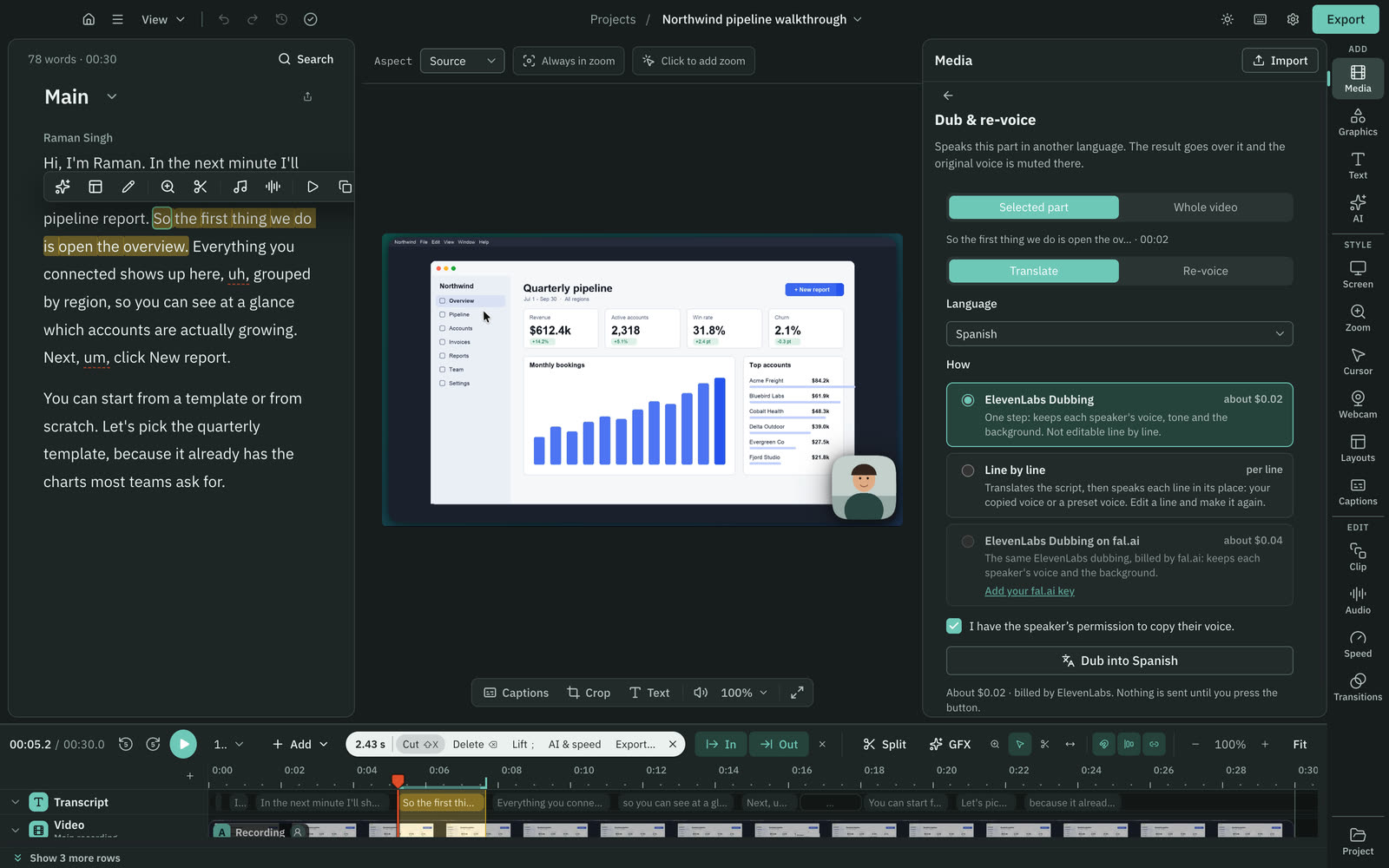
| Dub into another language | YesElevenLabs Dubbing or line by line, on your key | Yes30+ languages, 4 speakers, under 60 min |
| Lip sync | NoNot offered | YesVideoDub, optional on translation |
| On-camera AI version of you | NoNot offered | YesAI Twin: AI credits, Pro and up |
| Music and effects library | NoNone shipped. Use your files or generate | YesBuilt in, royalty-free |
| Generate music and effects | YesFrom a prompt, on your own key | Not found in their docsNot found in their docs |
More detail
Cutscript
- Voiceover runs on ElevenLabs, fal.ai, OpenRouter or OpenAI, or on a voice on an Apple silicon Mac that sends nothing.
- Cloned voices come through ElevenLabs, or Fish with a 10 to 30 second sample. You confirm you have the voice owner's permission.
- Dub a video with ElevenLabs Dubbing, or line by line from your script. Re-voice says the same words in another voice.
- Music and sound effects generate from a prompt on your own key. There is no shipped library and no local model for them yet.
- Enhance voice cleans audio with a built-in engine on any computer, and Apple Voice Isolation on a Mac, with no internet.
Riverside
- AI Voice speaks text in your own cloned voice, up to 5,000 characters a month, on Pro or Business. Guests cannot be cloned.
- VideoDub redoes edited audio in your voice, with lip sync. AI Twin makes on-camera video from a script (credits, Pro and up).
- AI translation covers 30+ languages with voice cloning and optional lip sync, for up to 4 speakers and under 60 minutes.
- Translation is called Business only for now, but the pricing FAQ lists it as a credit feature, so its plans are not clear.
- A royalty-free music and sound library plays on the Media Board during a recording or livestream, on all plans.
Export, hand-off and publishing
Riverside is ahead on publishing: it can also host and stream. Cutscript ends at a file on your computer.
CutscriptA file on your computer, you post it yourself
RiversideExport up to 4K, and publish from one place
| What | Cutscript | Riverside |
|---|---|---|
| Video formats | YesMP4 H.264, HEVC, ProRes, VP9. H.264 only with effects | PartlyUp to 4K. Format list not found |
| Highest resolution | Yes4K, never scaled up | Yes4K |
| Loudness settings | YesPeak, or four LUFS targets | Not found in their docsNot found in their docs |
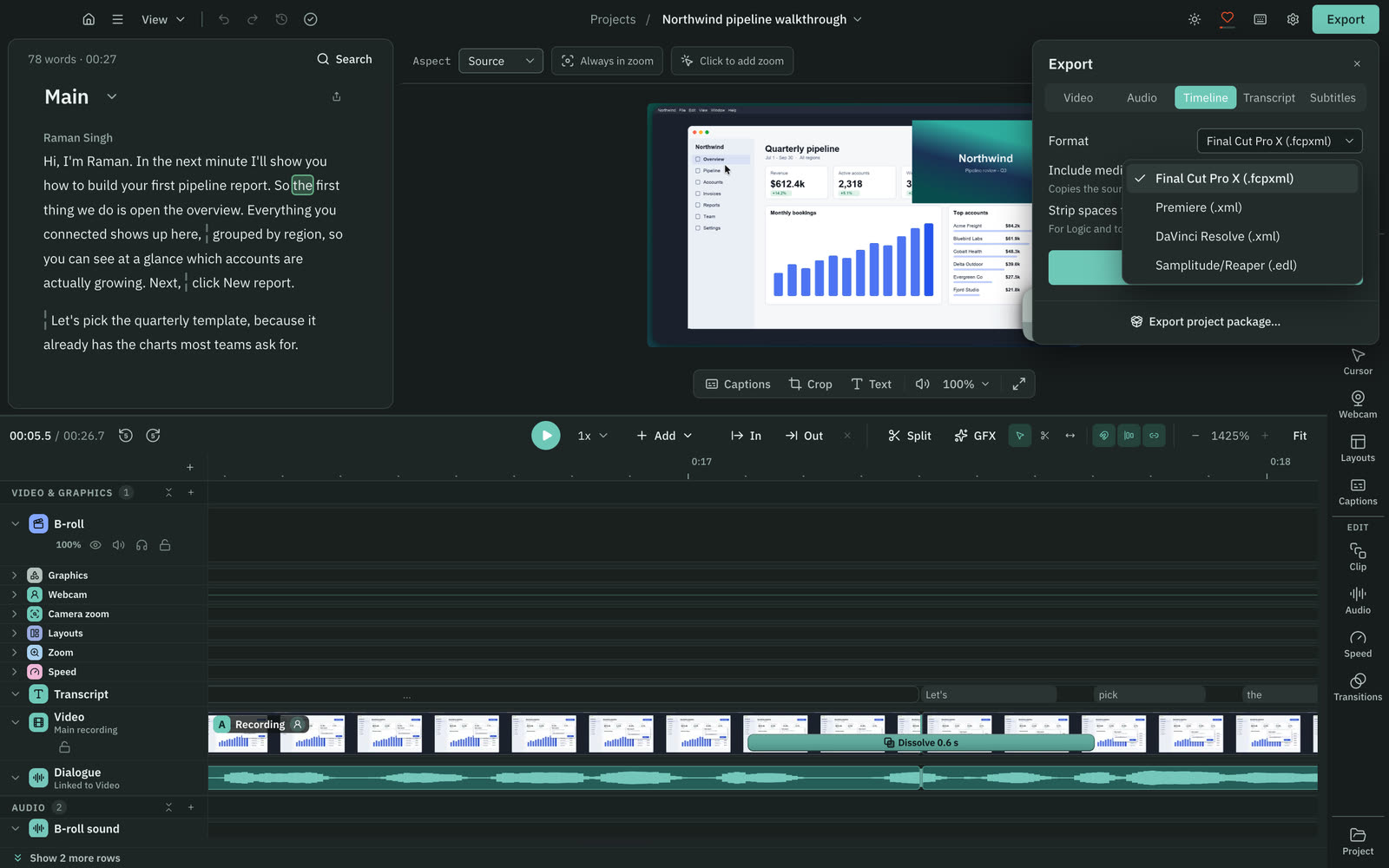
| Timeline hand-off | YesPro only: Final Cut, Premiere, Resolve or EDL | YesPremiere, Final Cut XML on Business |
| Publish directly | NoNot offered. You post the file yourself | YesYouTube, Apple Podcasts, Spotify |
| Hosting and scheduling | NoNot offered | YesGrow and up: hosting, scheduling, newsletter, website |
| Live streaming | NoNot offered | YesGrow and above: 1080p, custom RTMP |
| Webinars | NoNot offered | Yes100 on Webinar, 10,000 on Business |
More detail
Cutscript
- You export MP4 H.264, MP4 HEVC, MOV ProRes or WebM VP9, from 480p to 4K at 24 to 60 fps. It never scales up.
- A project with zooms, the cursor, the camera bubble, padding or layouts exports as H.264 only. New recordings have padding.
- You can normalize loudness by peak or to -14, -16, -18 or -23 LUFS. Audio exports as M4A, WAV, MP3 or FLAC.
- Timeline export is Pro only: a file for Final Cut Pro, Premiere Pro or DaVinci Resolve, or an EDL.
- Timeline files hold your cuts and audio clips. Zooms, the cursor, captions and graphics do not come across.
Riverside
- Export and download go up to 4K, with one-click aspect ratios. Export to Google Drive shipped on 23 Jun 2026, labelled Free.
- You can publish directly to YouTube, Apple Podcasts and Spotify.
- Grow and above adds social scheduling, a newsletter, a creator website and podcast hosting for 2 shows.
- Live streams reach YouTube, Facebook, LinkedIn, Twitch, TikTok, Instagram and X at up to 1080p, on Grow and above.
- Business exports timelines as XML for Premiere Pro or Final Cut Pro. The API adds Pro Tools (aaf). DaVinci Resolve is not listed.
Price
Cutscript Pro costs less each month. The plans cover different things, and in Cutscript your AI provider bills you separately.
CutscriptFree, or Pro at $4.17 a month paid yearly ($49.99 a year)
RiversidePro at $24 a month paid yearly, no free plan listed
| What | Cutscript | Riverside |
|---|---|---|
| Pro, paid yearly | Yes$4.17 a month ($49.99 a year) | Yes$24 a month ($288 a year) |
| Pro, paid monthly | Yes$9.99 a month | Yes$29 a month |
| Live streaming plan | NoNot offered | YesGrow: $34 yearly, $39 monthly |
| Free plan | YesEvery feature except timeline export. Free account needed | NoNone on pricing page. 14-day trial, capped free recorder |
| Watermark | PartlyA moving watermark on free video exports. Pro removes it | PartlyNone on Pro. Free browser recorder has one |
| AI in the price | NoNot included. Your provider bills you | YesPro starts with 2,000 AI credits |
| Computers or studios | PartlyOne computer at a time | Not found in their docsComputer limit not found in their docs. 1 studio on Pro |
| Downloads | YesLocal file, no download step | PartlySeparate-track downloads capped at 15 hours on Pro |
More detail
Cutscript
- Free, or Pro at $4.17 a month paid yearly ($49.99 a year), or $9.99 paid monthly, on one computer at a time.
- Free has every feature except timeline export. It needs a free account.
- Free video exports carry a moving watermark. Audio, subtitle and transcript exports have none. Pro removes it.
- Neither plan includes AI credits. You pay your own provider, or use a local model where one exists.
- A review of Cutscript on X, good or bad, earns two video exports without the watermark.
Riverside
- Pro (no live streaming): $24 a month paid yearly ($288 a year), or $29 monthly. One studio, no watermark, 2,000 AI credits.
- Grow, the first plan with live streaming, is $34 a month paid yearly ($408 a year), or $39 monthly.
- Webinar is $79 paid yearly, $99 monthly. Business is custom, through sales. Yearly billing is up to 20% off.
- The pricing page lists no free plan, only a 14-day trial on Pro, Grow or Webinar. Business has no trial.
- A Riverside blog updated 10 Sep 2026 says the trial needs a card, charged on day 15 unless cancelled, with no watermark.
Where it runs and where files live
Cutscript runs on Mac and Windows with files on your computer. Riverside runs on web, Mac and phones with files in its cloud.
CutscriptMac and Windows, with media on your own disk
RiversideWeb, Mac and phones, with files in the cloud
| What | Cutscript | Riverside |
|---|---|---|
| Desktop | YesMac and 64-bit Windows | PartlyMac app. Windows app not found |
| Browser | NoNot offered | YesChrome and Edge, and Safari on Mac |
| Phone and tablet | NoNot offered | YesiOS 17+ and Android 7+. Android tablets not supported |
| Where media is kept | YesOn your computer | YesRecorded locally, then uploaded to their cloud |
| Preview links and comments | NoNot offered. You send a file or package | YesPreview links others can comment on |
| Team roles and SSO | NoNot offered | YesWorkspaces, custom roles, SSO on Business |
| Security certificates | NoNone listed | YesSOC 2 Type II and ISO27001 |
More detail
Cutscript
- Mac (Apple silicon or Intel, macOS 14 or later; recording needs macOS 15) and 64-bit Windows from the Microsoft Store.
- On Windows you need Windows 10 version 1809 or later, or Windows 11.
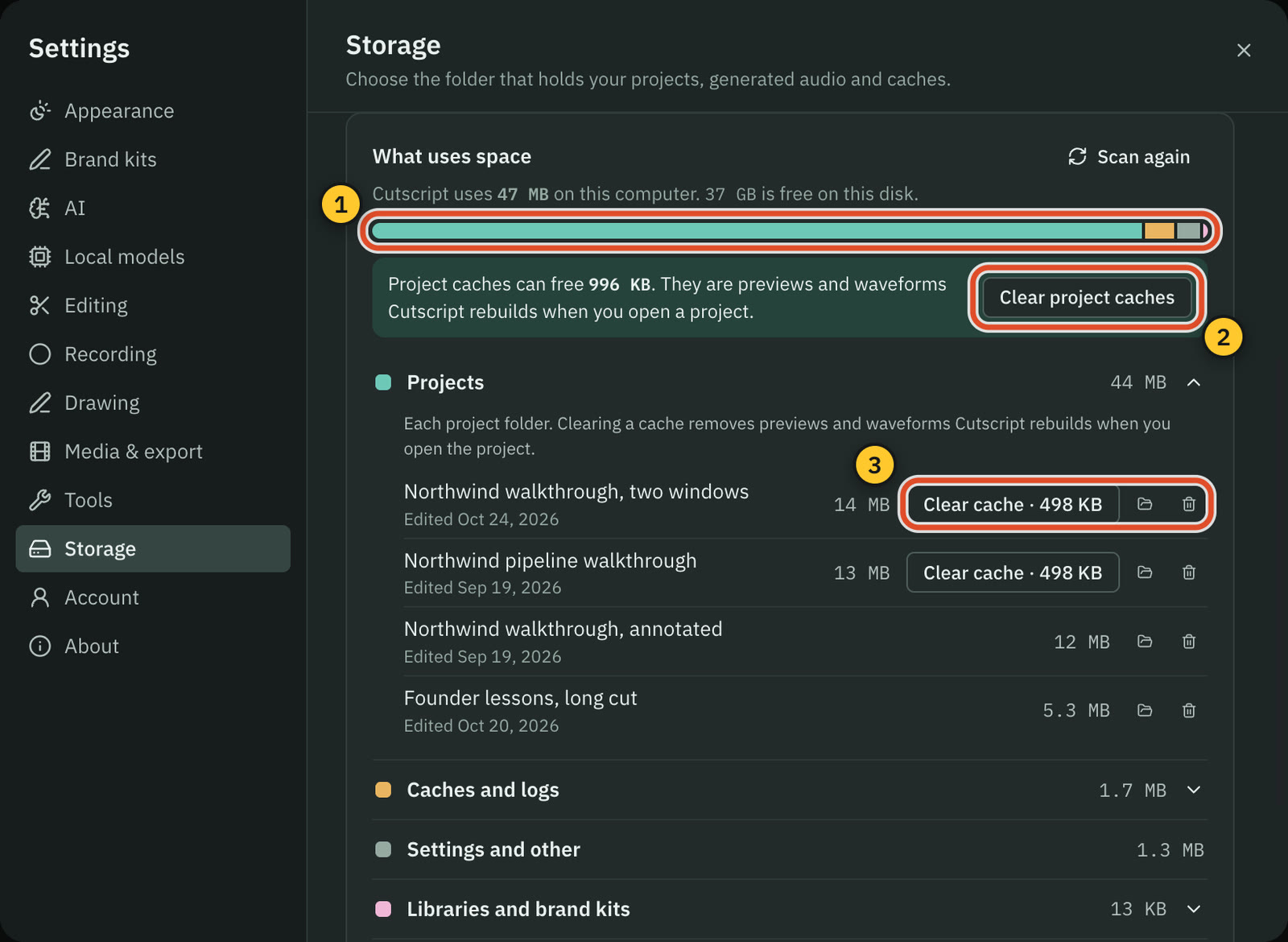
- Your files are on your computer. Cloud AI steps send the text, audio or still frames they need to the provider you pick.
- It sends no analytics or crash reports. You sign in once, and the app works offline for up to 14 days between plan checks.
- To move a project, export one .csproj package that opens on Mac or Windows.
Riverside
- A web studio and editor runs in Chrome and Edge, and in Safari on Mac since 27 Sep 2026.
- The Mac app runs the full editor since 7 Sep 2026. Mobile apps need iOS 17 or later, or Android 7 or later.
- A Windows desktop app: not found. The free screen recorder runs in a Windows or Mac browser.
- Recordings save locally, then upload to Riverside's cloud as you record. Offline editing in the Mac app is not stated.
- Preview links let others comment. Business adds collaborative editing, custom roles, workspaces, SSO and API access.
Where Riverside is the better pick
Remote guests
Up to 10 people record at once, each locally on their own device at up to 4K with uncompressed audio. Guests need no account. Cutscript has no remote recording.
Streaming, webinars and publishing
Streams go to many destinations at up to 1080p, webinars take up to 100 registrants (10,000 on Business), and you publish from one account. Cutscript ends at a file.
Phones and browsers
Apps for iOS and Android, a web studio and editor, and a Mac app with the full editor. A phone can be a second webcam. Cutscript is desktop only.
Teams and security
Preview links with comments, editor seats, and on Business roles, SSO and shared editing. It states SOC 2 Type II and ISO27001. Cutscript has no team features.
Built-in AI, lip sync and AI Twin
Co-Creator, Agents and Magic Clips come with the product, plus lip sync and on-camera AI video. Cutscript needs an AI account first and has no lip sync.
Maturity and pace
Dozens of dated releases from April to October 2026, including prompt-made graphics, AI b-roll, a full Mac editor and Safari support. Its pages go back to at least 2024.
Moving from Riverside to Cutscript
- Download your recordings. Separate-track downloads cap at 15 hours on Pro, 20 on Grow, 25 on Webinar.
- Install Cutscript on a Mac, or from the Microsoft Store on Windows, and sign in with a free account.
- Choose File › New Project… and pick a downloaded file. It reads MP4, MOV, WebM, MKV, WAV, MP3 and M4A.
- Transcribe with a key in Settings › AI, or Whisper on Apple silicon. Riverside edits do not carry over.
- Add zooms by hand. Imported video has no pointer data, so click effects and auto zooms do not apply.
- Keep Riverside for what Cutscript does not do: remote guests, live streams, webinars and hosting.
Questions
Is Cutscript a good Riverside alternative?
It depends on the job. For your own screen and editing on your computer, yes, with click zooms and pointer tools on a Mac. For remote guests, live streams or webinars, Riverside does those and Cutscript does not.
Can Cutscript record remote guests?
No. A Cutscript take records what is on your own computer, including your camera and up to three pictures. You could record guests in Riverside, download the tracks and edit them in Cutscript.
How much does Riverside cost compared with Cutscript?
Cutscript Pro is $4.17 a month paid yearly ($49.99 a year), or $9.99 monthly, on one computer at a time. Riverside Pro, without live streaming, is $24 a month paid yearly ($288 a year), or $29 monthly. Live streaming starts at Grow, $34 or $39. Checked 31 Oct 2026.
Does Riverside have a free plan?
Its pricing page lists no free plan, only a 14-day trial. Its free browser recorder needs no sign-up and records 720p, 24 FPS, up to 30 minutes, with a watermark. Cutscript Free has every feature except timeline export, needs a free account and watermarks video exports.
Do both run on Windows?
Cutscript is in the Microsoft Store for Windows. Area recording, drawing and click tracking are Mac only, and Colors and Face reach Windows with the next Store update. We found no Riverside Windows desktop app. Its free recorder runs in a browser.
Can I use my ChatGPT or Claude plan with Riverside?
In Cutscript, yes, for the AI director's text. The Claude plan is on a Mac, and a plan cannot transcribe or make pictures. For Riverside this was not found: its MCP server lets those assistants drive an account on Grow and above, with billing not stated.
Do I have to upload my recordings?
Cutscript keeps your files on your computer. Cloud AI steps send the text, audio or still frames they need to the provider you pick, and Whisper on an Apple silicon Mac sends nothing. Riverside uploads to its cloud as you record.
Try it on your own video.
Free with a Cutscript account. Video exports have a watermark, and Pro removes it.
Download CutscriptFirst published 31 October 2026, last checked 31 October 2026. Prices and features change, so check before you decide. The people in our screenshots are stock footage and do not use or endorse Cutscript. Screenshots show Cutscript 0.1 beta. Seen something wrong or out of date? Tell us and we will fix it.