Cutscriptvs FocuSee
Pick Cutscript, a 0.1 beta screen recorder and editor, to cut video by deleting transcript words. Pick FocuSee for auto zoom on Windows, Android recording, share links or a lifetime licence.
Written by the people who make Cutscript. Checked 31 October 2026. FocuSee and its logo are trademarks of their owner, and Cutscript is not affiliated with or endorsed by them.
Pick Cutscript if
- You want to cut video by deleting any word in the transcript
- You need several timeline tracks and transitions
- You want AI on your ChatGPT plan, Claude plan (Mac), your keys or local models
- You want an AI chat that edits the project once you approve
- You hand off to Final Cut Pro, Premiere Pro or DaVinci Resolve (Pro)
Pick FocuSee if
- You want a mature product: version 2.5, public changelog and roadmap
- You record on Windows and want automatic zooms
- You need Android recording, or iPhone and iPad recording on Windows
- You want share links with a password, made in the app (paid plan)
- You want a one-time licence: Advanced lifetime, $199.99
At a glance
| What | Cutscript | FocuSee |
|---|---|---|
| Best for | Demos and tutorials cut by words, then a timeline | Polished screen videos, no editing skills needed |
| Maturity | 0.1 beta. Expect rough edges | Version 2.5, public changelog and roadmap |
| Price (checked 31 Oct 2026) | Free, or Pro at $4.17 a month paid yearly ($49.99 a year), or $9.99 monthly | Standard $49.99 a year ($4.17 a month) or $19.99 monthly. Advanced from $79.99 a year |
| Free plan | YesEvery feature except timeline export. Free account needed | PartlyRecord, edit, export one video with a watermark |
| Watermark | PartlyA moving watermark on free video exports. Pro removes it | PartlyOn the one free export. Paid plans remove it |
| Platforms | YesMac and Windows. Recording on a Mac needs macOS 15 | YesWindows, Mac and a free browser recorder |
| Where files live | On your computer | On your computer. Share uploads an export |
| Sharing | NoYou get a file and post it yourself | YesShare link with a password. Paid account needed |
| Editing | YesEdit the transcript, then a multitrack timeline | PartlySmart Cut for silences and fillers, plus a clip editor |
| AI | YesYour ChatGPT plan, Claude plan on a Mac, your keys or local models | PartlyFocuSee credits, included on Advanced or sold in packs |
| One-time licence | NoNot offered | YesAdvanced lifetime $199.99, up to 5 computers, 2.x only |
| Auto zoom | PartlyFrom clicks, on takes recorded on a Mac | YesFrom clicks, and typing when turned on |
YesPartlyNoNot found in their docs
Recording
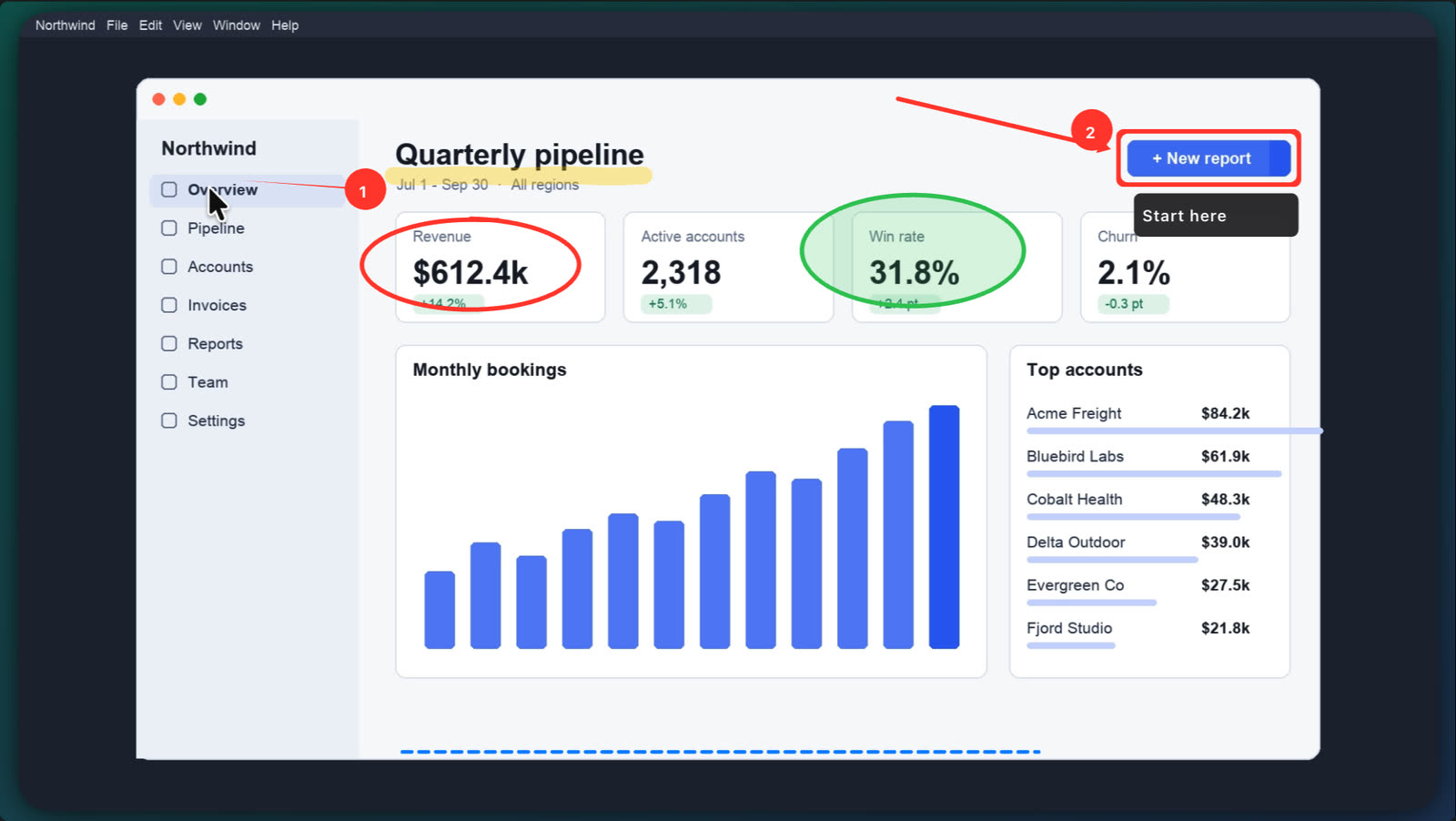
Both record screen, camera and sound. Cutscript keeps each input as its own track and adds drawing during a take on a Mac.
CutscriptEvery input is saved as its own track
FocuSeeFull screen, area or window, with quick record
| What | Cutscript | FocuSee |
|---|---|---|
| Capture modes | PartlyDisplay and window. Area on a Mac | YesFull screen, area or window |
| Inputs as separate tracks | YesPicture, voice, system sound, camera | Not found in their docsNot found in their docs |
| Sound from one app | PartlyMac only, in an experimental mode | YesLimit system audio to one app |
| More than one screen in a take | YesUp to three pictures | Not found in their docsNot found in their docs |
| Drawing during the take | PartlyOn a Mac only | Not found in their docsNot found in their docs |
| Annotation after the take | YesTitles, arrows, boxes, pictures | YesText, shapes and mask tools |
More detail
Cutscript
- Record a display or a window on Mac and Windows. Area recording is on a Mac.
- Picture, voice, system sound and camera stay separate, so you can change each one later.
- One take can hold up to three pictures, each in its own file. On Windows you can add displays and windows.
- On a Mac, draw on the screen during a take: pen, highlighter, arrows, shapes, step numbers, laser and spotlight.
- On a Mac, recording needs macOS 15 or later.
FocuSee
- Record the full screen, a custom dragged area or a single window.
- Quick record starts without the main window, from the Mac menu bar or the Windows system tray.
- System audio can be limited to one selected app. On macOS 13 or later no extra audio driver is needed.
- Their pricing page ticks simultaneous mic and system audio, and screen plus webcam.
- Annotation is added in the editor after the take: text, arrows, lines, spotlight, blur, magnifier and callout.
Phone and tablet recording
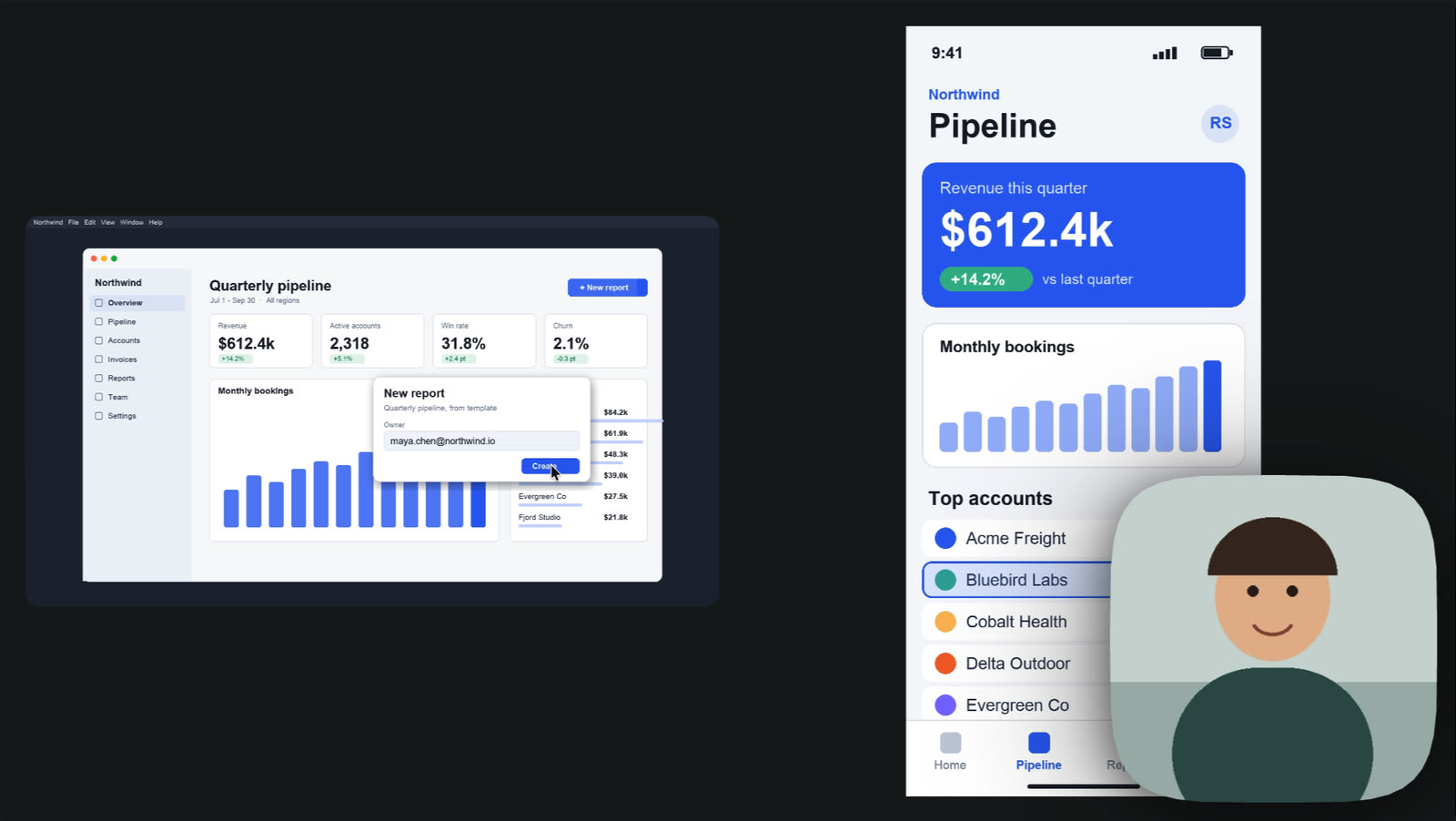
FocuSee records iPhone, iPad and Android. Cutscript records only a cabled iPhone or iPad on a Mac, in an experimental mode.
CutscriptA cabled iPhone or iPad, on a Mac
FocuSeeiPhone, iPad and Android over USB
| What | Cutscript | FocuSee |
|---|---|---|
| iPhone and iPad | PartlyMac only, by cable, experimental | YesBy USB |
| Android | NoNot offered | YesAndroid 11 or later, by USB |
| Phone recording on Windows | NoNot offered | YesSupported, may need extra drivers |
| Device frames | PartlyPhone and laptop mockup frames | YesiPhone, iPad, Samsung and Pixel frames |
| Voice and camera over the phone | YesThe Mac's microphone and camera | YesCamera and mic from the computer |
| Automatic zoom on phone takes | NoNot offered, no pointer | NoNot automatic, add by hand |
More detail
Cutscript
- Device mode records a cabled iPhone or iPad on a Mac. Wireless recording is not supported.
- Experimental and off by default. Turn it on in Settings › Recording. Built, but not yet checked on real hardware.
- The Mac's microphone and camera still work, so you can talk over the phone's screen.
- These takes have no pointer, so there is no click tracking and no zoom that follows one.
- A phone can be one of the three pictures in a take.
FocuSee
- iPhone and iPad on iOS 10 or later record over USB. No wireless option is described.
- Android 11 or later records over USB, with USB debugging and MTP mode on.
- The editor offers iPhone, iPad, Samsung and Google Pixel frames.
- On iPhone and iPad takes, you add zoom by hand, and cursor effects and shortcut keys are not available.
- Windows may need Apple and screen-mirroring drivers.
Editing by text and timeline
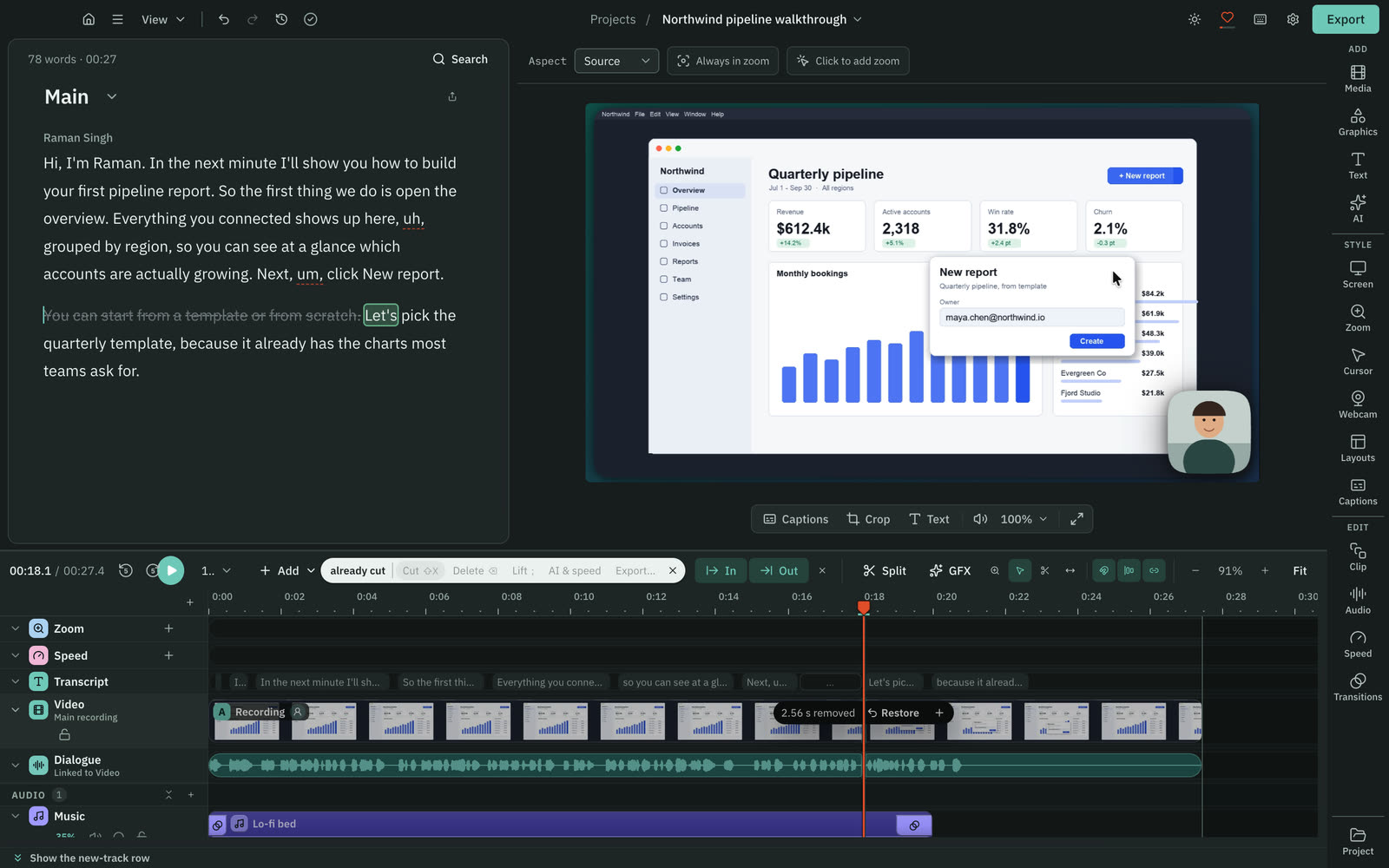
Cutscript cuts by deleting words and has a multitrack timeline. FocuSee finds silences and fillers to delete, and edits clips.
CutscriptDelete words and the video follows
FocuSeeSmart Cut for silences and fillers, plus a clip editor
| What | Cutscript | FocuSee |
|---|---|---|
| Cut by deleting any word | YesAny word, once you have a transcript | Not found in their docsNot found in their docs |
| Filler words | YesOn your computer, editable word list | YesSmart Cut, 1 credit a minute |
| Pauses | YesOver 0.8 s cut to 0.3 s, both adjustable | YesHighlighted in Smart Cut to delete |
| Repeated phrases | YesKeeps your last take, up to 8 words, adjustable to 20 | Not found in their docsNot found in their docs |
| Multitrack timeline | YesVideo, image and audio tracks | Not found in their docsNot found, on their roadmap |
| Transitions | YesDissolve, dip, push, slide, wipe, iris and more | Not found in their docsNot found, on their roadmap |
| Speed changes | Yes0.25x to 4x on any part | YesPer clip, plus typing segments |
| Bringing in existing video | YesMP4, MOV, MKV and more, or a link you have rights to | PartlyLocal H.264 MP4 files. Link import not found |
More detail
Cutscript
- Select words in the script and delete them. The picture and sound are cut to match, and your original media stays untouched.
- Find filler words, long pauses and repeated phrases on your computer with no AI. You can change the word list.
- You need a transcript first, from a provider key or from Whisper on an Apple silicon Mac.
- Editing by text works offline once the transcript exists. Making a transcript offline needs Whisper on an Apple silicon Mac.
- The timeline has video, image and audio tracks with Select, Razor and Slip tools. Transitions run 0.1 to 4 seconds.
FocuSee
- Smart Cut transcribes the audio and highlights silences and fillers, all selected. You deselect any to keep, then press Delete.
- It costs 1 credit a minute, and is free if subtitles already exist. Standard yearly includes no credits.
- The editor splits video into clips, each with its own speed, cursor visibility and audio settings.
- Typing segments show on the timeline and can all take one speed-up.
- Multiple tracks, transitions and titles are on the public roadmap as Next up.
Zooms and cursor
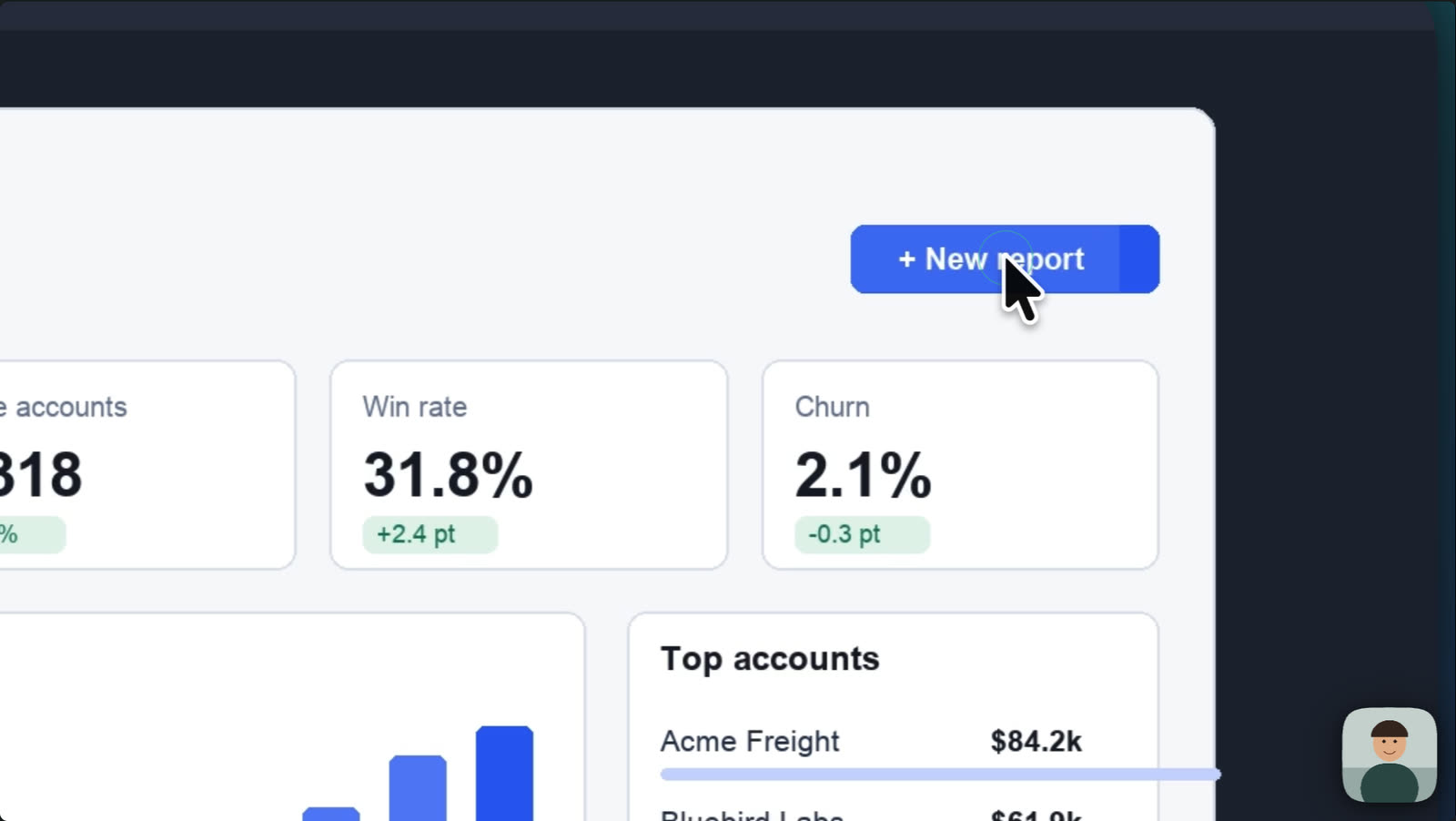
FocuSee zooms from clicks and typing on Mac and Windows. Cutscript does it on takes recorded on a Mac, and you add zooms by hand on any video.
CutscriptZooms from clicks, on takes recorded on a Mac
FocuSeeZooms from clicks and typing, with cursor effects
| What | Cutscript | FocuSee |
|---|---|---|
| Auto zoom from clicks | PartlyOn takes recorded on a Mac | YesFrom clicks and mouse movement |
| Auto zoom from typing | PartlyOn a Mac, with Find zooms | YesSince v2.4.1, off by default |
| Automatic zooms on a Windows take | NoNot offered, add by hand | YesTyping zoom since 18 August 2026 |
| Zoom depth | Yes1x to 5x | Yes1.0x to 4.0x |
| Cursor styles | PartlySix bundled, plus your Mac's own | YesUp to 40, per their marketing page |
| Click effects | PartlySix, on takes recorded on a Mac | YesUp to 8, per their marketing page |
| Click sounds | PartlyFive, on takes recorded on a Mac | YesClick sound with volume |
| Keystrokes on screen | NoNot offered | YesAdjustable style, colour, size, position |
More detail
Cutscript
- On a Mac, zooms are added from your clicks when a take becomes a project. Choose Fewer, Balanced or More.
- On any video, add a zoom by hand: press Z, drag on the Zoom lane, or click the paused preview.
- Depth runs from 1x to 5x, with ramp times and ease curves.
- On a take recorded on a Mac, restyle the pointer: six bundled styles plus your Mac's own, size 0.5x to 10x, four movement presets.
- On a take recorded on a Mac, add one of six click effects and one of five click sounds.
FocuSee
- Zooms come from clicks and mouse movement, on a Zoom track. Set each from 1.0x to 4.0x, disable it, split it or add your own.
- Auto zoom on typing shipped in v2.4.1 (Mac on 30 July 2026, Windows on 18 August 2026). It is off by default.
- The Cursor tab has size, style, angle, direction, smoothing, click effect, click sound with volume, and hide when idle.
- Their marketing page says up to 40 cursor styles and 8 click effects. The guide gives no counts.
- Windows v2.5.2 adds cursor and click capture in apps with administrator permission.
Backgrounds and camera
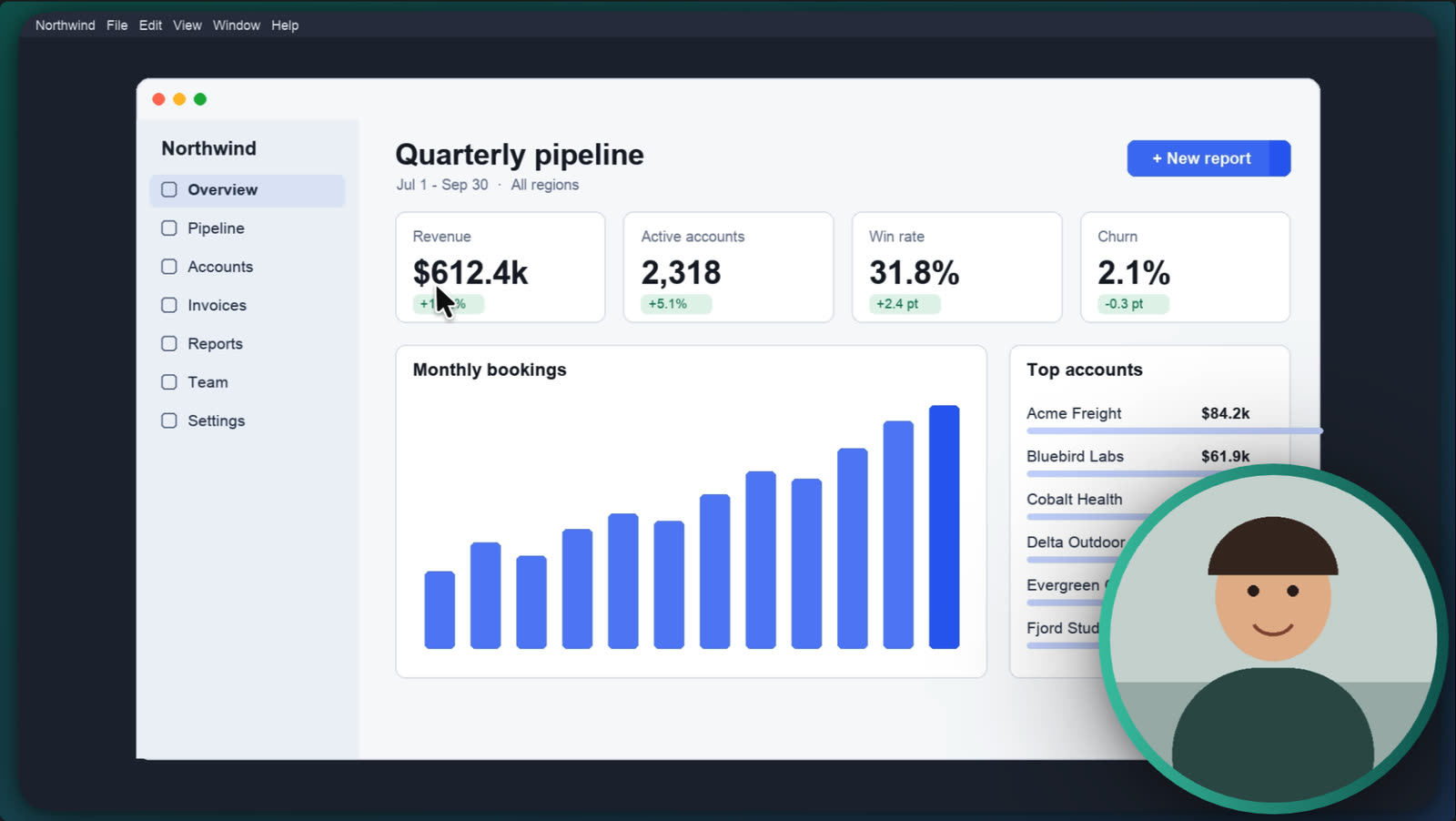
Both put a recording on a styled background with a camera layout. FocuSee removes camera backgrounds, and Cutscript keys out one solid colour.
CutscriptLooks, camera shapes and panels
FocuSeeTemplates, camera layouts and background removal
| What | Cutscript | FocuSee |
|---|---|---|
| Backgrounds | YesGradient, image and colour. Wallpapers on a Mac | YesTemplates, plus macOS wallpapers |
| Video as a background | NoNot offered | NoNot shipped, only on their roadmap |
| Aspect ratios | Yes16:9, 9:16, 1:1, 4:3, 4:5, 16:10 | YesAuto, 1:1, 4:3, 16:9, 9:16 |
| Reframing for tall video | YesFollows pointer data, or AI frames speakers | Not found in their docsNot found in their docs |
| Camera shapes | YesCircle, rounded, square, pill, oval and more | PartlySize, corner radius, border colour |
| Camera background removal | PartlyChroma key, one solid colour | YesRemove Camera Background, no credits |
| Panels and layouts | Yes2, 3 or 4 panels, plus a camera bubble | YesSide by side, picture-in-picture, full screen |
| Reuse a look | YesCopy look and Paste look | YesPresets for ratio, mouse style, camera layout |
More detail
Cutscript
- Four ready looks: Bare, Studio, Spotlight and Soft. A new recording opens on Studio.
- Backgrounds can be gradients with your own colour stops, images or colours. Mac desktop wallpapers are on a Mac.
- The camera bubble comes in shapes such as circle, pill, oval, diamond and hexagon, with a border that can blend two colours.
- Chroma key removes one solid colour from the camera. It does not find people in the picture.
- Layouts of 2, 3 or 4 panels show the screen, the camera or other media.
FocuSee
- Background templates, padding, roundness, shadow and background blur.
- macOS wallpapers arrive with updates: macOS 26 in 2025 and macOS 27 in v2.4.0.
- Camera layouts are full screen, picture-in-picture, side by side or custom, and can switch within one video.
- The camera can get smaller automatically during a zoom.
- Remove Camera Background costs no credits. A Beauty Filter smooths skin, and their pages disagree on whether it is Mac only.
Captions and subtitles
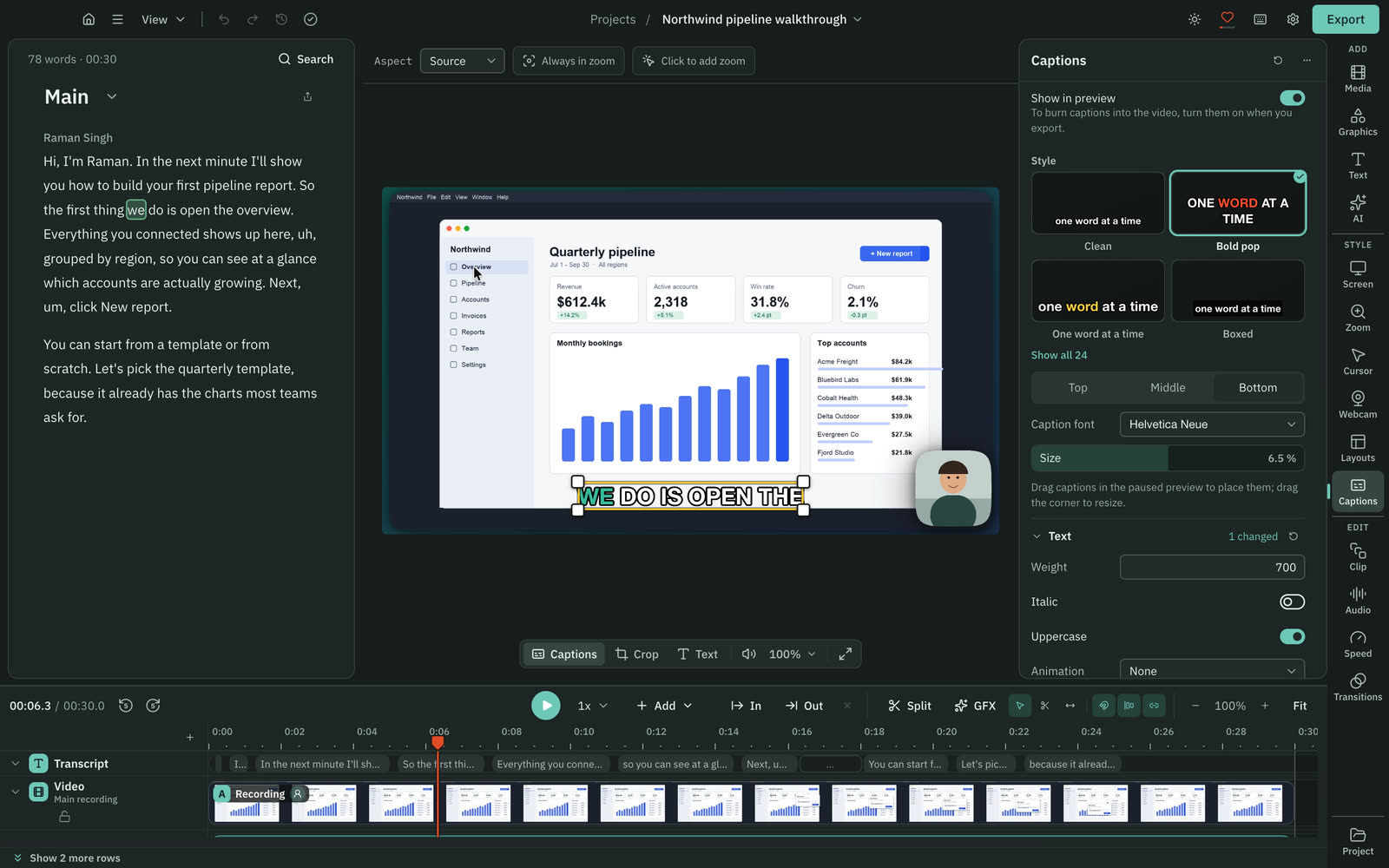
Both make editable captions from speech. FocuSee has a free Local Model and SRT import. Cutscript has 24 styles and exports SRT or VTT.
Cutscript24 styles, made from the transcript
FocuSeeA free Local Model, or Advanced on credits
| What | Cutscript | FocuSee |
|---|---|---|
| Captions with no AI cost | PartlyWhisper on Apple silicon. Else your provider bills | YesLocal Model, no credits |
| Preset styles | Yes24 | Yes5, including 2 Highlight styles |
| Highlighted words | YesThe active word, in several presets | YesKey words, in Highlight styles |
| Edit the text | YesFix words in the script, captions follow | YesText, timing, split and merge |
| Import an SRT file | NoNot offered | YesSupported |
| Export a subtitle file | YesSRT or VTT, timed to the edit | Not found in their docsNot found in their docs |
| Languages | Yes90+ with Scribe v2, 99 with Whisper | YesTheir pages say 9, ten or 55+ |
More detail
Cutscript
- Captions need a transcript: an ElevenLabs, fal.ai or OpenRouter key, or Whisper on an Apple silicon Mac. Windows needs a key.
- There are 24 preset styles, and every setting stays editable.
- The word being said can light up, appear as spoken, or show alone.
- Burn captions in when you export, or export SRT or VTT timed to your edit.
- One clip can have its own caption style.
FocuSee
- Two modes: a Local Model (Nano, Basic, Pro) that uses no credits, and an Advanced Model at 1 credit a minute.
- Five styles: three standard and two Highlight styles that emphasise key words.
- You can edit text and timing, and split or merge blocks.
- SRT files can be imported. Highlight styles are not available for imported subtitles.
- Language counts differ across their pages: 9 on the pricing table, ten in the captions guide, 55+ on the feature page.
Graphics, colour and blur
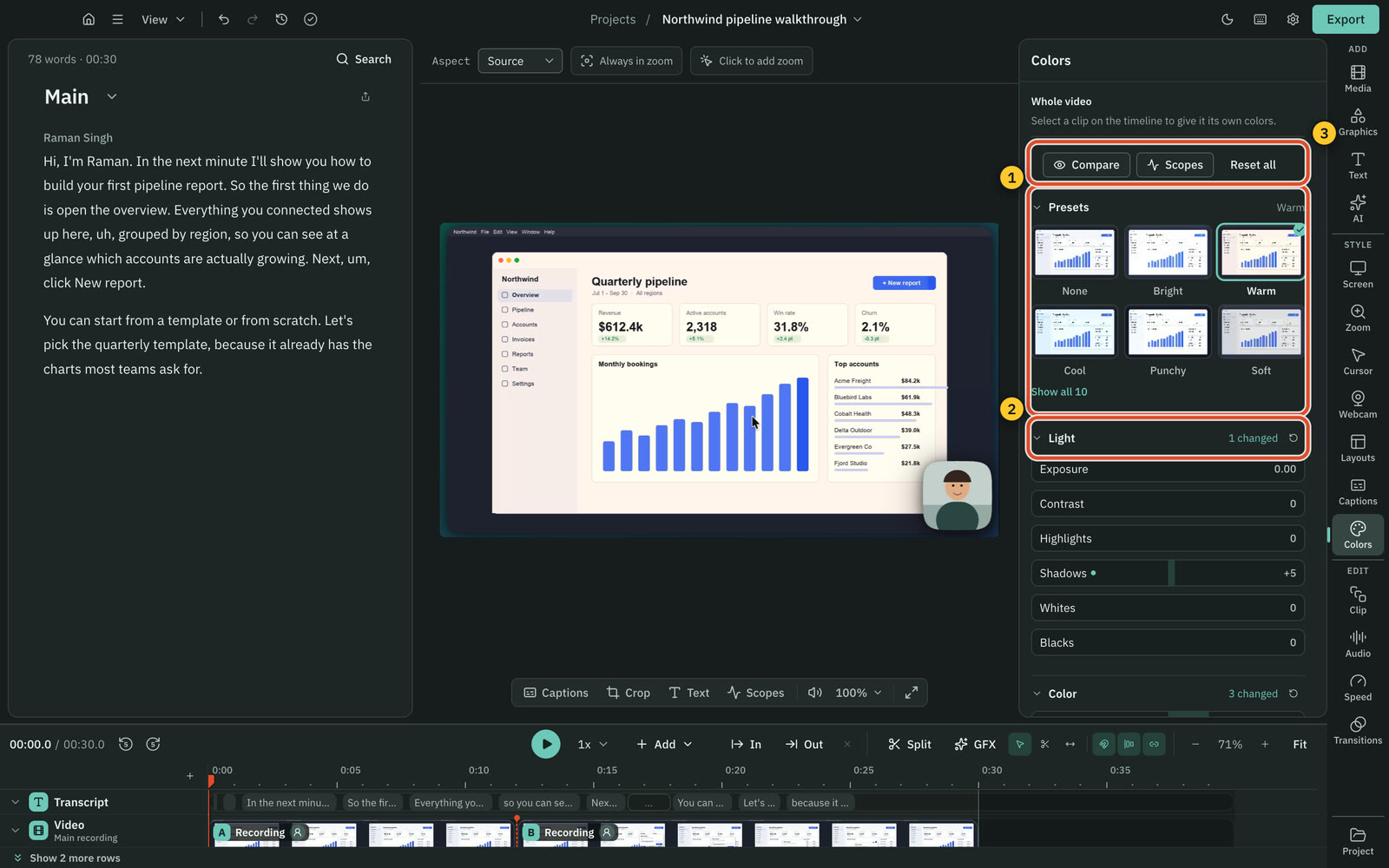
Cutscript has motion graphics, colour grading and tracking blur. We found none in FocuSee's docs. Colors and Face are on a Mac now, on Windows with the next Store update.
CutscriptA design pack, a colour grade and blur that tracks
FocuSeeDrawn blur, mask tools and saved presets
| What | Cutscript | FocuSee |
|---|---|---|
| Motion graphics | Yes31 in the Design pack, more with AI | Not found in their docsNot found, titles are on their roadmap |
| Brand kits | YesUp to 16 colours, four fonts, logos | Not found in their docsNot found in their docs |
| Colour grading | PartlyOn a Mac now. Windows with the next Store update | Not found in their docsNot found in their docs |
| Colours for a face only | PartlyOn a Mac now. Windows with the next Store update | Not found in their docsNot found, only a Beauty Filter |
| Blur by hand | YesBlur or pixelate, strength 1 to 100 | YesBlur with intensity and shape, Mosaic Blur |
| Blur that tracks | YesPixel lock on both, Apple Vision on a Mac | Not found in their docsNot found in their docs |
| Find faces and emails to blur | PartlyOn a Mac only | Not found in their docsNot found in their docs |
More detail
Cutscript
- The Design pack has 31 motion graphics, such as titles, lower thirds, maps and charts. It needs no AI and no internet.
- Brand kits hold colours, fonts and logos, and graphics and the AI use them.
- Colors has sliders, presets, wheels, .cube looks and scopes. On a Mac now, on Windows with the next Microsoft Store update.
- Face gives a face its own colours, or detaches it as a bubble. On a Mac now, on Windows with the next Microsoft Store update.
- A blur can follow what it covers, on Mac and Windows. On a Mac, Blur all faces and Blur all emails find them for you.
FocuSee
- Blur is a mask you draw on a Blur track, with intensity and shape settings. Mosaic Blur is a one-click mask for private content.
- Other masks are spotlight, magnifier and callout. The guide index also has 3D Motion, Motion Blur and Spotlight effects.
- Presets save settings such as canvas ratio, mouse style, click effect, camera layout and watermark.
- On the roadmap, intro and outro are In Progress and titles are Next up.
AI and who pays
FocuSee runs separate AI tools on its own credits. Cutscript has a chat that edits the project, on accounts you own.
CutscriptA chat that edits, on accounts you own
FocuSeeAI tools, one by one, on FocuSee credits
| What | Cutscript | FocuSee |
|---|---|---|
| Chat that edits the project | YesOne AI, changes arrive as cards | Not found in their docsNot found in their docs |
| AI that plans a whole edit | YesDirect my video, priced item by item | Not found in their docsNot found in their docs |
| Short clips from a long video | YesUp to ten scored clips | Not found in their docsNot found in their docs |
| Who charges you | YesYour providers, directly | YesFocuSee, through credits |
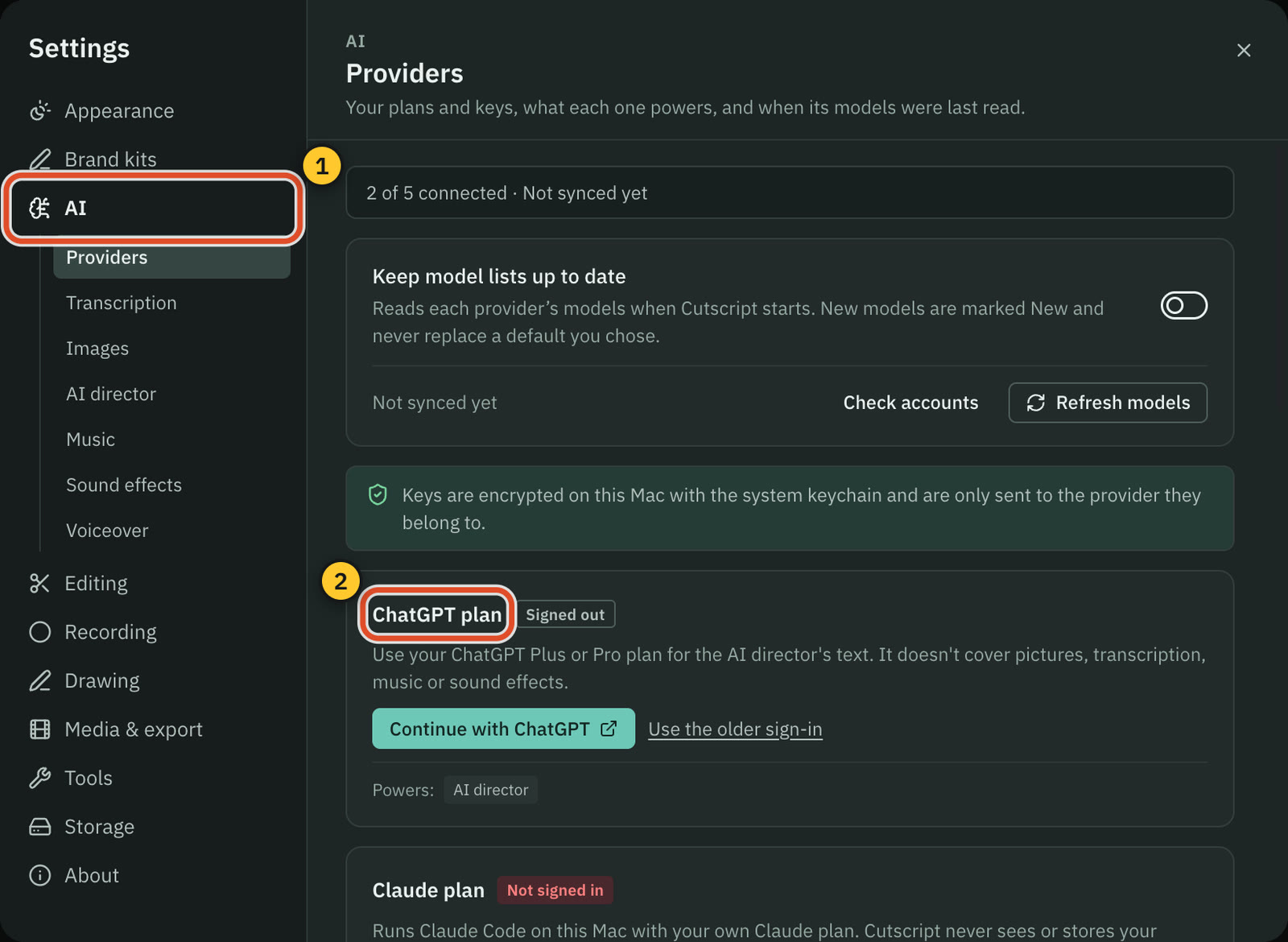
| Your ChatGPT or Claude plan | YesChatGPT Plus or Pro. Claude plan on a Mac | Not found in their docsNot found, AI runs on FocuSee credits |
| Your own API keys | YesOpenRouter, ElevenLabs, fal.ai and OpenAI | Not found in their docsNot found in their docs |
| Models on your computer | PartlyOllama text models. Whisper and voices on Apple silicon | PartlyThe caption Local Model. Others not found |
| Cost of a step | YesShown before most paid steps | YesPublished per minute, in credits |
More detail
Cutscript
- One AI takes plain-word requests and answers with cards. Nothing changes until you press Apply or Run, unless Auto mode is on.
- Direct my video writes a priced plan for a whole video, and you approve it first. Make short clips finds up to ten clips.
- Text AI runs on a ChatGPT plan, a Claude plan (on a Mac), an OpenRouter key, or Ollama on your computer.
- Neither Free nor Pro includes AI credits. Each provider bills you directly, and Cutscript shows the price before most paid steps.
- A ChatGPT or Claude plan covers text only. It cannot transcribe or make pictures.
FocuSee
- AI is listed tool by tool: avatars, silence and filler removal, subtitles, voice enhancement, noise reduction and others.
- Costs per minute: AI Avatar 150 credits, Vocal Enhancement 4, Remove Silence and Fillers 1, AI Subtitles 1.
- Noise reduction, camera background removal and the caption Local Model need no credits.
- Standard yearly has no credits. Advanced monthly and yearly give 300 a month. Packs start at 500 credits for $14.99.
Voice, music and avatars
FocuSee has a music library, AI avatars and a teleprompter. Cutscript has none, but generates music, voiceovers and dubs on your accounts.
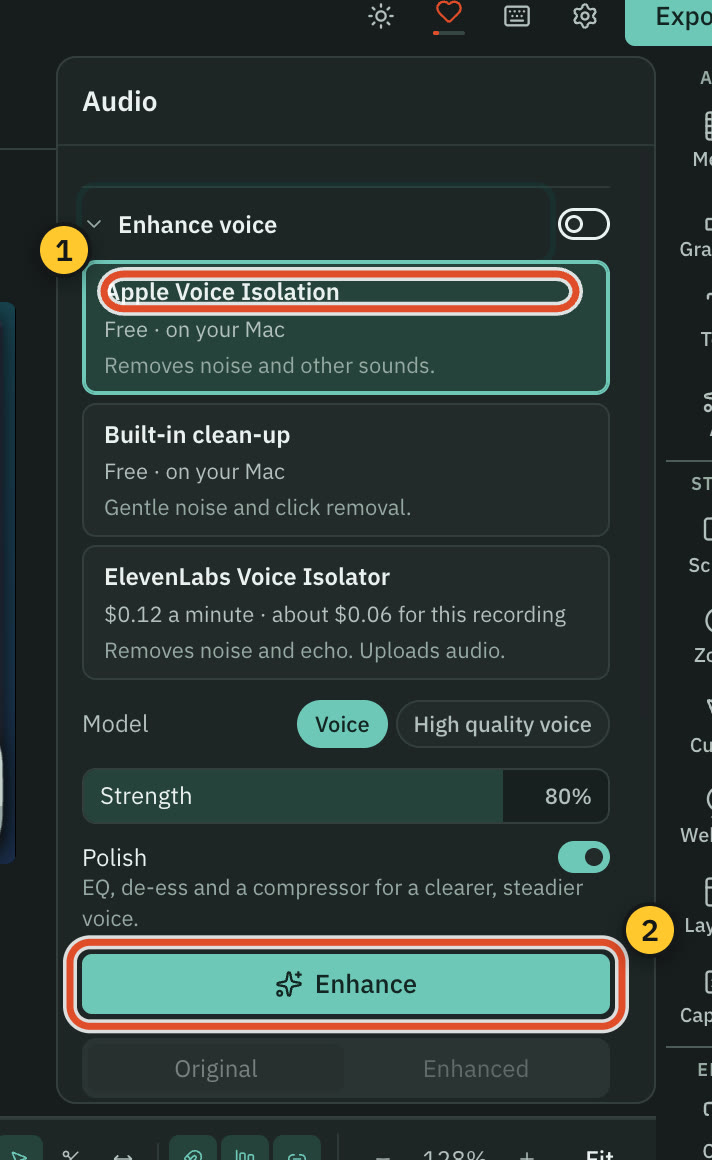
CutscriptClean-up on your computer, audio from your accounts
FocuSeeA music library, voice clean-up and avatars
| What | Cutscript | FocuSee |
|---|---|---|
| Music library | NoNot offered, use your own files | YesFour categories, plus your own files |
| Music on the timeline | YesMusic tracks beside other audio | PartlyOne background track per project |
| Generate music and effects | YesFrom a prompt, on your own key | Not found in their docsNot found in their docs |
| Voice clean-up | YesBuilt-in, free, no internet needed | YesNoise reduction free, Vocal Enhancement 4 credits a minute |
| Voiceover from text | YesOn your key, or a voice on Apple silicon | Not found in their docsNot found. Avatar text-to-speech is in progress |
| Dubbing and cloned voices | YesOn your own key | Not found in their docsNot found in their docs |
| AI avatar | NoNot offered | YesOver 100 options, 150 credits a minute |
| Teleprompter | NoNot offered | YesScript visible only to you |
More detail
Cutscript
- Enhance voice offers Built-in clean-up with no internet, Apple Voice Isolation on a Mac, or ElevenLabs and fal.ai on your key.
- Cutscript ships no music or sound-effect library. You use your own files, or generate them from a prompt on your own key.
- Voiceover from text runs on ElevenLabs, fal.ai, OpenRouter or OpenAI, or a voice on an Apple silicon Mac.
- Dub into another language, use a cloned voice, or re-voice a part, on your own key.
FocuSee
- Built-in music in four categories (Focus, Business, Tech, Chill), plus MP3, M4A, AAC and WAV import. One track per project.
- Audio noise reduction uses no credits. Vocal Enhancement costs 4 credits a minute.
- AI Avatar has over 100 options at 150 credits a minute, and it is not in the free version.
- Their avatar FAQ says you record your own voice first. Avatar text-to-speech is In Progress on the roadmap.
- The teleprompter script is visible only to you and is never recorded.
Export and sharing
Both keep recordings on your computer. FocuSee can upload an export and give you a link, and Cutscript uploads no video for you.
CutscriptLocal files and a timeline hand-off, no share link
FocuSeeMP4 or GIF, plus share links with a password
| What | Cutscript | FocuSee |
|---|---|---|
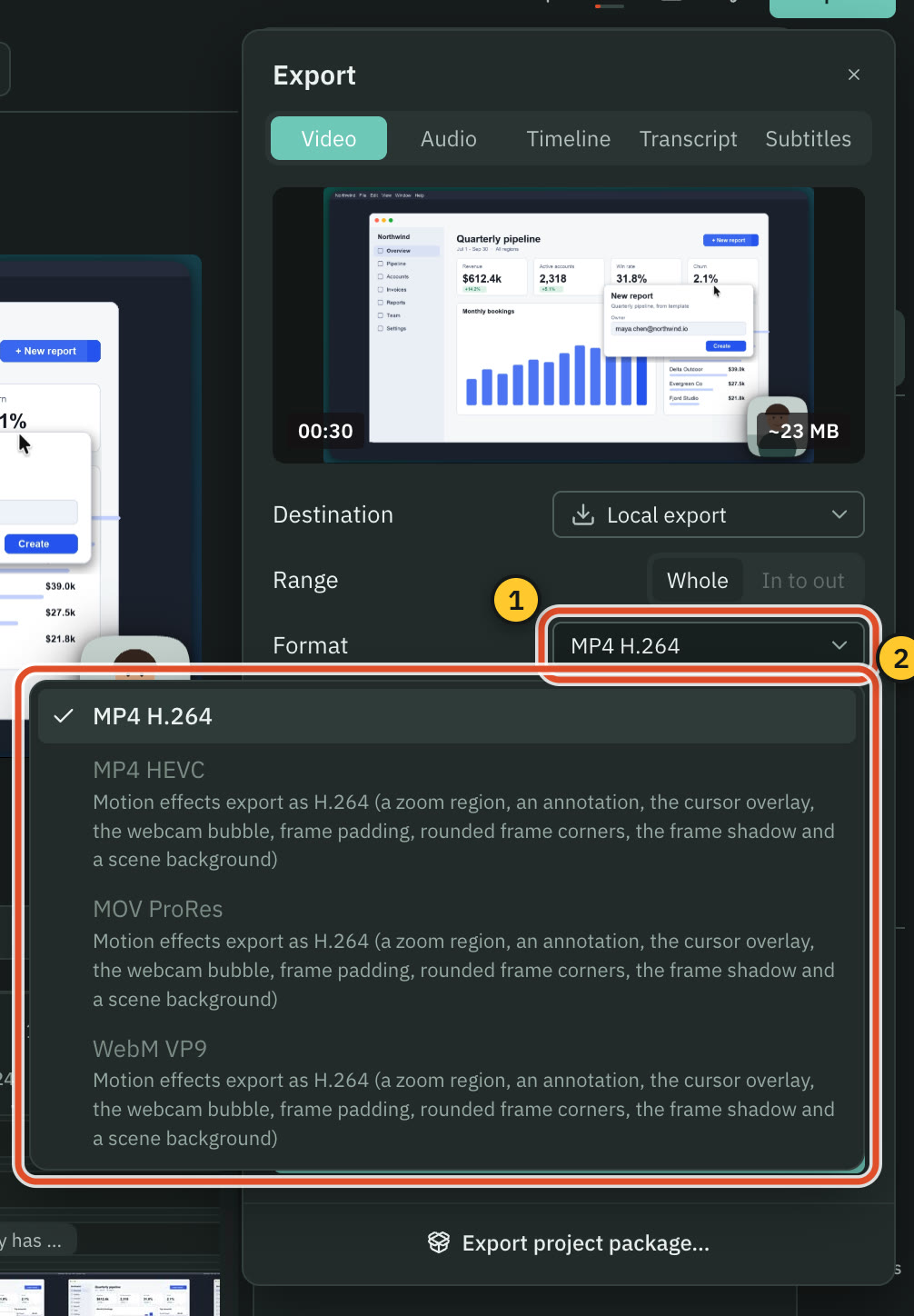
| Video formats | PartlyMP4 H.264. HEVC, ProRes, WebM without effects | YesMP4 or GIF |
| Size and frame rate | YesSource or 480p to 4K, 24 to 60 fps | Yes480P to 4K or original |
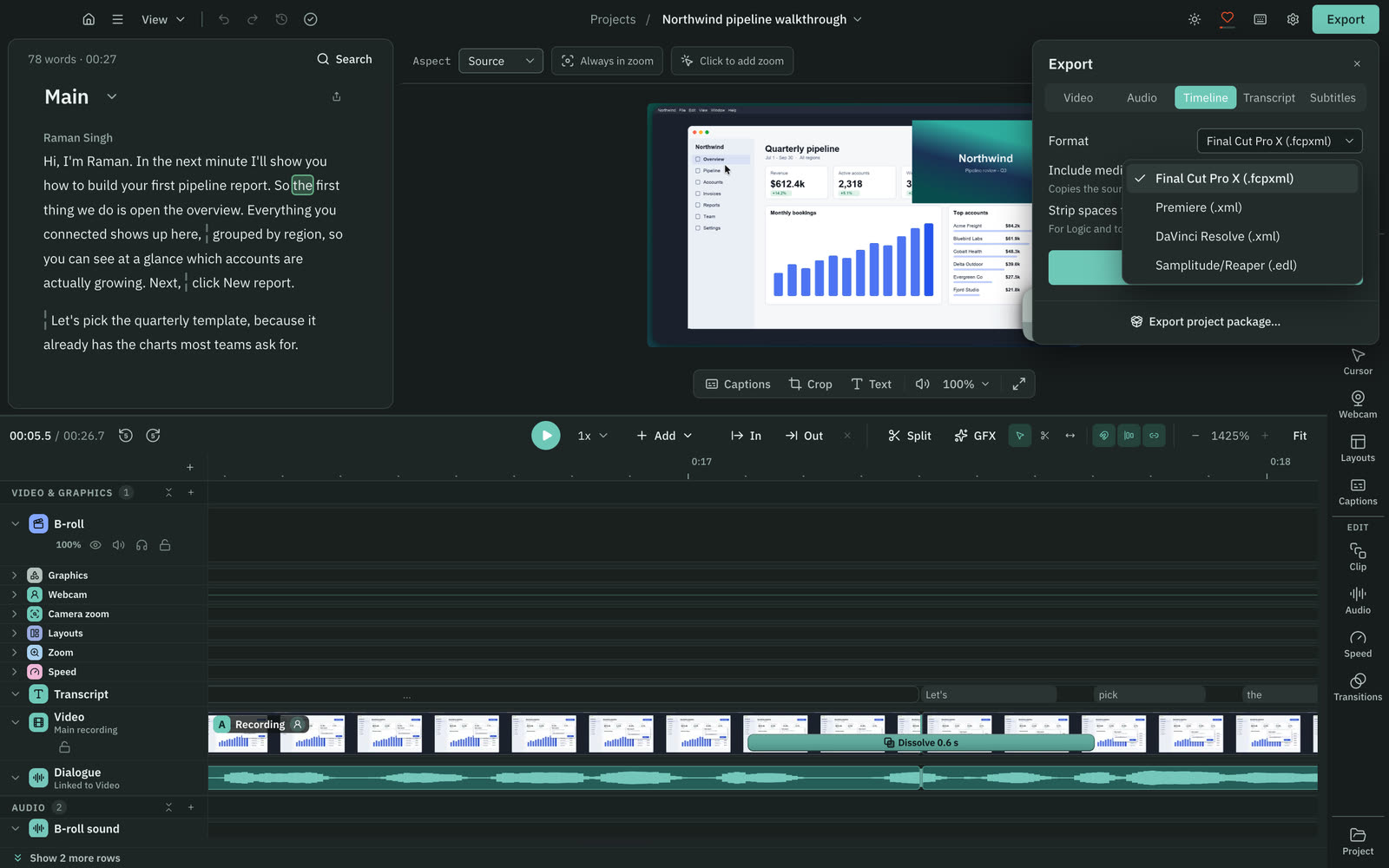
| Timeline export | YesPro only: Final Cut, Premiere, Resolve or EDL | Not found in their docsNot found in their docs |
| Source files | YesA project package with its media | YesExtract camera, audio and video files |
| Share link | NoNot offered, you post the file | YesWith a password, on a paid account |
| Cloud storage | NoNot offered | Yes5 GB on their pricing page |
| Where recordings live | YesOn your computer | YesOn your computer. Share uploads an export |
More detail
Cutscript
- Video as MP4 H.264, MP4 HEVC, MOV ProRes or WebM VP9. With motion effects in the project, only MP4 H.264 is offered.
- Source or 480p to 4K, at 24 to 60 fps, with hardware encoding and a loudness target.
- Audio as M4A, WAV, MP3 or FLAC. Transcripts as Word, Markdown, HTML, TXT or RTF. Subtitles as SRT or VTT.
- Timeline export is Pro only: a timeline file for Final Cut Pro, Premiere Pro or DaVinci Resolve, or an EDL. Effects stay behind.
- Files stay on your computer. Cloud AI steps send the text, audio or still frames they need to the provider you pick.
FocuSee
- MP4 or GIF at 480P to 4K or original, with selectable frame rate and quality. Paid plans list 4K and 60 FPS.
- Extract source files pulls out the camera, audio and video files.
- Share uploads the export to FocuSee's cloud and returns a link, with an access password, an Allow Sharing switch and File History.
- Share needs a paid account. Cloud storage is 5 GB on the pricing page and at least 1 GB on Pro in the share guide.
- Their FAQ says recordings are stored and processed on your computer. We could not find where AI Subtitles sends audio.
Price, watermark and licence
Prices in US dollars, checked 31 October 2026 (FocuSee shows your local currency). They tie yearly at $49.99, and Cutscript costs less paid monthly.
CutscriptFree, or Pro at $49.99 a year
FocuSeeStandard, Advanced and a lifetime licence
| What | Cutscript | FocuSee |
|---|---|---|
| Free plan | YesEvery feature except timeline export. Free account needed | PartlyRecord, edit, export one video |
| Watermark on the free plan | PartlyA moving watermark on free video exports. Pro removes it | PartlyOn the one free export |
| Paid yearly | YesPro $49.99 a year ($4.17 a month), one computer at a time | YesStandard $49.99, one computer. Advanced $79.99, up to 3 |
| Paid monthly | YesPro $9.99, one computer at a time | YesStandard $19.99, one computer. Advanced $24.99, up to 3 |
| One-time licence | NoNot offered | Yes$199.99, up to 5 computers, FocuSee 2.x |
| AI in the price | NoNot included, your providers bill you | PartlyNone on Standard yearly, 300 a month on Advanced |
| Buying more AI | YesPay your provider at its own prices | YesPacks from 500 credits for $14.99 |
More detail
Cutscript
- Free has every feature except timeline export, and needs a free account. Video exports carry a moving watermark.
- Audio, subtitle and transcript exports have no watermark. Pro removes it everywhere. A review on X earns two clean video exports.
- Pro is $4.17 a month paid yearly ($49.99 a year), or $9.99 paid monthly. It removes the watermark and adds timeline export.
- Pro covers one computer at a time, Mac or Windows.
- You can cancel any time, and Pro lasts to the end of the period you paid for. There is no one-time licence.
FocuSee
- The free download records, edits and exports one video with a watermark. Share and the paid AI tools are not included.
- Standard is $49.99 a year or $19.99 monthly, on one computer, with 5 GB of cloud. Both auto-renew.
- Advanced is $79.99 a year ($6.67 a month) or $24.99 monthly, on up to 3 computers, with 300 credits a month.
- Advanced lifetime is $199.99 once, on up to 5 computers, with FocuSee 2.x. The next major version costs extra.
- Money back: 7 days on monthly, 60 days on yearly and one-time, minus credits used. The Mac App Store lists other plans.
Platforms, account and maturity
FocuSee is on version 2.5 with a public roadmap, so it is the more mature product. Cutscript needs a newer Mac and has no browser recorder.
CutscriptMac and Windows, with some features on a Mac
FocuSeeVersion 2.5 on Windows and Mac, plus a browser recorder
| What | Cutscript | FocuSee |
|---|---|---|
| Version | Partly0.1 beta | Yes2.5.2 on Windows, 2.5.0 on Mac |
| Mac | YesmacOS 14 to open, macOS 15 to record | YesmacOS 10.15 or later |
| Windows | Yes64-bit Windows 10 (1809+) or 11, Microsoft Store | YesWindows 10 or later |
| Linux | NoIn testing, not ready to download | Not found in their docsNot found in their docs |
| Browser recorder | NoNot offered | YesFree, no account, no watermark |
| Account | YesSign in once with email, Google or GitHub | YesiMobie or Google, to activate |
| Offline use | YesRecording, timeline and export work offline | Not found in their docsNot found in their docs |
| Moving to a new computer | YesRemove up to 3 computers every 30 days | YesDeactivate the old device twice a year |
More detail
Cutscript
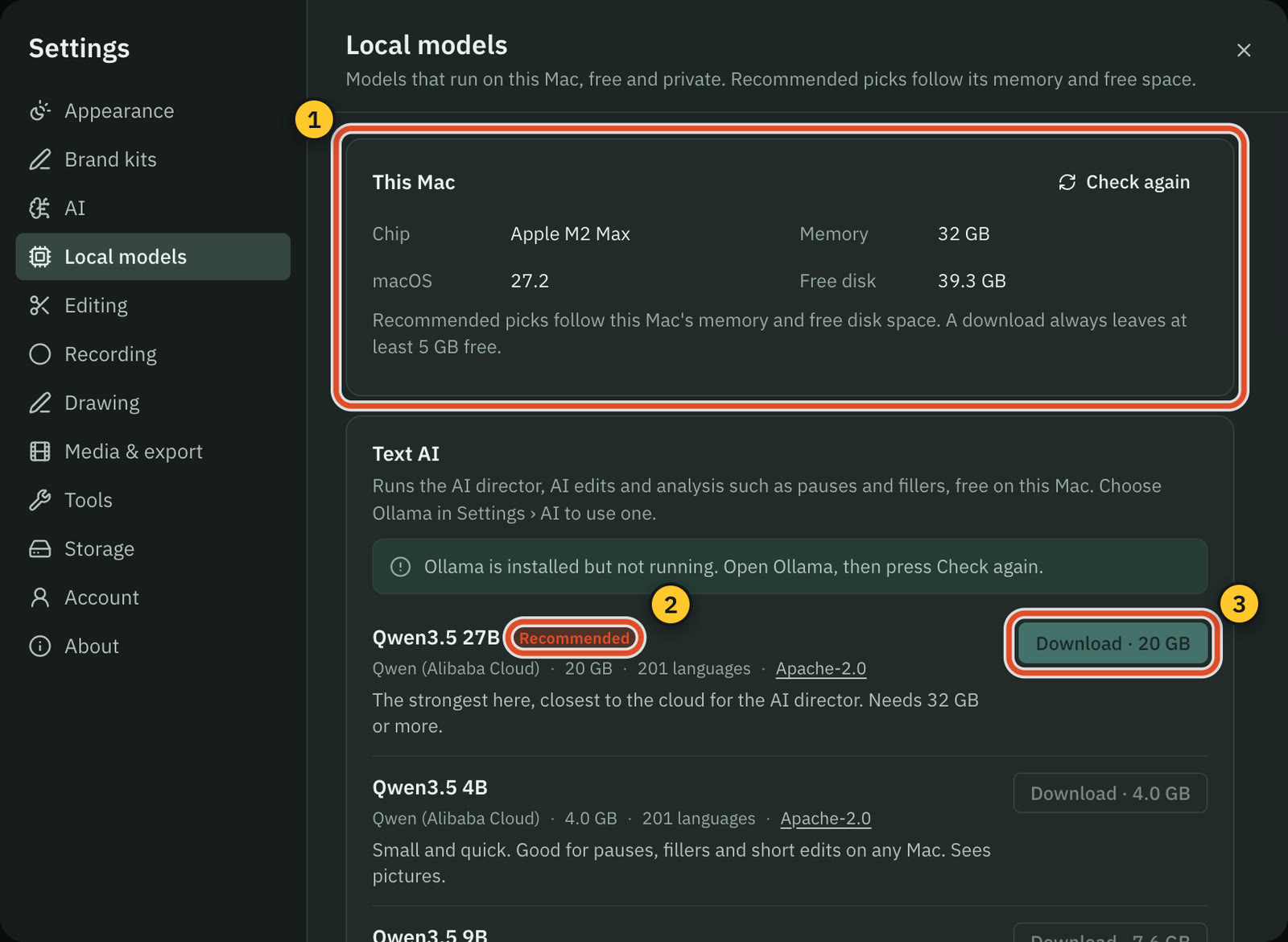
- Mac on macOS 14 or later (recording needs macOS 15), Apple silicon or Intel, and 64-bit Windows from the Microsoft Store.
- These need a Mac: area recording, drawing, click tracking, the editable cursor, sound from one app and iPhone and iPad recording.
- Also Mac only: finding faces and emails to blur and the Claude plan. Whisper and voices on your computer need Apple silicon.
- You sign in once with a cutscript.dev account, on Free too. The plan is checked about daily online, and at least every 14 days.
- Recording, the timeline and export work offline once you are signed in. Cutscript sends no analytics or crash reports.
FocuSee
- Windows 10 or later and macOS 10.15 or later (12.3 recommended). Also in the Mac App Store, free with in-app purchases.
- A free browser recorder needs no account and has no watermark. Automatic zoom, instant blur and live captions are desktop-only.
- Recent releases: Windows v2.5.2 on 15 October 2026 and Mac v2.5.0 on 27 August 2026. The changelog and roadmap are public.
- You activate by signing in with an iMobie or Google account, and you can deactivate an old device twice a year.
Where FocuSee is the better pick
A later version and public roadmap
FocuSee is on version 2.5, with a public roadmap and changelog. Windows v2.5.2 shipped on 15 October 2026. Cutscript is a 0.1 beta.
Auto zoom from a Windows take
Auto zoom on typing reached Windows on 18 August 2026. A take recorded on Windows in Cutscript has no click data, so no automatic zooms.
Phones, including Android
iPhone, iPad and Android record over USB, with device frames in the editor. Cutscript records only a cabled iPhone or iPad, on a Mac, in an experimental mode.
Share links with a password
Share uploads an export and returns a link with an access password. It needs a paid account. Cutscript has no share link: you post the file yourself.
A one-time licence
Advanced lifetime is $199.99 for up to 5 computers, with access to FocuSee 2.x. The next major version costs extra. Cutscript is monthly or yearly.
Avatars, teleprompter and music
FocuSee has over 100 AI avatars, a teleprompter whose script is never recorded, on-screen keystrokes and a built-in music library. Cutscript has none of these.
Moving from FocuSee to Cutscript
- In FocuSee, export each video as an MP4, or use Extract source files for separate camera, audio and video.
- Install Cutscript from cutscript.dev on a Mac or the Microsoft Store on Windows, then sign in once.
- Import the files or drop them in the Media panel. FocuSee projects do not import, so edits stay baked in.
- An imported video has no pointer data, so add zooms by hand. For click zooms, record a new take on a Mac.
- Make a transcript for text editing: an ElevenLabs, fal.ai or OpenRouter key, or Whisper on Apple silicon.
- Set up AI in Settings › AI › Providers with your own plan or keys. FocuSee credits do not carry over.
Questions
Does Cutscript have auto zoom like FocuSee?
On a Mac, yes: zooms are added from your clicks when a take becomes a project. A take recorded on Windows has no click data, so you add zooms by hand. FocuSee also zooms from typing, if you turn it on. Cutscript's Find zooms reads typing too, on a Mac.
Can FocuSee edit video by editing the transcript?
Smart Cut transcribes the audio and highlights silences and filler words for you to delete. We could not find deleting any other word in their docs. In Cutscript, deleting words is the main way to cut, once you have a transcript.
Which costs less, Cutscript Pro or FocuSee Standard?
They tie yearly at $49.99 a year ($4.17 a month) on one computer. Paid monthly, Cutscript Pro costs less: $9.99 against $19.99. Standard yearly includes no AI credits, and in Cutscript your own providers bill you for AI.
Is there a free version of each?
Yes. Cutscript Free has every feature except timeline export, needs a free account and puts a moving watermark on video exports. FocuSee's free download exports one video with a watermark, and its browser recorder is free with no watermark.
Do I need to buy FocuSee credits for AI?
For some tools. AI Avatar, Vocal Enhancement, Remove Silence and Fillers and the Advanced caption model use credits. Noise reduction, camera background removal and the caption Local Model do not. Packs start at 500 credits for $14.99.
Do both work on Windows?
Yes. FocuSee needs Windows 10 or later, and Cutscript needs 64-bit Windows from the Microsoft Store. In Cutscript, area recording, drawing, click tracking and iPhone recording need a Mac. Colors and Face reach Windows with the next Microsoft Store update.
Can I send someone a link to my video?
In FocuSee, yes, on a paid account: Share uploads the export and returns a link, with an access password. Cutscript uploads no video for you today, so you export the file and post it yourself.
Try it on your own video.
Free with a Cutscript account. Video exports have a watermark, and Pro removes it.
Download CutscriptFirst published 31 October 2026, last checked 31 October 2026. Prices and features change, so check before you decide. The people in our screenshots are stock footage and do not use or endorse Cutscript. Screenshots show Cutscript 0.1 beta. Seen something wrong or out of date? Tell us and we will fix it.