Cutscriptvs CapCut
Pick Cutscript, a 0.1 beta screen recorder and editor, for screen demos with files on your computer. Pick CapCut for social video, templates, generated video, team review, or editing on a phone or in a browser.
Written by the people who make Cutscript. Checked 31 October 2026. CapCut and its logo are trademarks of their owner, and Cutscript is not affiliated with or endorsed by them.
Pick Cutscript if
- You record screen demos and want click zooms, cursor styles and drawing, on a Mac
- You want projects in a folder you choose on your computer
- You pay for ChatGPT or Claude (Claude on a Mac), or want your own keys or local models
- You hand cuts to Final Cut, Premiere or Resolve. Timeline export is Pro only
- You grade footage and want scopes. On a Mac now, Windows with the next Store update
Pick CapCut if
- You edit on a phone, a tablet or in a browser. Cutscript has no app for those
- You make TikTok, Reels or Shorts and want a template library
- You want generated video, avatars, images and songs inside the editor
- You need teammates to review: shared Spaces, review links and a Teams plan
At a glance
| What | Cutscript | CapCut |
|---|---|---|
| Best for | Screen demos, tutorials and talks, cut by their words | Social and short-form video, templates, generated video, team review |
| Maturity | 0.1 beta. Expect rough edges | Free, Standard, Pro, Ultra and Teams plans. No desktop release notes found |
| Price (checked 31 Oct 2026) | Free, or Pro at $4.17 a month paid yearly ($49.99 a year), or $9.99 monthly | Pro $19.99 a month or $179.99 a year, per a 23 Sep 2026 page. Regions vary. Standard, Ultra not found |
| Free plan | YesEvery feature except timeline export. Free account needed | YesFree to start. Some assets and export settings need Pro |
| Watermark | PartlyA moving watermark on free video exports. Pro removes it | Not found in their docsTheir pages disagree. Test your own export |
| Platforms | PartlyMac and Windows only. Recording on a Mac needs macOS 15 | YesWindows, Mac, browser, iOS, Android and CapCut Pad |
| Where files live | On your computer | Projects can sit in a cloud Space. New free Spaces get 0GB |
| Sharing | NoYou get a file and post it yourself | YesSpaces, review links and a Teams plan |
| Editing | YesCut by deleting words. Transcript needs a key or Whisper on Apple silicon | PartlyTranscript tool in the online editor. Desktop not detailed |
| AI | Your ChatGPT or Claude plan, your keys, or local models | Built in. Some on credits or Pro, some called free |
| Screen recorder | YesBuilt in, each input on its own track | YesBuilt in, desktop and browser. Screen and camera on two tracks |
| Auto zoom and cursor styles | PartlyZooms from clicks, styled cursor. On a Mac | Not found in their docsNot found in their docs |
YesPartlyNoNot found in their docs
Recording
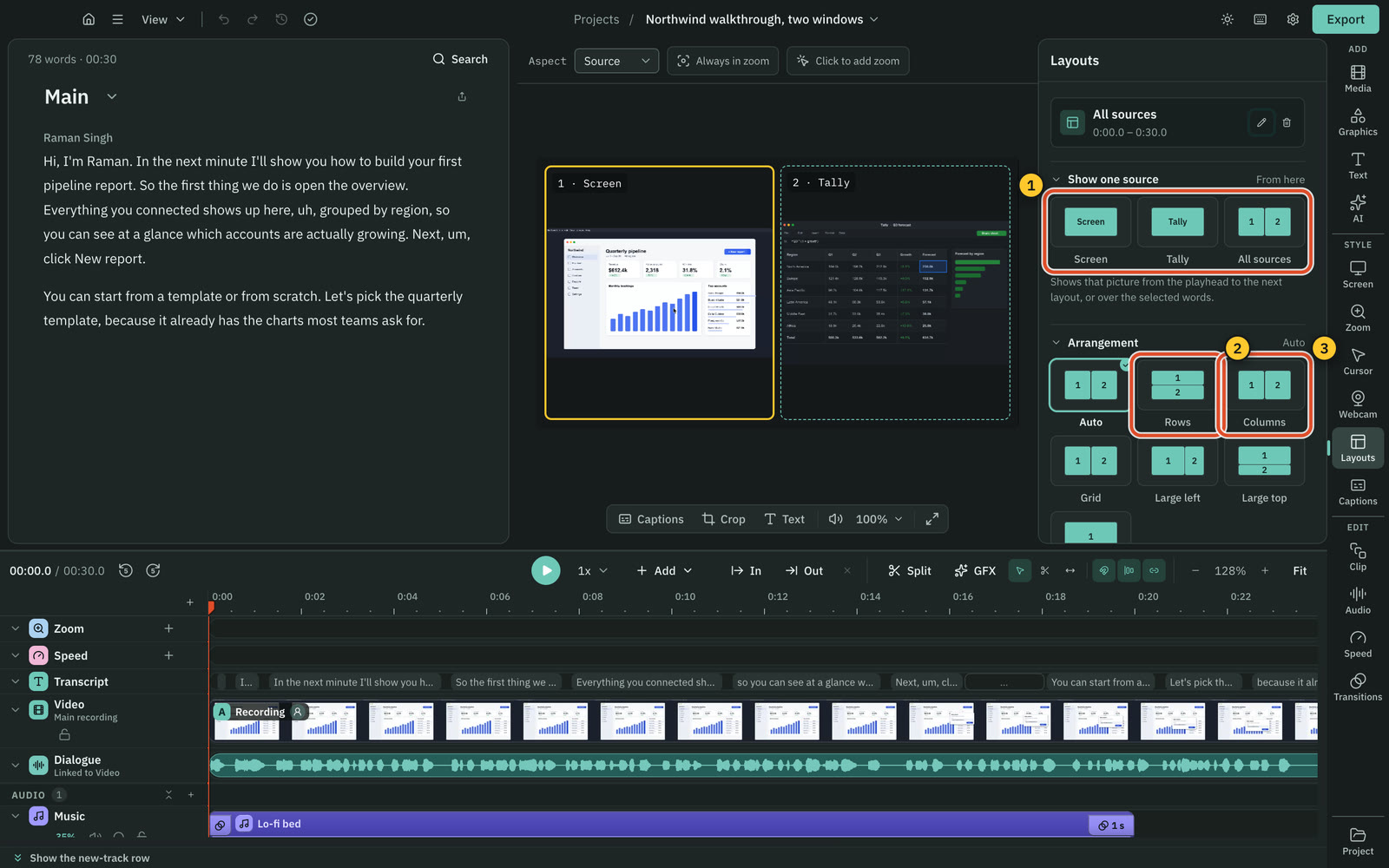
Both record screen and camera on separate tracks. CapCut also records in the browser. Cutscript also saves voice and system sound as their own tracks.
CutscriptRecorder inside the desktop app
CapCutRecorder on desktop and in the browser
| What | Cutscript | CapCut |
|---|---|---|
| Where you record | YesDesktop app on Mac and Windows | YesDesktop app or browser |
| What you can capture | YesDisplay or window. Area on a Mac | YesDesktop: screen or area. Browser: also tab, window |
| System sound | YesAll or none. One app only on a Mac, experimental | PartlyBrowser: tab capture. Mac app: FAQ points to BlackHole |
| Camera on its own track | YesOwn track, shown as a webcam bubble | YesSecond track after a screen and camera take |
| Several screen pictures in a take | YesUp to three pictures | Not found in their docsNot found in their docs |
| Phone or tablet screen | PartlyCabled iPhone or iPad, on a Mac. Experimental | Not found in their docsNot found in their docs |
More detail
Cutscript
- Record a display or a window on Mac and Windows. Area recording is on a Mac, and recording on a Mac needs macOS 15 or later.
- Picture, voice, system sound and camera each save as their own track, so you can change any of them later.
- One take holds up to three pictures, each in its own file. The extra pictures record no sound.
- Recording works offline once you are signed in. After a crash or restart, you can turn the saved files into a project.
- A cabled iPhone or iPad can be a source, on a Mac. It is experimental and not yet checked on real hardware.
CapCut
- The desktop app has a Record screen button. You pick full screen or an area, and turn on webcam and microphone.
- CapCut Online records the whole screen, a tab, a window, a region or the webcam, then carries on in the editor.
- After a take with screen and camera, you get two tracks, one for each.
- Browser: system audio works with tab capture. Mac desktop: their FAQ points to BlackHole or Soundflower.
Editing by text
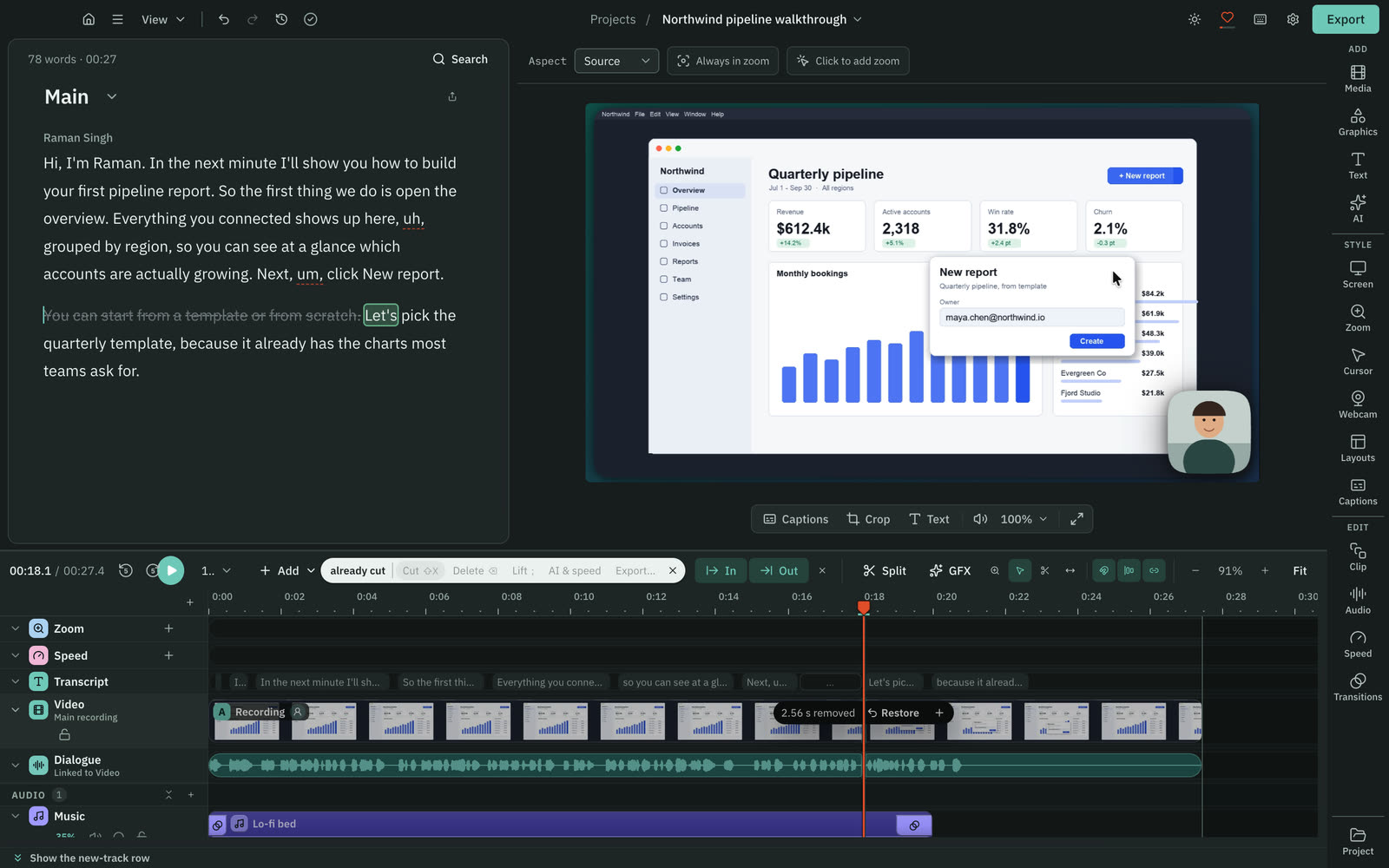
Both cut video by deleting words, but CapCut documents it online only. CapCut presents it as free, while Cutscript needs your key or Whisper on Apple silicon.
CutscriptDelete words to cut. Transcript on your own account
CapCutTranscript tool in the online editor, called free
| What | Cutscript | CapCut |
|---|---|---|
| Cut by deleting words | YesOnce you have a transcript | PartlyOnline editor. Desktop and mobile not detailed |
| Transcript with no extra account | PartlyOnly Whisper on Apple silicon. Else your key | YesPresented as free online |
| Filler words and pauses | YesFound on your computer, no AI. List is editable | PartlyOnline editor: found, then removed from the text |
| Caption styles | Yes24 presets, every setting editable | YesPresets with font, colour, size, position, animation |
| Highlight the word being said | YesIn presets or by hand | Not found in their docsNot found in their docs |
| Languages | Yes90+ with Scribe v2, 99 with Whisper on Apple silicon | Yes20+ for captions on CapCut Web |
| Subtitle files | YesExport SRT or VTT, timed to the edit | PartlySRT upload. Export not found in their docs |
More detail
Cutscript
- Delete words and the picture and sound are cut. Every cut can be restored, and your original media stays untouched.
- A transcript needs your key (ElevenLabs, fal.ai or OpenRouter), or Whisper on Apple silicon: free, slower, no speaker labels.
- Editing by text works offline once the transcript exists, and making a transcript offline needs Whisper on an Apple silicon Mac.
- Filler words, long pauses and repeated takes are found on your computer, with no AI. Repeats keep your last take.
- 24 caption styles, and you can highlight the word being said. Burn captions in, or export SRT or VTT.
CapCut
- Online, right-click the clip and choose the transcript option. Filler words and gaps are found, and edits reach the captions.
- CapCut presents this as free with no credit card. It gives no detail for desktop or mobile.
- A CapCut article says AutoCut also does transcript-based editing and silence removal, with no plan or platform named.
- Captions on CapCut Web: 20+ languages, preset styles, SRT upload, called free. Two other pages tie auto captions to Pro.
Timeline and templates
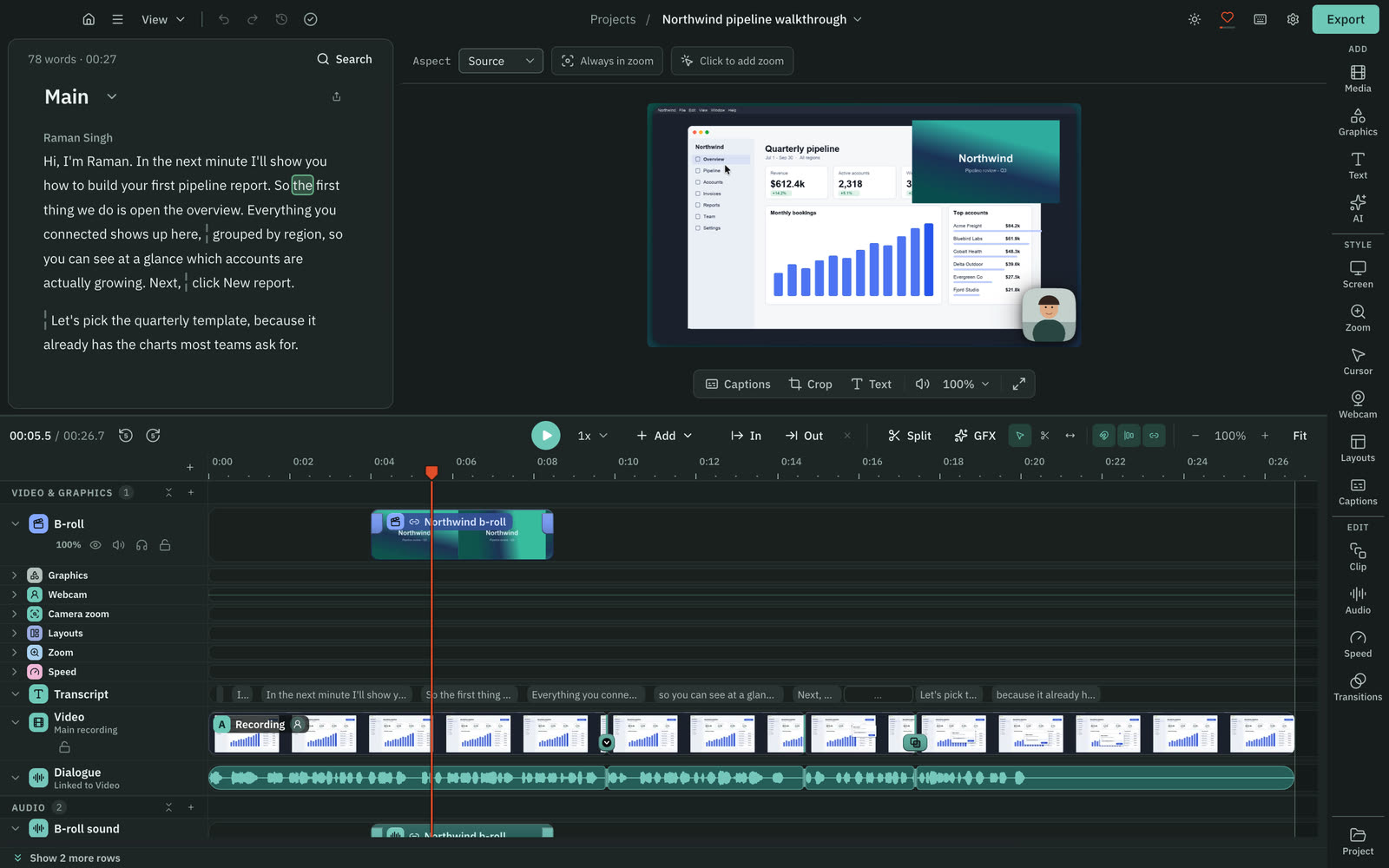
Both have a multitrack timeline. CapCut is ahead on templates, and its desktop page describes keyframes and motion tracking.
CutscriptA timeline built around your recording
CapCutMultitrack timeline, keyframes, many templates
| What | Cutscript | CapCut |
|---|---|---|
| Multitrack timeline | YesVideo, images and audio tracks | YesVideo, audio and text overlays |
| Transitions | YesDissolve, dip, push, slide, wipe, iris and more | YesMore on desktop than on mobile |
| Keyframes | PartlyFor the framing window of a clip | YesListed on their desktop page |
| Motion tracking | PartlyBlur boxes, and framing that follows pointer or speaker | YesListed on their desktop page |
| Templates | Partly31 Design pack graphics, not a library | YesMany categories. Mobile advertises unlimited |
| Stock assets | PartlyOwn files and generated audio, no stock library | YesAssets built in. Some ask for Pro |
More detail
Cutscript
- Tracks for video, images and audio. You can hide, mute, solo, lock, reorder and rename them.
- Select, Razor and Slip tools, with snapping. Set In and Out to cut a range and close the gap, or lift it and leave the gap.
- Speed from 0.25x to 4x. Transitions and audio crossfades from 0.1 to 4 seconds.
- Compositions give you several edits of one video, each with its own cuts, captions and aspect.
- There is no template library. The closest things are 31 Design pack graphics, four screen looks and 24 caption styles.
CapCut
- The desktop page says the multi-track timeline overlays video, audio and text. It also describes keyframes and motion tracking.
- The same page says desktop has significantly more transitions than mobile.
- Template sections: Trending, Social, Holiday, Recap, Business and more. Free or Pro per template is not stated.
- A 2 Apr 2026 help article says multi-cam, once locked to Pro on desktop, opens up after updating. Plans not stated.
Zooms, cursor and drawing
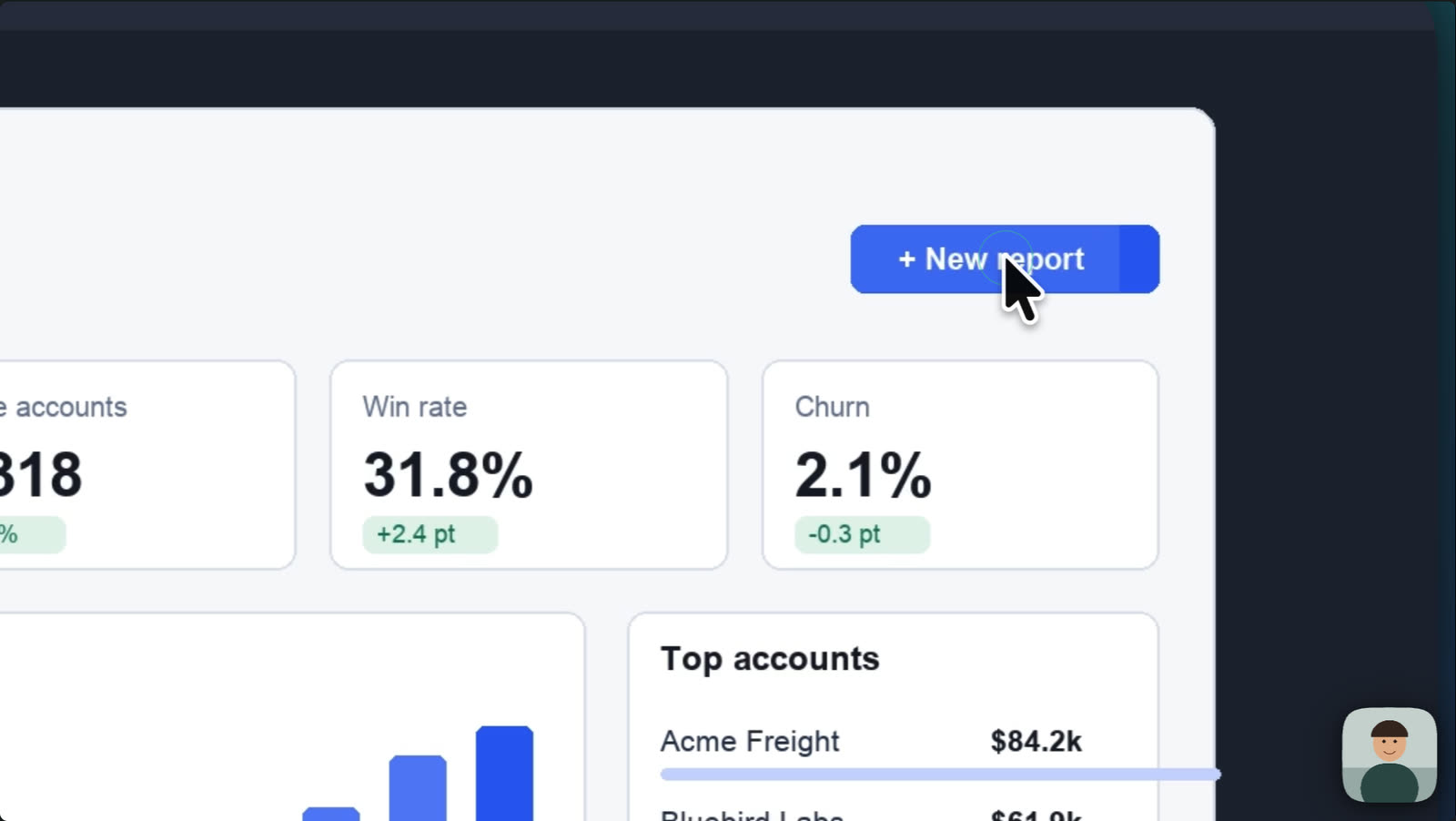
Cutscript is ahead here, mostly on a Mac. CapCut's guide describes zoom and cursor highlights as manual choices, with no automatic versions found.
CutscriptBuilt in. Cursor and drawing need a Mac
CapCutManual choices, scene by scene
| What | Cutscript | CapCut |
|---|---|---|
| Automatic zoom | PartlyFrom your clicks, on a Mac | Not found in their docsNot found in their docs |
| Zoom by hand | YesPress Z, drag on the Zoom lane or click the preview | YesListed in their guide as a scene-by-scene choice |
| Cursor styles and click effects | PartlyOn a Mac, all editable after recording | Not found in their docsNot found in their docs |
| Draw on screen while recording | PartlyOn a Mac | Not found in their docsNot found in their docs |
| Backgrounds, padding and corners | YesReady-made looks and controls, Mac and Windows | Not found in their docsNot found in their docs |
| Camera bubble shapes | YesCircle, pill, oval, diamond, hexagon and more | PartlyMask tool with a Pen outline. Presets not found |
| Remove the camera background | PartlyChroma key for one solid colour only | YesAI separates the subject, no green screen |
More detail
Cutscript
- On a Mac, zooms come from your clicks, at Fewer, Balanced or More. On either system you can add zooms by hand, 1x to 5x.
- On a Mac, edit the cursor after recording: six styles plus your Mac's own, 0.5x to 10x, motion presets, click effects and sounds.
- On a Mac, you can draw while you record: pen, arrows, shapes, numbered steps, a laser pointer, a spotlight and blur boxes.
- On either system: screen looks, gradient, image and colour backgrounds, padding, rounded corners and shadow.
- On Windows the pointer is part of the video and clicks are not recorded. Click zooms and effects need a Mac take.
CapCut
- CapCut's screen-recording editing guide lists zoom, cursor highlight and callouts as emphasis you choose by hand.
- For camera cut-outs, a guide uses the Mask tool with a Pen outline, a background on a second track and keyframes.
- The same guide says AI tools can separate you from your background with no physical green screen.
- The online recorder page says it will offer annotation tools, with no detail.
Colour grading
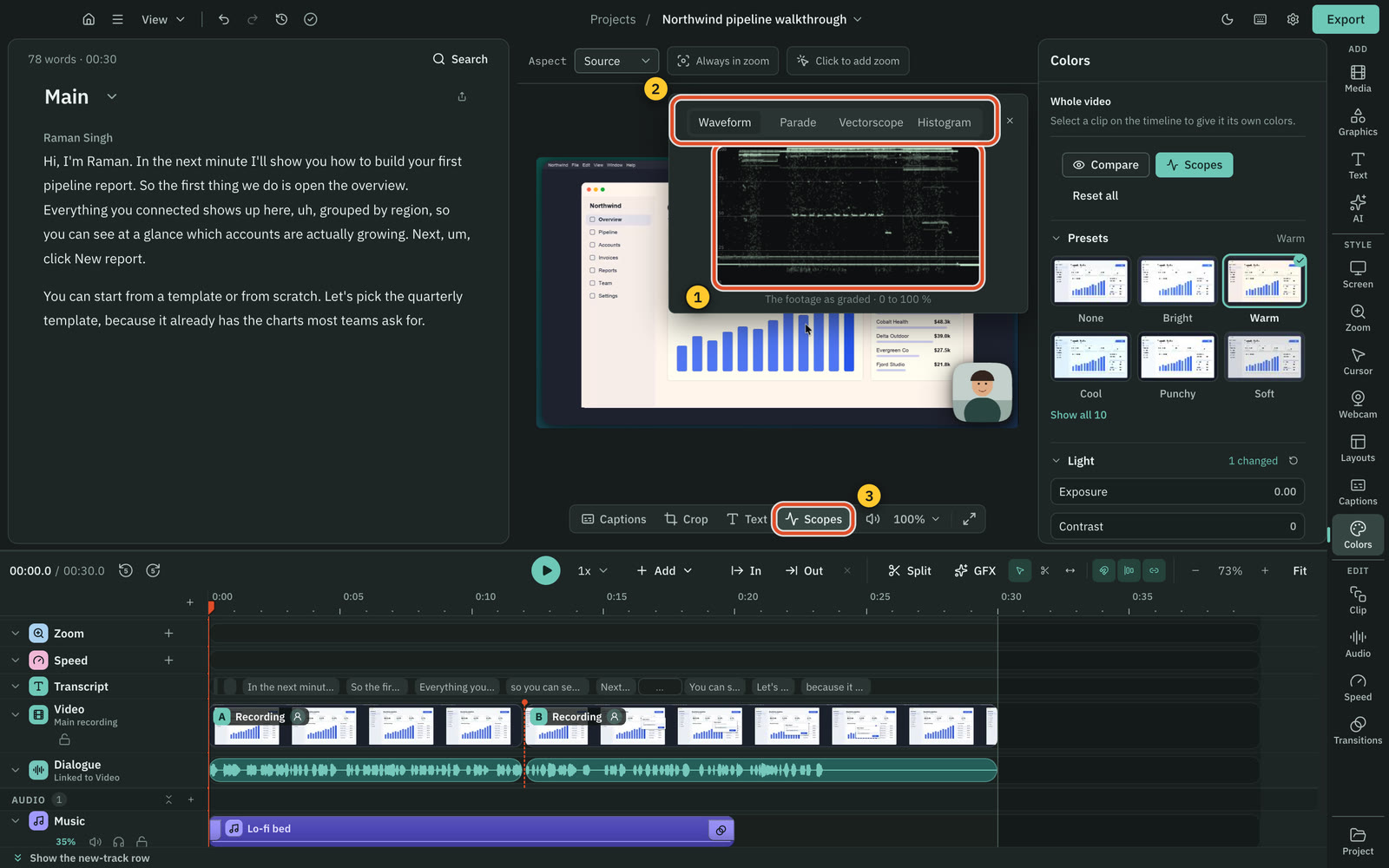
CapCut has curves, Color Match and .3DL LUTs. Cutscript has scopes and Face. Colors and Face are on a Mac now, Windows with the next Store update.
CutscriptSliders, wheels, .cube looks and scopes, on a Mac now
CapCutWheels, curves, Color Match and LUTs, called free online
| What | Cutscript | CapCut |
|---|---|---|
| Colour wheels | YesShadows, midtones and highlights | YesShadows, midtones and highlights |
| Curves | NoNot offered. Sliders and wheels instead | YesRGB and luma curves |
| LUT import | Yes.cube, with intensity | Yes.CUBE and .3DL. Make your own |
| Match colours between clips | PartlyCopy and paste a look between clips | YesColor Match |
| AI colour | YesGrade with AI, price shown first | YesOne-click AI colour correction |
| Scopes | YesWaveform, Parade, Vectorscope and Histogram | Not found in their docsNot found in their docs |
| Colour for the face only | YesFace: presets, sliders or ask the AI | Not found in their docsNot found in their docs |
More detail
Cutscript
- Light and colour sliders, ten presets that preview your own frame, and a Compare button.
- Colour wheels for shadows, midtones and highlights, a vignette, and .cube look import with an intensity control.
- Waveform, Parade, Vectorscope with a skin-tone line, and Histogram.
- Face grades the face alone, found on your computer with nothing uploaded. It can also detach as a bubble that follows the person.
- Grade with AI looks at up to four frames and checks its own grade, on your AI source, with the price shown first.
CapCut
- The online page lists shadow, midtone and highlight wheels, RGB and luma curves, one-click AI correction and Color Match.
- It imports .CUBE and .3DL LUTs, and you can create and reuse your own.
- It calls all this completely free online. Another CapCut page lists AI colour correction under Pro.
- On desktop, a 2 Apr 2026 help article lists advanced colour grading among tools opened up after updating. Plans not stated.
Blur and privacy
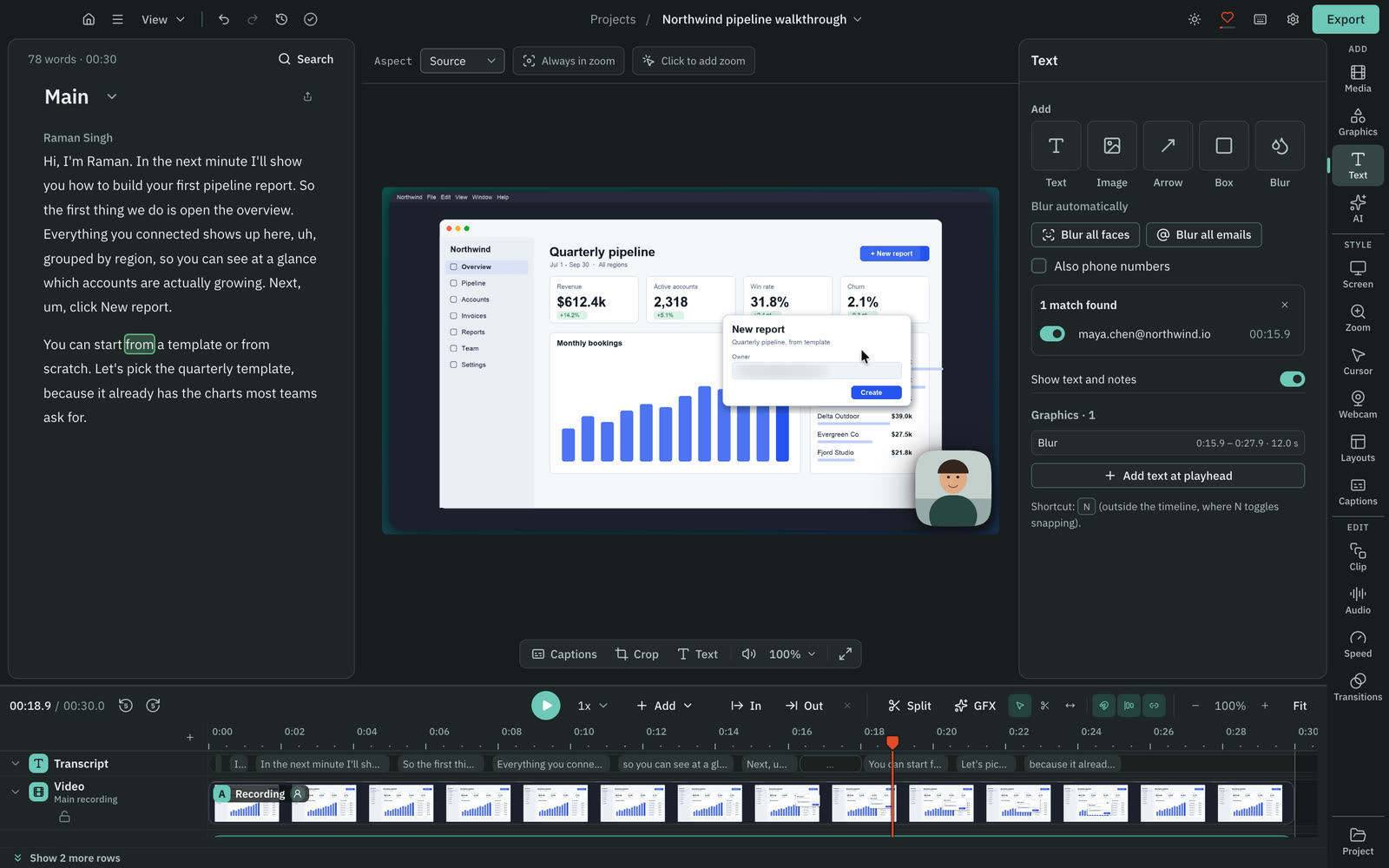
Both blur a moving face with a mask you place and track. On a Mac, Cutscript can also find every face or email for you.
CutscriptBy hand on both systems, automatic on a Mac
CapCutA mask you place, then track
| What | Cutscript | CapCut |
|---|---|---|
| Blur by hand | YesBlur or pixelate, with strength and tint | YesBlur effect, Face Mosaic or Phantom Face, plus a Mask |
| Blur follows the subject | YesPixel lock everywhere, Apple Vision on a Mac | PartlyTrack mask on desktop, keyframes elsewhere |
| Find every face | PartlyBlur all faces, on a Mac | Not found in their docsNot found in their docs |
| Find every email on screen | PartlyBlur all emails, on a Mac. Phone numbers optional | Not found in their docsNot found in their docs |
More detail
Cutscript
- Place a blur or pixelate box, strength 1 to 100, with an optional tint.
- Pixel lock tracking follows text, windows and logos, with per-frame fixes. Export warns you if a blur lost its subject.
- On a Mac, Blur all faces and Blur all emails use Apple Vision, free. You review the list. Spoken addresses are not found.
- Apple Vision tracking for camera footage is on a Mac too.
- Blur applies at export. Share the exported video, not a project package with media: the package still holds the footage.
CapCut
- On desktop, apply the Blur effect, Face Mosaic or Phantom Face, place a Mask by hand, then use Track mask to follow the face.
- Online and on mobile you set keyframes by hand.
- CapCut's blur guide describes no automatic face detection in CapCut itself. It names a separate iOS app, MovStash, for that.
- It calls the online editor and mobile app free, and does not explicitly call desktop free.
AI that edits your video
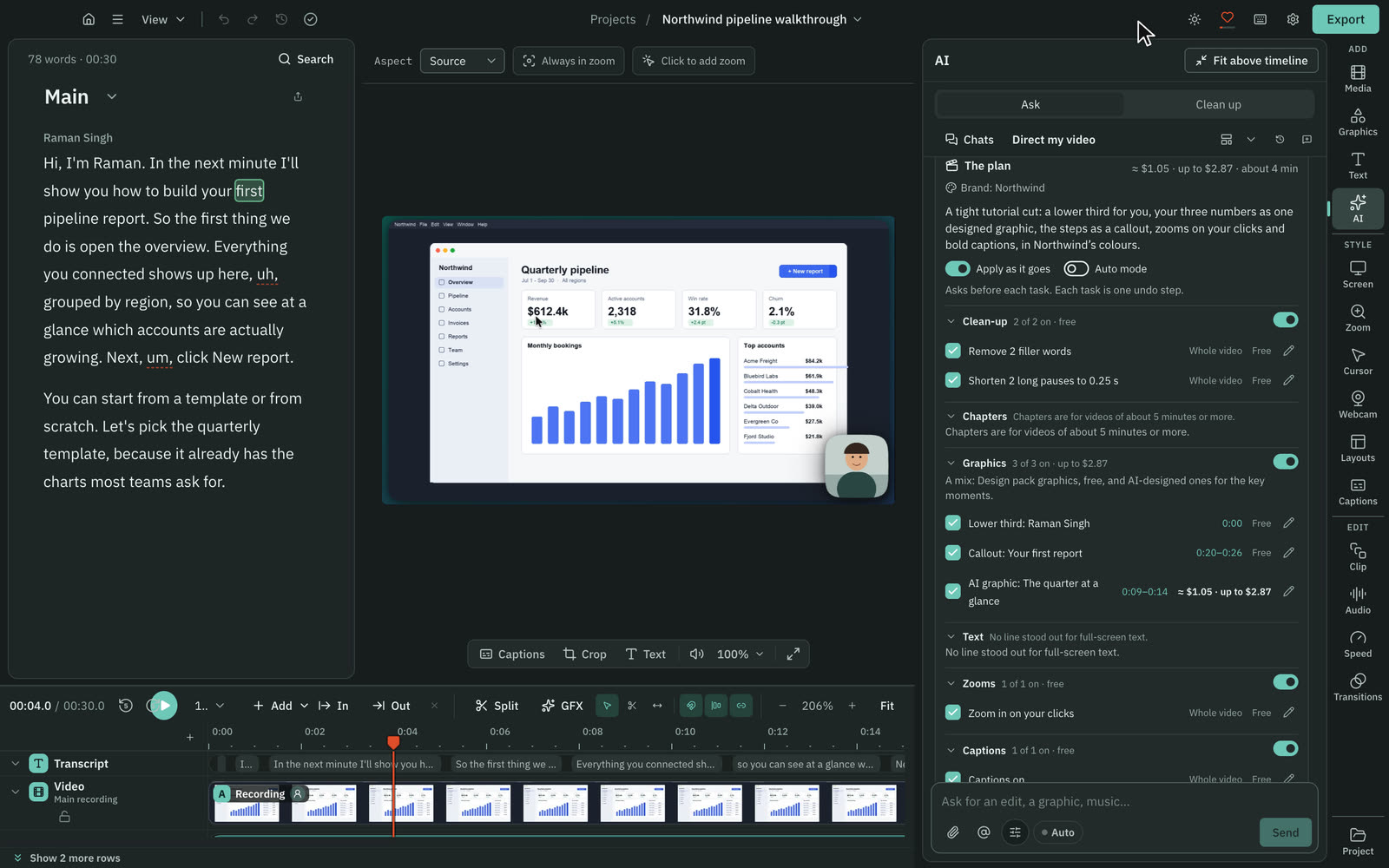
Cutscript's AI is a chat in the app, and you approve changes by default. CapCut has a ChatGPT plugin outside the US, plus AutoCut and a shorts tool.
CutscriptOne chat in the app. Changes arrive as cards
CapCutChatGPT plugin outside the US, AutoCut, shorts
| What | Cutscript | CapCut |
|---|---|---|
| Chat that edits your project | YesInside the app, Mac and Windows | PartlyVia ChatGPT desktop on PC, outside the US |
| Plan for a whole edit | YesDirect my video: priced, you approve it | Not found in their docsNot found in their docs |
| Short clips from a long video | YesUp to ten, scored, each its own composition | YesAutoCut and Long video to shorts |
| Reframe to 9:16 | YesFace on a Mac, pointer or still crop on Windows | YesAuto subject tracking |
| Bring in a video from a link | YesYouTube, TikTok, Vimeo and more, if you have the rights | PartlyDescribed on mobile only: paste a YouTube link |
| Your own ChatGPT or Claude plan | YesOr your own keys. Claude plan on a Mac | Not found in their docsNot found in their docs |
| AI that runs on your computer | YesOllama on Mac and Windows. Whisper, voices on Apple silicon | PartlyDesktop speech recognition in some regions |
More detail
Cutscript
- Ask in plain words. With Auto off, the default, nothing changes until you press Apply or Run. Apply is one undo step.
- Direct my video makes a priced plan for clean-up, chapters, graphics, zooms, captions and sound. You approve it first.
- Make short clips gives up to ten scored clips. They follow the speaker's face on a Mac, the pointer or a still crop on Windows.
- You need an AI source: ChatGPT plan, Claude plan (on a Mac), OpenRouter key or Ollama. Script edits and clips need a transcript.
CapCut
- CapCut x Codex edits a draft from chat: shorten scenes, reorder clips, replace visuals. ChatGPT desktop app on PC, outside the US.
- CapCut x Codex states no plan or price, and says access and limits may depend on account, region and product terms.
- A CapCut article says AutoCut detects scene changes and spoken highlights, creates short clips and generates subtitles.
- Long video to shorts takes Cloud, Google Drive or Dropbox files and reframes 16:9 to 9:16 with subject tracking.
AI that makes video, images and sound
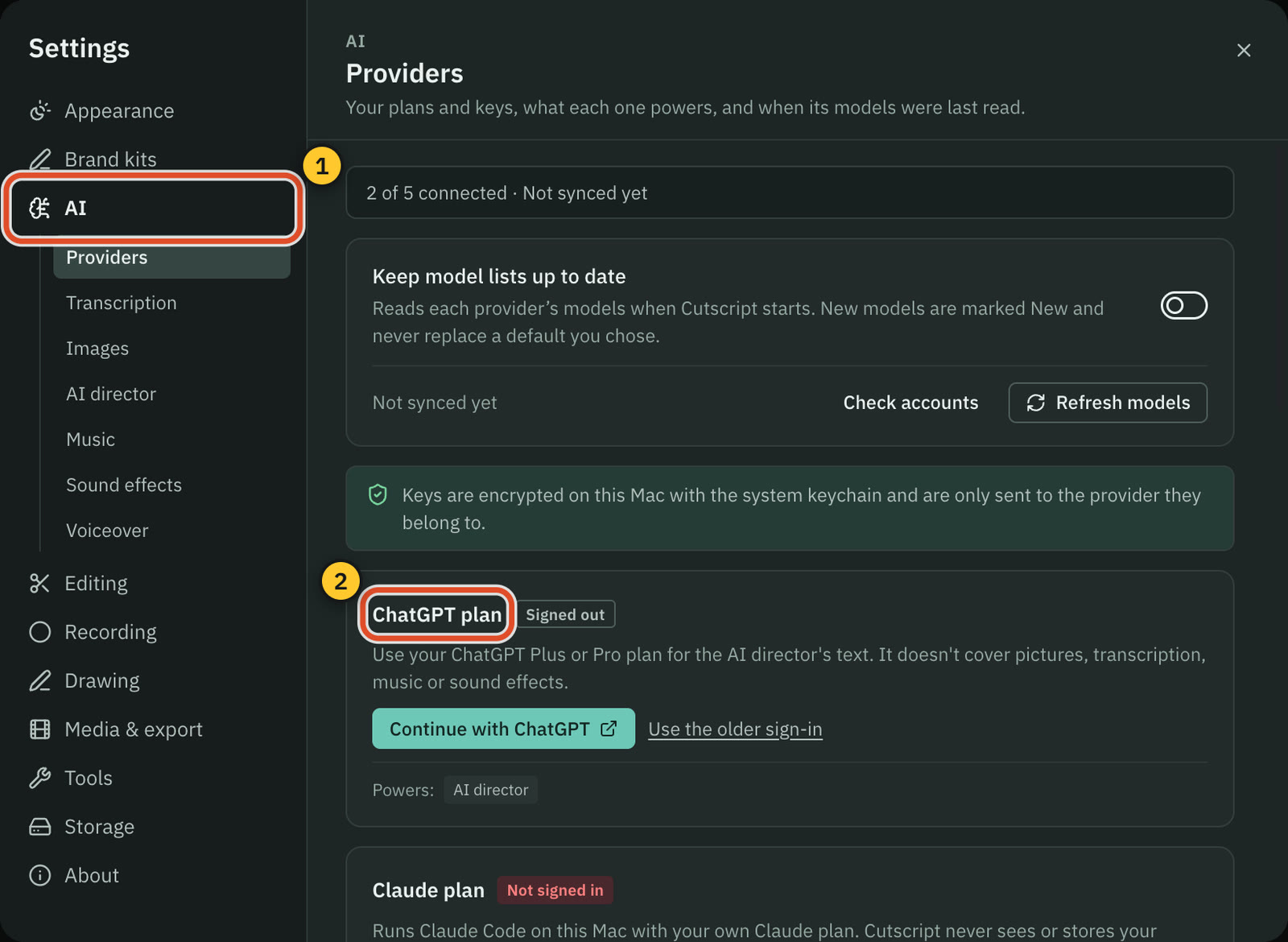
CapCut is ahead here, with generative AI built in, on credits or Pro. Cutscript has no text-to-video or avatars, and its AI runs on accounts you connect.
CutscriptGraphics, pictures and audio on your own accounts
CapCutBuilt in, with credits. Some parts under Pro
| What | Cutscript | CapCut |
|---|---|---|
| Video from a script or image | NoNot offered | YesVideo Studio. Veo 3.1, Sora 2 under Pro |
| Digital avatars | NoNot offered | YesIn Video Studio |
| Motion graphics | YesDesign director, plus 31 Design pack graphics | Not found in their docsNot found in their docs |
| Images | PartlyInside graphics, with an OpenRouter or fal.ai key | YesDesign Studio (Seedream 5.0), AI image generator |
| Voiceover and voice cloning | YesYour keys. Cloning on ElevenLabs or Fish | Yes200+ voices, clone from a few sentences |
| Dubbing | YesElevenLabs Dubbing, or line by line from your script | YesLip-synced, with voice clones, in some regions |
| Music | YesFrom a prompt on your key. ElevenLabs needs a paid plan | YesSongs from a prompt, called free |
| Sound effects | YesFrom a prompt, on your key | PartlySteps given for mobile, called free |
More detail
Cutscript
- The design director builds motion graphics of 1 to 60 seconds, storyboard and price first. It needs an AI source.
- Music, sound effects, voiceover and dubbing run on your own keys, billed by the provider. Most paid steps show the price first.
- AI pictures need an OpenRouter or fal.ai key and are off by default. ChatGPT and Claude plans cover text only.
- On an Apple silicon Mac, voices can run on your computer for free. There are no local models for music or sound effects yet.
CapCut
- Video Studio (Seedance 2.5) builds video from a script, image or avatar. Credits and features vary by plan and region.
- Design Studio uses models such as Seedream 5.0 for logos, ads and posts. Free Design Agent features need no subscription.
- 200+ voices and a voice clone, lip-synced dubbing in some regions, and AI songs with lyrics and vocals from a prompt.
- Another page lists Veo 3.1 and Sora 2 video, the translator and text to speech under Pro. Some are called free elsewhere.
- Subscription credits expire at month end. Purchased credits last 2 years, per a page whose examples use 2023 dates.
Export and hand-off
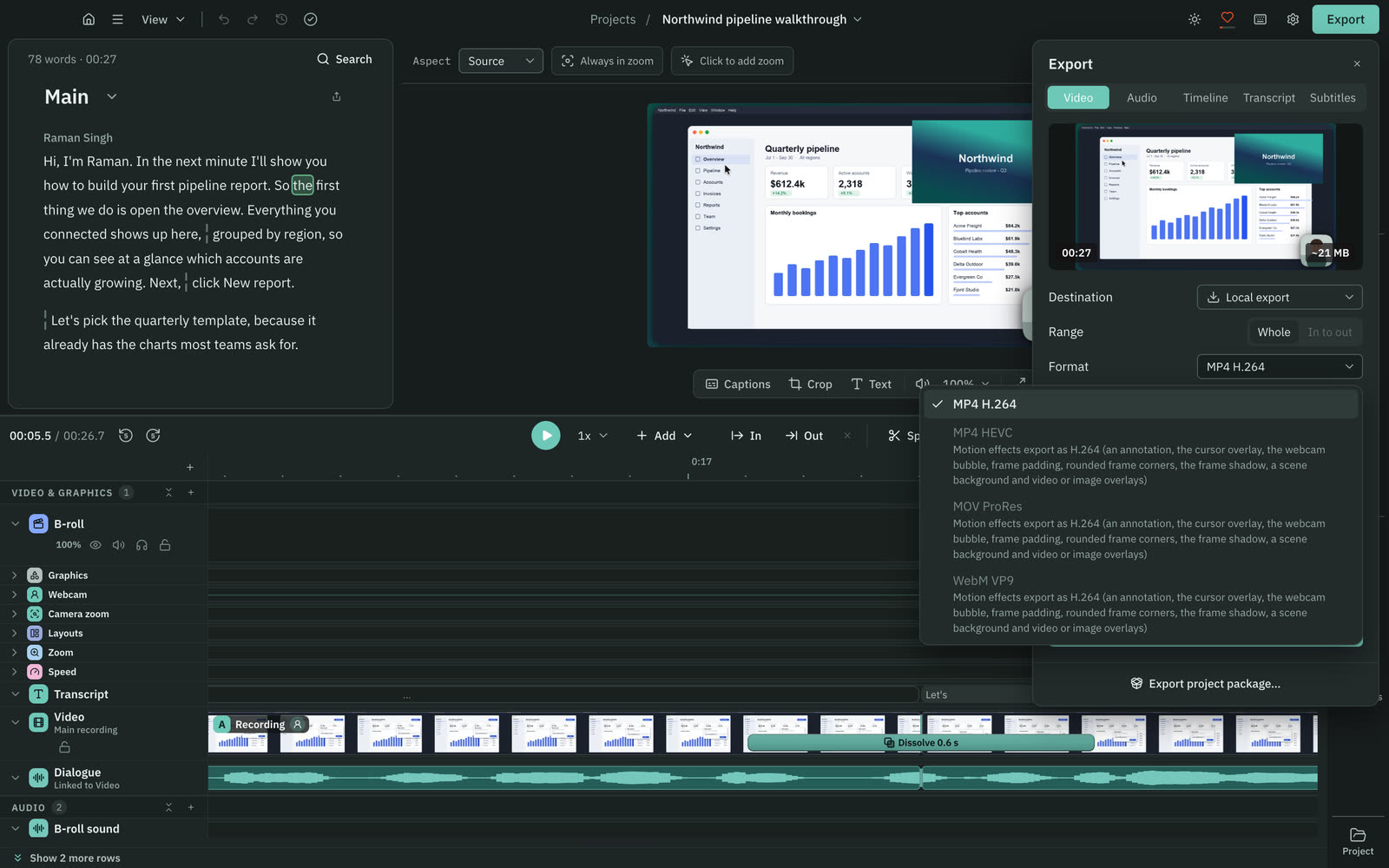
Both reach 4K at up to 60fps. Cutscript offers four video formats, but effects limit it to H.264, and CapCut's pages disagree on which plan gets 4K and 8K.
CutscriptFour video formats, up to 4K. Effects limit it to H.264
CapCutFormat, bitrate and resolution controls, 4K or 8K
| What | Cutscript | CapCut |
|---|---|---|
| Highest resolution | Yes4K | Yes4K in desktop help. 8K on other pages |
| Frame rate | YesSource, or 24 to 60 fps | YesUp to 60fps. Online 60fps asks for Pro |
| 4K on the free plan | YesOffered, with the watermark | PartlyPages differ. One says desktop 4K needs Pro |
| Video formats and codecs | PartlyH.264, HEVC, ProRes, VP9. Effects limit it to H.264 | PartlyMP4 and MOV on one page. Codecs not found |
| Bitrate control | PartlyFour quality levels. Audio 128 to 320 kbps | YesIn the desktop export step |
| Audio only | YesM4A, WAV, MP3 or FLAC, no watermark | PartlyMP3, WAV, AAC, FLAC listed for the song maker |
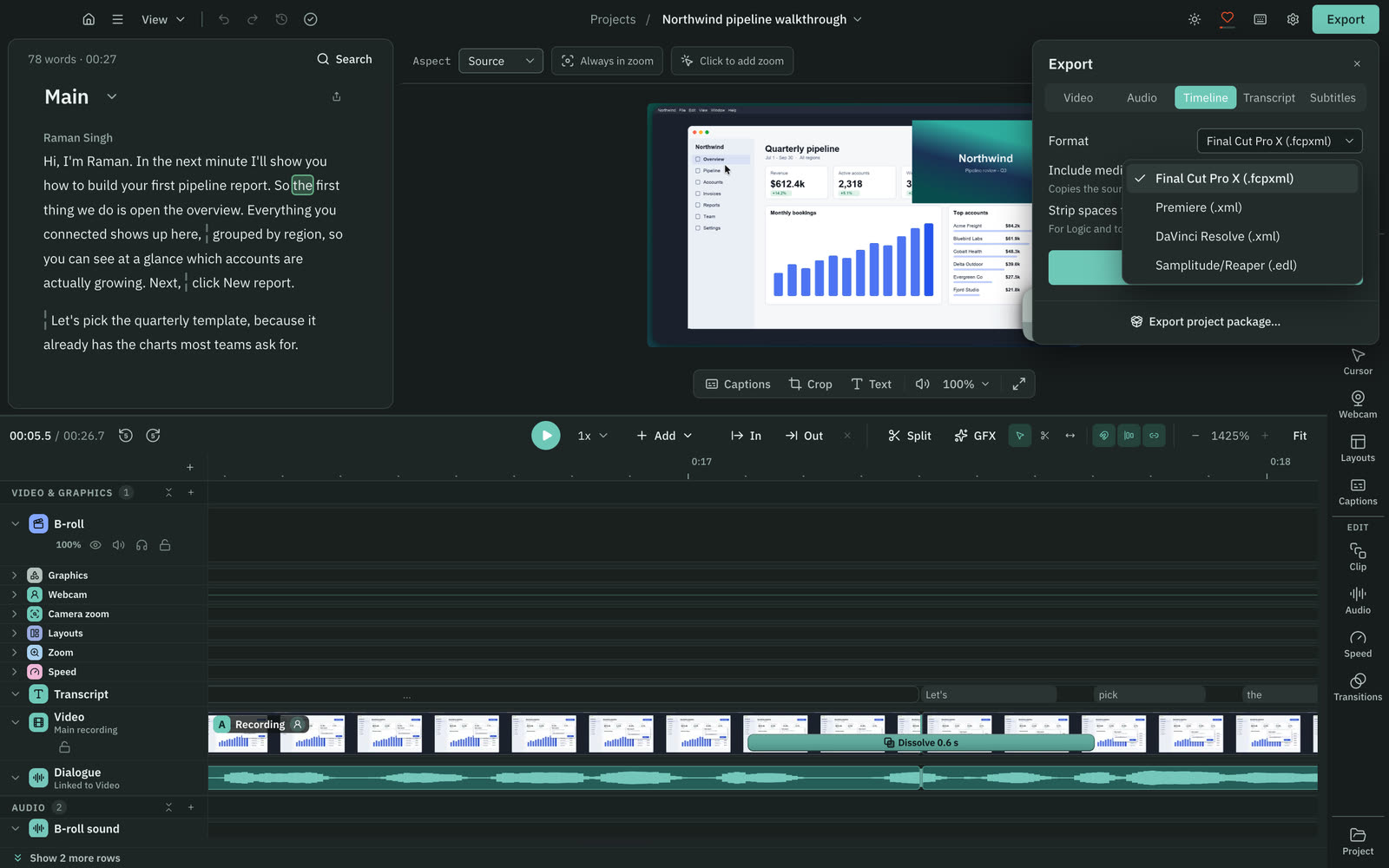
| Hand-off to other editors | YesPro only: Final Cut, Premiere, Resolve or EDL | Not found in their docsNot found in their docs |
More detail
Cutscript
- MP4 H.264, MP4 HEVC, MOV ProRes and WebM VP9. Source or 480p to 4K, at 24 to 60 fps. It never scales up.
- With zooms, padding or a camera bubble, only MP4 H.264 is offered. New recordings open with padding, so they export as H.264.
- Exported video has no alpha channel, so transparent graphics are flattened.
- Loudness to Peak, -14, -16, -18 or -23 LUFS. Audio as M4A, WAV, MP3 or FLAC.
- Timeline export is Pro only: a timeline file for Final Cut Pro, Premiere Pro or DaVinci Resolve, or an EDL.
CapCut
- The desktop export step lets you change bitrate, format, frame rate and resolution.
- The desktop export help lists 2K and 4K at up to 60fps with no plan named. Another help page says desktop 4K needs Pro.
- A resource page says Standard and Pro users can both save in 8K. Another page lists 8K under Pro.
- One editor page lists MP4 and MOV without naming the app or plan.
Price
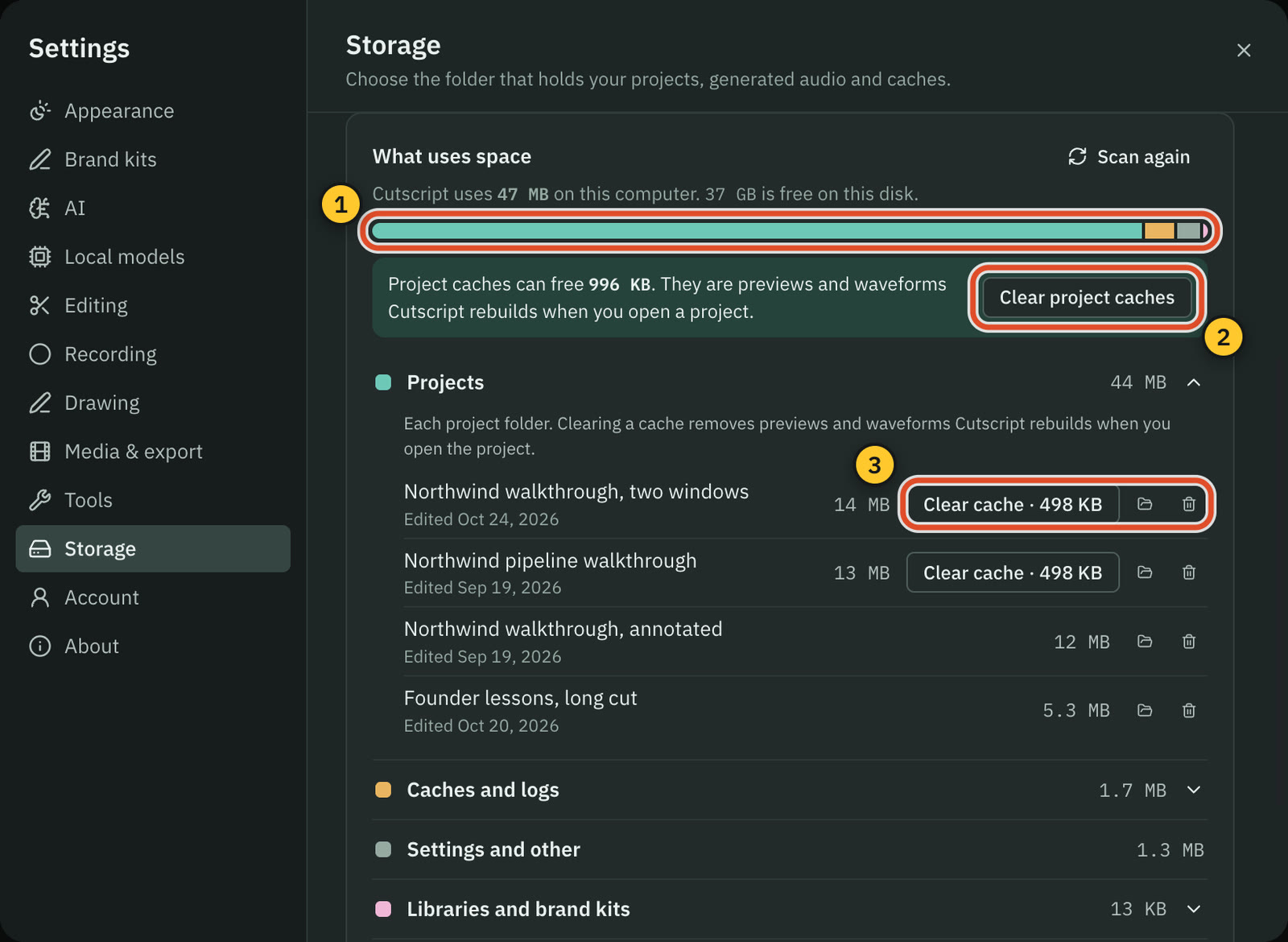
Cutscript Pro costs less than CapCut Pro, which adds AI points and cloud storage. Cutscript prices checked 31 October 2026. CapCut's come from a page dated 23 September.
CutscriptFree, or Pro $4.17 a month paid yearly ($49.99 a year)
CapCutPro $19.99 a month. Standard and Ultra not found
| What | Cutscript | CapCut |
|---|---|---|
| Free plan | YesEvery feature except timeline export. Free account needed | YesFree to start on desktop, online and mobile |
| Free exports without watermark | NoNot offered, except two for a review on X | Not found in their docsTheir pages differ. Test your own export |
| Paid monthly | Yes$9.99 | YesPro $19.99 |
| Paid yearly | Yes$49.99 a year, which is $4.17 a month | YesPro $179.99 |
| Plan between Free and Pro | NoNot offered | PartlyStandard, described two ways. Price not found |
| AI included | NoNot included. Your plan, keys or local models | YesPro: 1,200 AI points, or 800 credits by page |
| Cloud storage included | NoNot included. Your work stays on your disk | YesPro: 1TB, or 100GB by page |
More detail
Cutscript
- Free: every feature except timeline export. A free account is needed.
- Free video exports carry a watermark that moves around the frame. Audio, subtitle and transcript exports have none.
- Pro: $4.17 a month paid yearly ($49.99 a year) or $9.99 monthly, on one computer at a time. It removes the watermark.
- Neither plan includes AI credits. Your providers bill you directly, so AI costs sit on top.
- A review of Cutscript on X earns two video exports without the watermark.
CapCut
- Free is $0 to start, with no credit card needed online. Some assets and export settings prompt for Pro.
- Pro is $19.99 a month or $179.99 a year, per a CapCut page dated 23 Sep 2026. Regional prices and promotions vary.
- A 25 Mar 2026 help page says Pro AI points rose from 550 to 1,200 and storage from 100GB to 1TB. A Space page still says 100GB.
- Standard and Ultra prices are not found in their docs. One page calls Standard budget-friendly, another the free version.
- On watermarks their pages differ: one says removal needs Pro, one blames template end clips, one says there is none.
Platforms and where files live
CapCut reaches more devices, and Space projects open on different devices. Cutscript runs on Mac and Windows and keeps projects on your disk.
CutscriptMac and Windows, files on your disk
CapCutDesktop, browser, tablet and phone, with cloud Spaces
| What | Cutscript | CapCut |
|---|---|---|
| Mac and Windows apps | YesMac and Windows | YesWindows and Mac |
| Browser | NoNot offered | YesCapCut Online |
| Phone and tablet | NoNot offered | YesiOS, Android and CapCut Pad |
| Where projects live | YesA folder on your computer you can change | PartlyIn a Space. Local storage not found in their docs |
| Move a project to another computer | YesOne .csproj file, between Mac and Windows | YesOpen it from your Space elsewhere |
| Work offline | PartlyRecording, timeline and export work offline | PartlyLocal speech recognition in some regions |
| Sign-in needed | YesOnce, on Free too | Not found in their docsNot found in their docs |
| Dated changelog | YesEvery release is listed | Not found in their docsNot found in their docs |
More detail
Cutscript
- Mac, Apple silicon or Intel, on macOS 14 or later (recording needs 15). 64-bit Windows 10 1809 or later, or 11, from the Store.
- No browser or phone app, and none for tablets. Linux is in testing and not ready to download.
- Projects stay in a folder you choose. Cloud AI steps send the text, audio or still frames they need to your chosen provider.
- Recording, the timeline and export work offline once you are signed in, for up to 14 days on the last plan check.
- The changelog lists every release, and Known limitations lists what does not work yet.
CapCut
- The home page lists Desktop, Online, Pad and Mobile. The desktop page says Space projects open from different devices.
- Desktop requirements differ by page: Windows 10 and macOS 12 on the export help, Windows 7 and macOS 10.14 on the editor page.
- New free cloud spaces get 0GB since 25 Mar 2026, and existing files stay. A collaboration page still says 5GB.
- Desktop supports local speech recognition in some regions. CapCut Web does not support it offline, and Mobile uses the cloud.
Sharing and teams
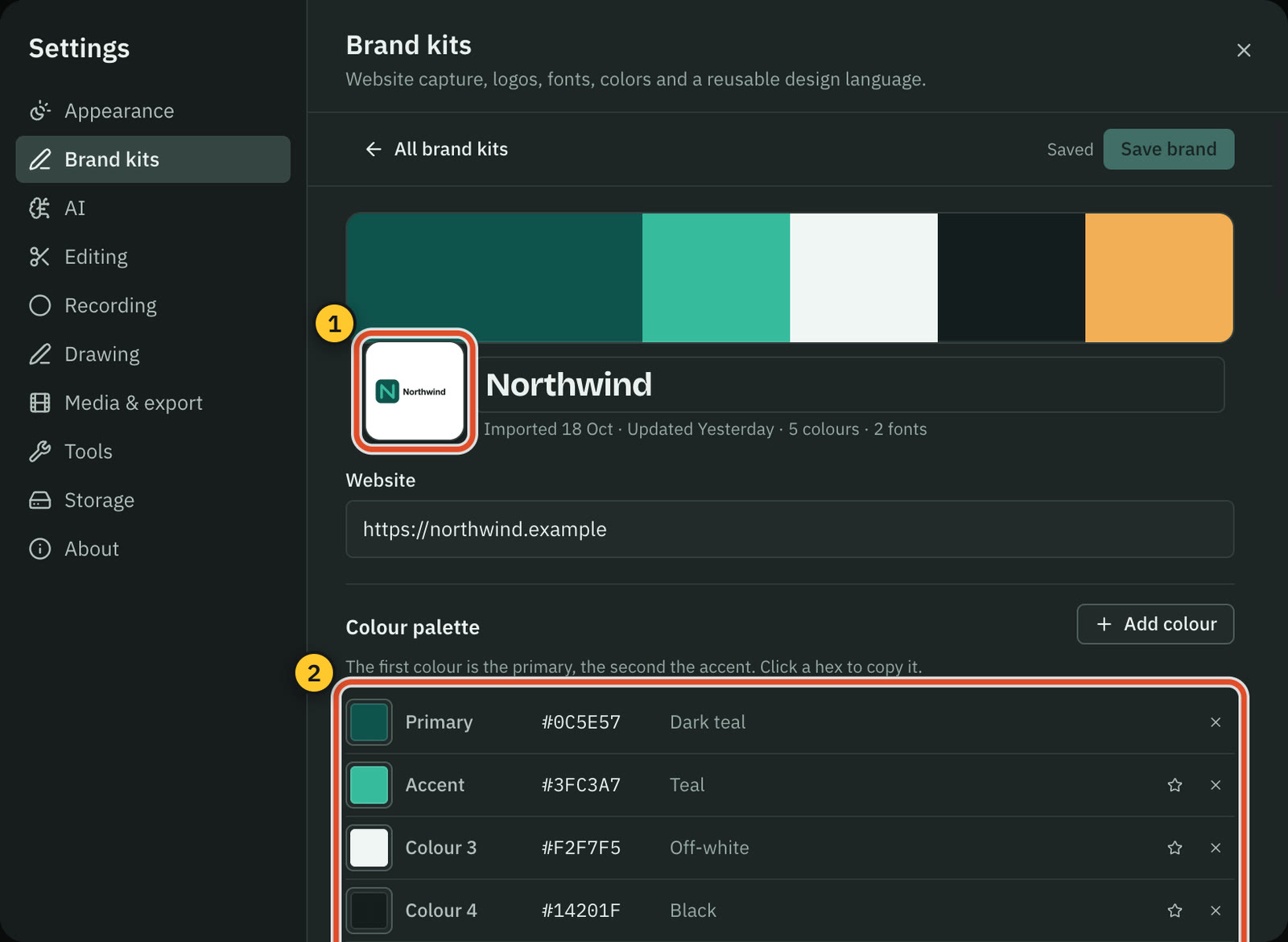
CapCut is ahead here, with shared Spaces, review links and a Teams plan. Cutscript has none of these today: you export a file and post it yourself.
CutscriptNo shared spaces or review links
CapCutSpaces, review links and a Teams plan
| What | Cutscript | CapCut |
|---|---|---|
| Shared team space | NoNot offered | YesUp to 5 Spaces, 30 members each |
| Review links | NoNot offered | YesShare for review, to Everyone or the Space |
| Roles | NoNot offered | YesAdmin and collaborator |
| Two people editing at once | NoNot offered | PartlyPages differ: one at a time online, live on Teams |
| Brand kit | Yes16 colours, four fonts and logos, on Free and Pro | YesOn Teams, with brand templates |
| Team plan | NoNot offered | YesTeams, roughly $15 to $30 a seat a month |
More detail
Cutscript
- You post the file yourself. Cutscript does not upload anything for you today.
- To hand over a project, export a .csproj package, with or without media, and open it on another Mac or PC.
- Brand kits hold up to 16 colours, four fonts and logos, on your computer, on Free and Pro. A package can carry the kit.
- Pro covers one computer at a time. Another computer on the same account runs on the free plan until you remove the first.
CapCut
- On CapCut Online, each user can create up to 5 Spaces of up to 30 members. Admins manage all files, collaborators their own.
- Export, then Share for review, sends a link visible to Everyone or to the Space, with a sharing history.
- Teams adds all Pro features, 1,000GB shared storage, 100GB personal each, a brand kit and brand templates.
- Teams costs roughly $15 to $30 a seat a month billed yearly on one page, and about $24.99 a month on another.
- Online allows one editor at a time. The Teams page says people work together in real time, so live co-editing is unconfirmed.
Where CapCut is the better pick
More places to edit
CapCut has desktop, browser, tablet and phone apps, and Space projects open on different devices. Cutscript runs on Mac and Windows only.
Templates for social video
The template page covers Trending, Social, Holiday, Recap, Business and more. Cutscript has no template library.
Generative AI in the product
Video, images, avatars, voice cloning, lip-synced translation and songs are built in, some under Pro. Cutscript makes no new footage or avatars.
Team work
Spaces of up to 30 members, roles, review links and a Teams plan. Cutscript has no shared spaces, roles, review links or team plan today.
A free start, including transcripts
Desktop is a free download, Online needs no credit card, and its transcript tool is presented as free. Cutscript's free plan needs an account and adds a watermark.
Curves, Color Match and keyframes
CapCut lists curves, Color Match and .3DL LUTs online, and keyframes and tracking on desktop. Cutscript's keyframes frame a clip, and tracking serves blur and framing.
Moving from CapCut to Cutscript
- Export your videos and source clips as files. Cutscript cannot open CapCut projects, so the edit stays behind.
- Install Cutscript from cutscript.dev on a Mac, or the Microsoft Store on Windows. Sign in with a free account.
- Import MP4, MOV, MKV, WebM, audio or images. Moved a file? Use Locate… to relink it.
- For text editing or captions, add a key (ElevenLabs, fal.ai, OpenRouter) or Whisper on Apple silicon.
- Rebuild the look with caption styles, screen looks and Design pack graphics. The free plan adds a watermark.
- If you edit on a phone or a tablet, keep CapCut for that. Cutscript has no app for them.
Questions
Which one has a watermark on the free plan?
Cutscript does: free video exports carry a watermark that moves around the frame, and Pro removes it. Audio, subtitle and transcript exports have none. CapCut's pages differ, so test your own export before you decide.
Is Cutscript cheaper than CapCut?
Against CapCut Pro, yes: Cutscript Pro is $4.17 a month paid yearly ($49.99 a year), or $9.99 monthly. CapCut Pro is $19.99 a month or $179.99 a year, regions vary. No Standard price was found. CapCut Pro includes AI points and storage. Cutscript AI providers bill you extra.
Do I need to pay for AI in Cutscript?
Cutscript sells no AI, on Free or Pro. Recording, timeline editing and export need no AI account. Editing by text and captions need a transcript, which takes your own key, or Whisper on an Apple silicon Mac for free.
Can I edit on my phone or in a browser?
Not with Cutscript: it runs on Mac and Windows, with no browser or phone app. CapCut lists apps for iOS, Android and tablet, plus CapCut Online in the browser.
Can I open a CapCut project in Cutscript?
No. Cutscript imports video, audio and image files, and opens its own .csproj packages. Bring your media across as files and rebuild the edit.
Does CapCut have automatic zoom and cursor effects?
Not found in their docs, which does not mean it is missing. CapCut's screen-recording guide describes zoom, cursor highlight and callouts as manual choices, scene by scene. In Cutscript, automatic zooms and the editable cursor are on a Mac.
Does Cutscript upload my videos?
Your files stay on your computer, and you post the finished video yourself. Cloud AI steps send the text, audio or still frames they need to the provider you pick. With Whisper on an Apple silicon Mac and Ollama, transcripts and AI chat stay on your computer.
Try it on your own video.
Free with a Cutscript account. Video exports have a watermark, and Pro removes it.
Download CutscriptFirst published 31 October 2026, last checked 31 October 2026. Prices and features change, so check before you decide. The people in our screenshots are stock footage and do not use or endorse Cutscript. Screenshots show Cutscript 0.1 beta. Seen something wrong or out of date? Tell us and we will fix it.