SRT file: what it is and how to make one (free)
An SRT file is plain text with a number, a timecode and a line of words. Here is the exact format, how it differs from VTT, and three ways to make one.
A subtitle file can fail to load because of a single full stop where a comma belongs. An SRT file is that strict and that simple. Once you know the four-line pattern, you can read one, write one and spot the mistake in seconds.
An SRT file is a plain text subtitle file. Each subtitle is a numbered block with a start and end time and the words to show, and players and sites such as YouTube read it to display text at the right moment. You can type one by hand, ask Claude to format one, or export one from a transcript.
Key Takeaways
An SRT file is plain text with the extension .srt, made of numbered blocks that each hold a timecode line and one or two lines of text.
The timecode uses a comma before the milliseconds, as in 00:00:01,000, while WebVTT uses a full stop.
YouTube accepts basic SRT only, so styling tags are ignored and the file must be plain UTF-8.
On a Mac, TextEdit makes a valid SRT once you switch it to plain text, but you have to type every timecode yourself.
Claude can turn a timestamped transcript into a clean SRT, and it can check an existing file for errors.
Cutscript exports SRT or VTT from your transcript, with timing that already matches your edited video.
What is an SRT file?
An SRT file is a plain text file that pairs subtitle text with timing. The name comes from SubRip, the old tool that first wrote this layout. There is no standards body behind it, so the format is a convention, and YouTube Help lists SubRip (.srt) as a supported subtitle file in its basic form.

Every block has the same four parts:
A cue number, starting at 1 and counting up.
A timecode line: start time, an arrow (
-->), end time.One or two lines of text.
A blank line that ends the block.
Here is a correct file with two subtitles:
1
00:00:01,000 --> 00:00:03,500
Hello, and welcome to the tutorial.

2
00:00:04,000 --> 00:00:07,200
Today we will make a subtitle file
from a transcript.
The time format is hours, minutes, seconds, comma, milliseconds: 00:00:01,000 means one second in. Two digits for hours, minutes and seconds, three for milliseconds. YouTube's own page shows the comma with the example 00:00:00,599.
Why does the comma matter?
Players that read SRT expect a comma and may reject or misread a full stop. Typing 00:00:01.000 is the most common reason a hand-written file fails. Keep the comma, keep the blank line between blocks, and keep the numbers in order.
SRT vs VTT: what is the difference?
A VTT file is the web version of the same idea. The W3C WebVTT specification says a file starts with the word WEBVTT, writes milliseconds after a full stop, and makes the hours optional when they are zero.
Here is the same first cue in VTT:
WEBVTT

00:01.000 --> 00:03.500
Hello, and welcome to the tutorial.
SRT | VTT | |
|---|---|---|
First line | The number 1 |
|
Milliseconds | Comma | Full stop |
Hours | Always written | Optional when zero |
Cue numbers | Required by convention | Optional |
Styling and position | Basic only | More supported |
The WebVTT spec also says the file must be UTF-8 and labeled text/vtt. Use SRT when you want the widest support. Use VTT for web players that call for it.
How do I make an SRT file by hand on a Mac?
You can write one in TextEdit, which comes with every Mac. It works for a short clip, and it takes patience for anything longer because you read each time off the video yourself.
Set TextEdit to plain text
TextEdit opens in rich text by default, and a rich text file would carry hidden formatting that breaks an SRT. Apple Support says to choose Format > Make Plain Text, and that plain text documents save as .txt.
To start every new document in plain text, open TextEdit > Settings, click New Document and pick Plain text, as Apple's guide describes.
Type the blocks and save
Open TextEdit and choose Format > Make Plain Text.
Play your video in QuickTime Player and note when each line starts and ends.
Type the first block: the number 1, the timecode line with a comma, the text, then a blank line.
Repeat for every subtitle, counting up.
Choose File > Save, name the file with the .srt extension, for example
my-video.srt, and save.Check the name in Finder. If it says
my-video.srt.txt, rename it so it ends in.srt.
To see the full extension, open Finder > Settings > Advanced and turn on Show all filename extensions, as Apple Support explains. Apple also warns that changing an extension can stop a file opening in its original app, which is fine here because a plain text file opens in any text editor.
The honest limit of this method: nothing checks your work, and nothing times the words for you. For a two-minute video, expect a long evening.
How do I upload an SRT file to YouTube?
YouTube Studio takes an SRT file in a few clicks:
Sign in to YouTube Studio and open Subtitles in the left menu.
Select the video.
Click ADD LANGUAGE and choose the language.
Under Subtitles, click ADD, then Upload file.
Choose With timing and click Continue.
Pick your .srt file and click Save.
Choose With timing because an SRT already holds the times. YouTube also offers Without timing for plain text, which it then syncs for you.
YouTube accepts basic SRT only. Style markup is not recognized, and the file must be plain UTF-8. If accented letters look wrong, re-save the file as UTF-8.
How do I make an SRT file in Cutscript?
If you have a recording or a video, skip the typing. Cutscript already knows when each word was said, so it writes the SRT for you. The full details are in the transcripts and subtitles docs.
You need a transcript first. Transcription runs on your own ElevenLabs, fal.ai or OpenRouter account, or on a Whisper model on a Mac with Apple silicon. See Transcription.
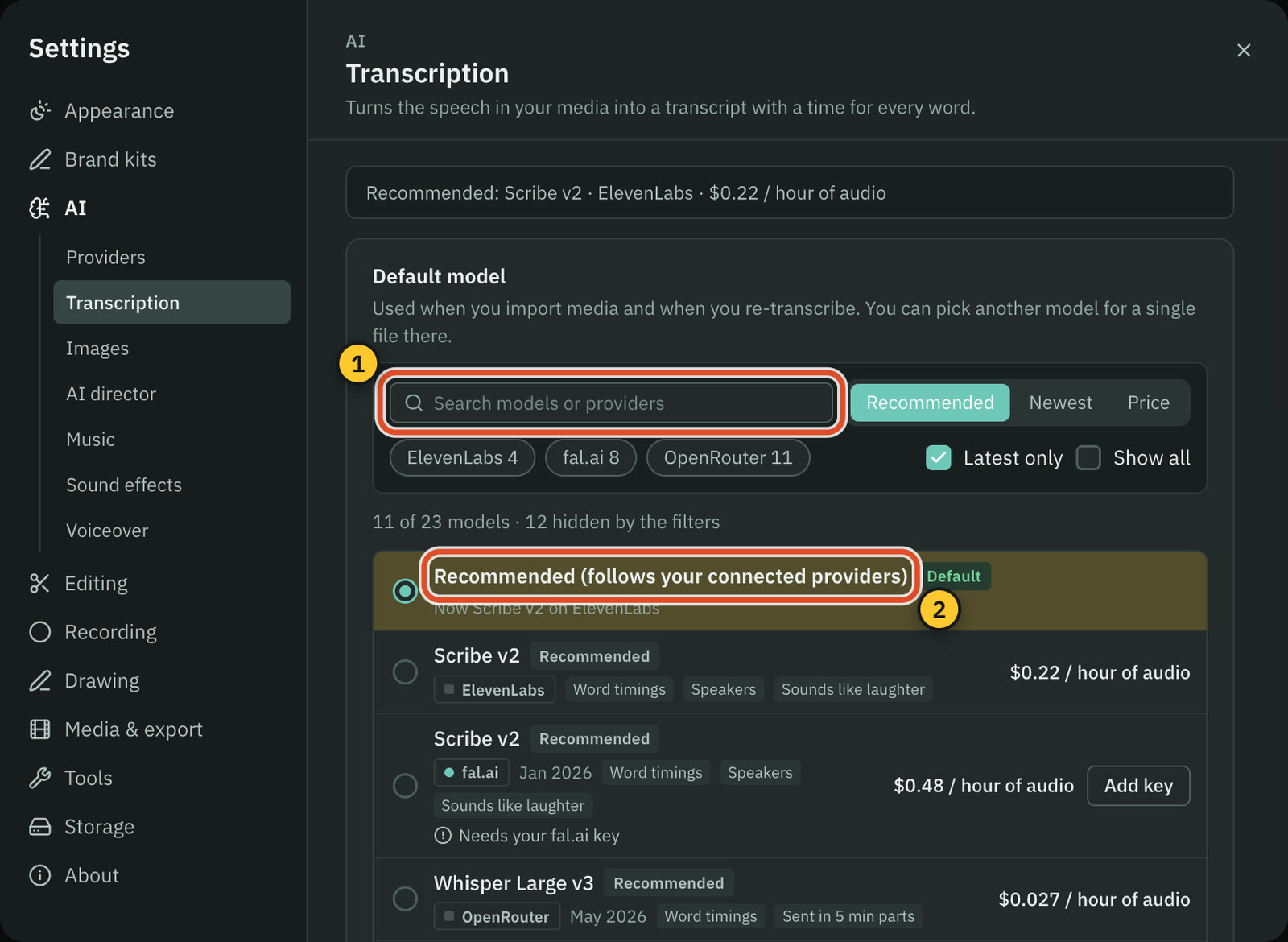
The export itself is local and needs no AI or internet.
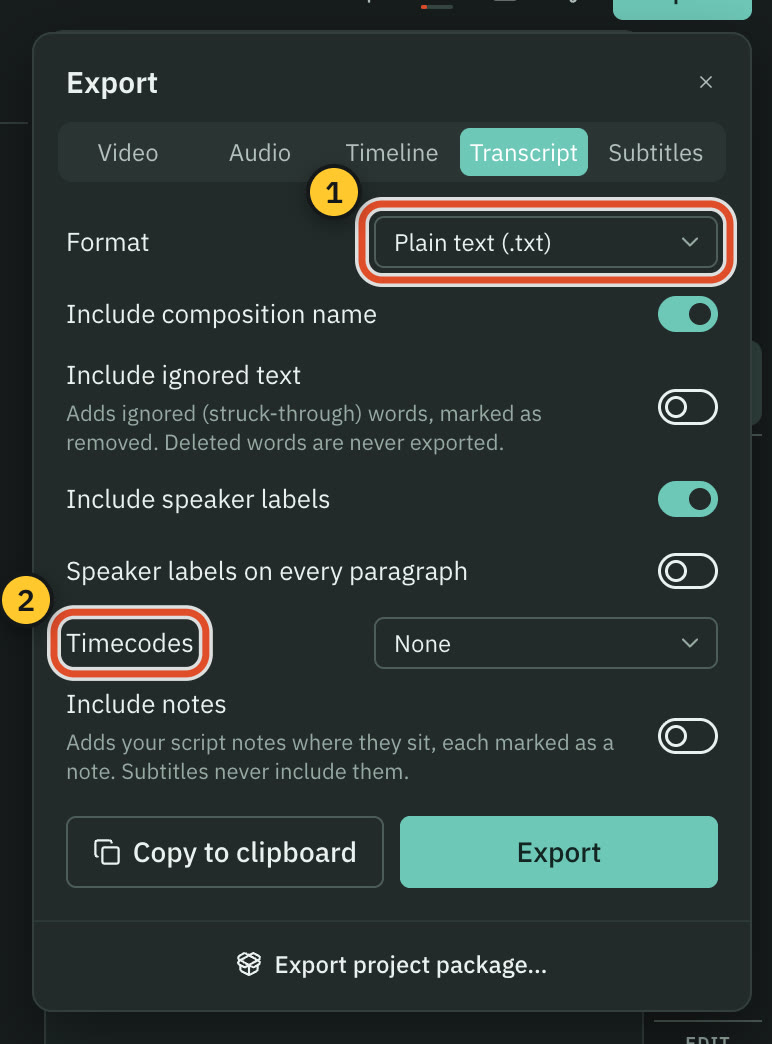
Export the subtitles, step by step
Press Export in the top right, or press
⌘ E, then open the Subtitles tab.Choose a Format: SubRip Titles (.srt) is the default and the most widely accepted. Video Text Titles (.vtt) is for web video players.
Turn on Show speakers if each subtitle should name who is speaking. It starts off.
Set Max characters per line (10 to 80, starting at 42) and Max lines per card (1 to 4, starting at 2).
Press Export and choose where to save.
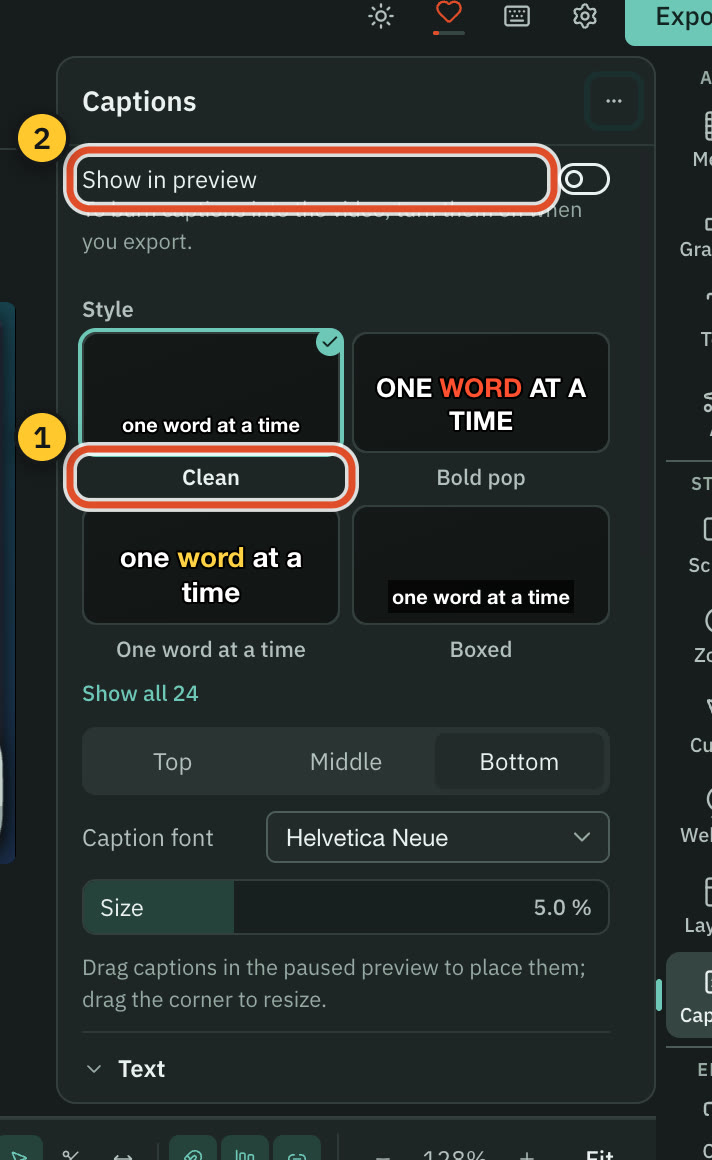
You can also press Export subtitles… at the bottom of the Captions panel, shown below.
Why the timing is right
Subtitle timing is on the finished video's clock. When you cut words or change speed, the file still lines up with the exported video. Cut and hidden words are left out, and a corrected word comes out with its corrected spelling.
SRT file or burned-in captions?
A subtitle file is separate from the video. Viewers can turn it on and off, and sites can read it as text. It carries no colours or fonts.
Burned-in captions are drawn into the picture in the style you pick, and they are always visible. You can do both for the same video.
How can Claude help with an SRT file?
Claude reads text, so it can format a transcript into SRT or review a file. In the Claude desktop app, Claude Code can run FFmpeg on your video to take out the audio.
In a regular chat, the upload list for Claude covers documents and images, not video or audio files, so the timings must come from your transcript. Check any timing against the video before you publish.
Prompt 1: turn a timestamped transcript into an SRT file
Paste this into Claude with your transcript.
You are a subtitle formatter. Convert the timestamped transcript below into a valid SRT file.

Rules:
- Number each block from 1, counting up by 1.
- Timecode line format: HH:MM:SS,mmm --> HH:MM:SS,mmm. Use a comma before the milliseconds and two digits for hours, minutes and seconds.
- Start each block at the transcript time of its first word. End it at the start of the next block minus 0.1 seconds, but never later than 7 seconds after the start.
- Each block has at most 2 lines and at most 42 characters per line. Break lines at natural phrase boundaries, not mid-phrase.
- Do not change, add or remove any words. Keep the original punctuation.
- Put one blank line between blocks. No blank line at the end of a block's text.
- Output only the SRT text inside one code block, with no commentary.

If a transcript time is missing or unclear, add a line after the code block starting with "Check:" and name the block number.

Transcript:
[paste the transcript with a time before each line]
Prompt 2: check an SRT file for errors
Paste this into Claude with the contents of your .srt file.
You are a subtitle quality checker. Review the SRT file below and list every problem. Do not rewrite the file yet.

Check for:
1. Cue numbers that skip, repeat or do not start at 1.
2. A full stop instead of a comma before the milliseconds.
3. An end time that is earlier than or equal to its start time.
4. Overlapping blocks, where a block starts before the previous one ends.
5. Missing blank lines between blocks, or a missing --> arrow.
6. Lines longer than 42 characters, or more than 2 lines in a block.
7. Blocks that show for under 1 second or over 7 seconds.

Output a table with the columns: cue number, problem, how to fix it. If there are no problems, say "No problems found."
After the table, ask whether I want a corrected version.

SRT file:
[paste the SRT text]
Because you give Claude the SRT text and not the video, it cannot tell whether a line is out of sync with the audio. It can catch format errors and timing that makes no sense.
What mistakes break an SRT file?
Most failures come from five things:
Full stop instead of comma. Use
00:00:01,000.A hidden
.txtat the end. Check the full name in Finder.Rich text instead of plain text. Use Format > Make Plain Text in TextEdit.
Styling tags. YouTube ignores them in SRT, so do not rely on bold or colour.
Wrong encoding. YouTube needs plain UTF-8. Re-save the file if accents look wrong.
Line length matters for reading too. Cutscript's export starts with a limit of 42 characters per line and 2 lines per card, a good default to copy into your own prompt.
Which method should you use?
Method | Best for | Cost | Timing |
|---|---|---|---|
TextEdit by hand | A clip under a minute | Free | You type every time |
Claude from a transcript | A transcript you already have | Your Claude account | Copied from your transcript |
Cutscript export | Any recorded or edited video | Free plan | Automatic, follows your cuts |
I use the export every time, because I never retype a timecode. I keep the TextEdit method for a quick fix to a file that already exists.
Frequently Asked Questions (FAQs)
What is an SRT file used for?
An SRT file gives a video its subtitles or closed captions. Players and sites read the timed text and show it on top of the picture. YouTube accepts SRT uploads so viewers can turn subtitles on and off.
How do I open an SRT file on a Mac?
Open it in TextEdit or any text editor, because it is plain text. To see the subtitles on the video, load the file in a player that supports external subtitles. Many players pick it up on their own when the file has the same name as the video.
Can I convert a TXT file to SRT?
Renaming a .txt to .srt is not enough, because an SRT needs numbers and timecodes that plain text lacks. Add the cue numbers and timecode lines, then save with the .srt extension. Or paste the timed text into Claude with the first prompt above.
Why is my SRT file not working on YouTube?
Check the comma in the timecodes, the .srt extension and plain UTF-8 encoding first. YouTube supports only basic SRT and ignores style markup. Run the second prompt above to find numbering and overlap errors.
What is the difference between SRT and VTT?
SRT is the simpler format: numbered blocks and a comma before the milliseconds. WebVTT starts with WEBVTT and uses a full stop. VTT supports more positioning, and Cutscript can export either one.
Final Thoughts
An SRT file is a plain text file with a number, a timecode line and the words. Get the comma, the blank line and the plain text right, and it works everywhere.
If you only need one short file, write it in TextEdit. For anything longer, export it from the transcript in Cutscript so the timing follows your edit, then upload it in YouTube Studio.
Comments
Longer questions go better in the forum.
No comments yet. Ask a question or add what you found.
Sign in with GitHub or Google to comment.
Sign in to commentKeep reading
Tutorials
Extract audio from video on a Mac: 3 free ways, step by step
Pull the sound out of any video on a Mac with QuickTime Player, FFmpeg or Cutscript, and learn which of MP3, WAV and M4A to keep.
Tutorials
Blur screen in a video: 3 ways to hide private details
Hide emails, names, passwords and faces in a screen recording. A fixed box, a blur that follows, and what QuickTime Player and iMovie can do.
Tutorials
How to make a jump cut: 2 fast ways on a Mac
What a jump cut is, when it works, and two ways to make one on a Mac: split and delete by hand, or cut the pauses and fillers from the transcript.