Lower third: how to make one for free on a Mac
What a lower third is, the safe area and contrast rules that keep it readable, and three free ways to build one on a Mac.
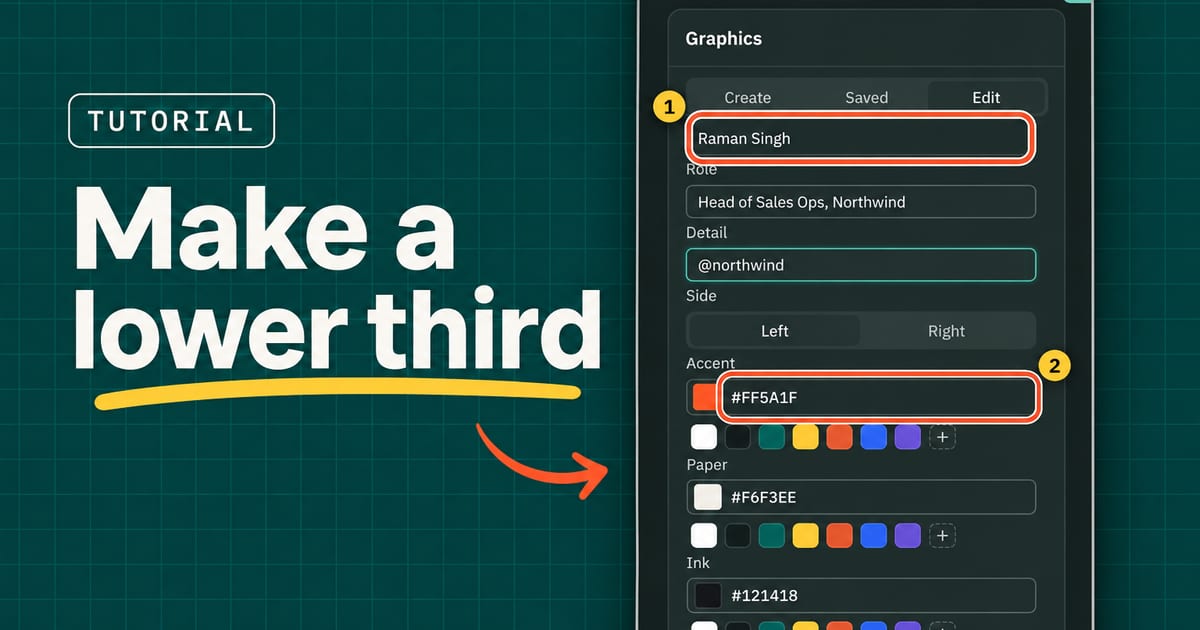
I have watched people lose a viewer in the first ten seconds because nobody knew who was talking. A lower third fixes that. It is the small name and title graphic that sits in the lower part of the frame.
A lower third is a graphic in the lower part of the video frame that names the person on screen and gives their role. Keep it inside the graphics safe area (5% in from every edge, per the EBU), make the text high contrast, and hold it for about four seconds.
Below I show the rules, then three free ways to build one on a Mac.
Key Takeaways
A lower third is a name and title graphic placed in the lower part of the frame, usually when a person first speaks.
The EBU puts the graphics safe area 5% in from the top, bottom and sides, which is 54 pixels from the top and bottom and 96 pixels from the sides on a 1920 by 1080 frame.
Text over footage should reach a contrast ratio of 4.5:1 under WCAG, or 3:1 for large text.
You can make a lower third free on a Mac with iMovie titles, with Keynote exported as a movie, or with the Design pack in Cutscript.
Cutscript's Design pack lower third is free, works offline and takes your own name, role and colors in a form.
Claude can draft the name, role and one line of context for every speaker from a transcript, within a character limit you set.
What is a lower third?
A lower third is a text graphic placed over the bottom part of the picture, not literally the bottom third. It usually holds a name on the first line and a role or place on the second.
The name comes from broadcast: the graphic sits below the speaker's face and above the bottom edge. News channels, interviews and YouTube explainers all use it.

When should you use one?
Use one the first time a person speaks, and again if they return after a long gap. A solo tutorial rarely needs it. A two-person interview needs it for both people.
I add one only when the viewer would otherwise ask "who is this?". A lower third that shows up every minute is clutter.
Where can a lower third sit? The safe area rules
Keep a lower third inside the graphics safe area. EBU recommendation R 95 says all graphics belong inside a Graphics Safe Area and all essential action inside an Action Safe Area. It sets the graphics safe area at 5% and the action safe area at 3.5%, measured from the top, bottom and sides.
On a 1920 by 1080 frame that is a margin of 54 pixels top and bottom and 96 pixels left and right (my arithmetic from the EBU's 5%). The EBU PDF lists the exact pixel boundaries for 1080p and other sizes.
Why bother on a laptop screen? Players, TVs and phone apps crop or cover edges in different ways. A margin keeps the text readable everywhere.
How do you make a lower third readable?
Contrast does most of the work. WCAG 2.2 asks for a contrast ratio of at least 4.5:1 for text, and 3:1 for large text, and the rule covers text laid over images. WebAIM explains that large text means 18 point, or 14 point and bold.
I put a solid color box behind the text. It makes the ratio predictable when the footage behind it changes from a white wall to a dark jacket.
My own rules, from editing many interviews:
Two lines at most: a name and a role.
A bold weight for the name, a lighter one for the role.
About four seconds on screen, long enough to read it twice.
One accent color that matches your brand, the same on every lower third.
How do you make a lower third in Cutscript?
Cutscript has a finished lower third in its Design pack. You add it, type the name and role, and pick your color. It is free, needs no AI and works offline, and every design is a copy you can edit.
This is the Design pack route:
Move the playhead to where the lower third should start.
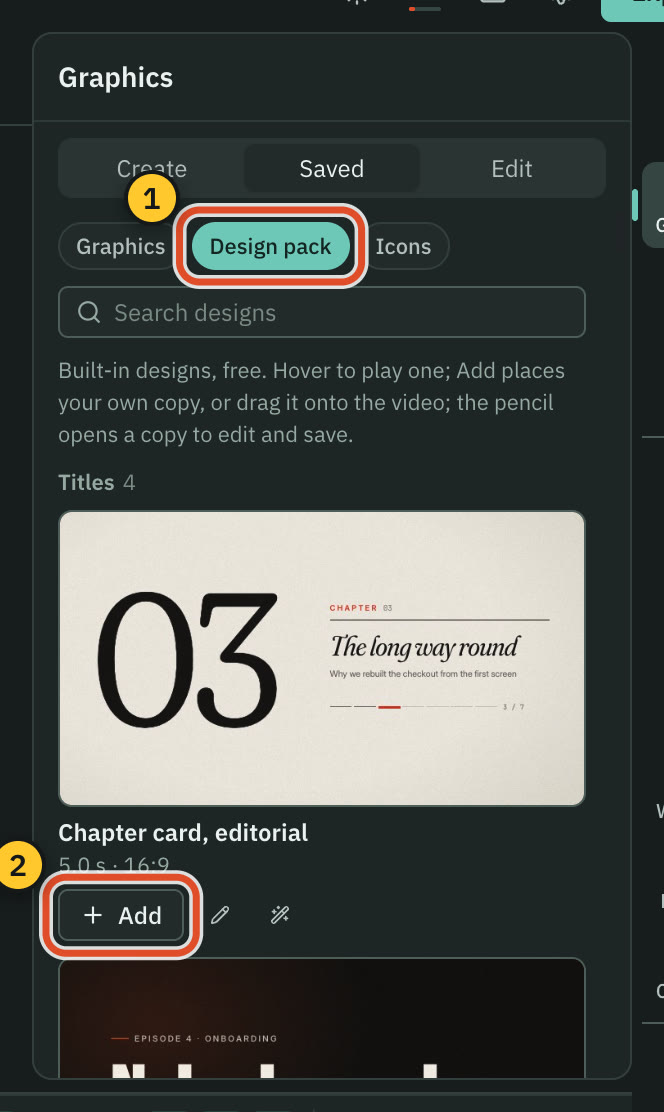
Open Graphics in the right rail (
⌘ 2), then the Saved tab, then choose Design pack.Under Titles, find Lower third over footage. Hover over it and it plays.
Press Add. Your own copy lands at the playhead and the panel switches to Edit.
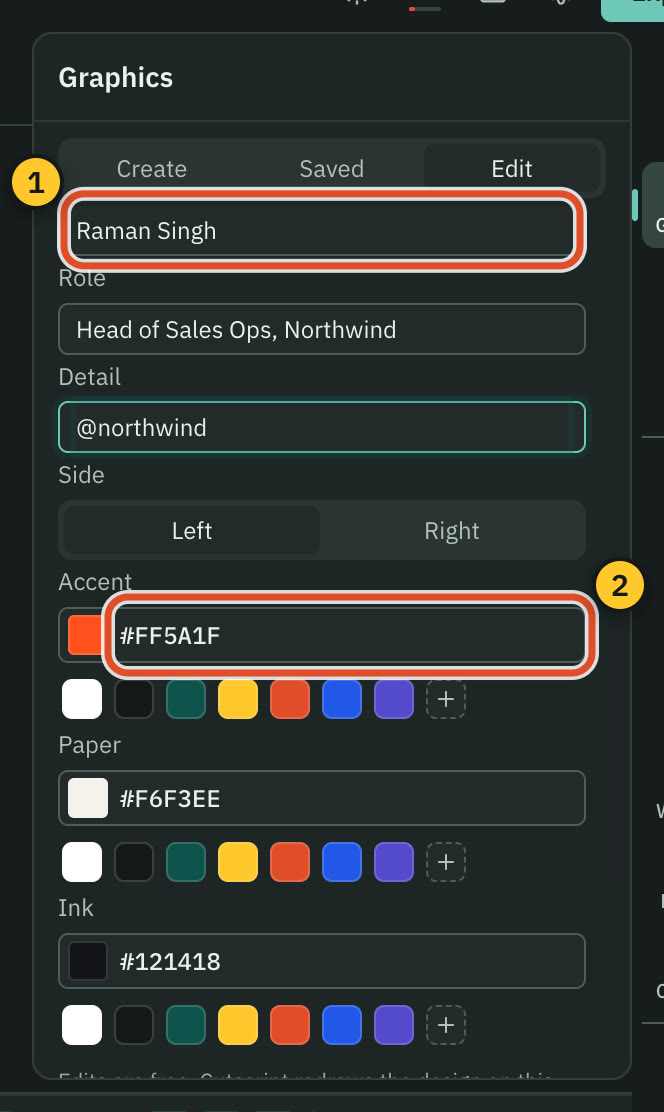
Under Content, type the name and the role. Press Space to see it on the preview.
How do you change the color of a lower third?
Select the graphic and open Graphics (⌘ 2).
On the Edit tab, the Variants group offers free preset looks, usually Quiet, Balanced and Loud. The Content group has the colour field: pick a swatch or type a hex code. Your brand kit colors show first.
So an orange lower third, a blue one or a yellow one is a hex code away. Check the contrast against the rule above after you pick it.
How do you move it and set how long it stays?
Use Position and size to set Left, Top, Width and Height as a share of the frame, and Fit the frame to put it back. In Start and length, set when it starts and how long it stays. The full list is in Edit a graphic by hand.
Can you build one from plain text?
Yes. The Text panel (⌘ 3) adds a title with Text.
Set Size, Weight, Colour and a Background box with rounded corners. Put it low in the frame with Placement. It is more work than the Design pack, but you control every detail.
A video with text and graphics exports as MP4 H.264. Cutscript has no GIF export, so for an animated overlay you export video.
How do you make a lower third for free with the Mac's own apps?
Two apps that come with a Mac can do it. Neither is as quick as a finished template, but both cost nothing.
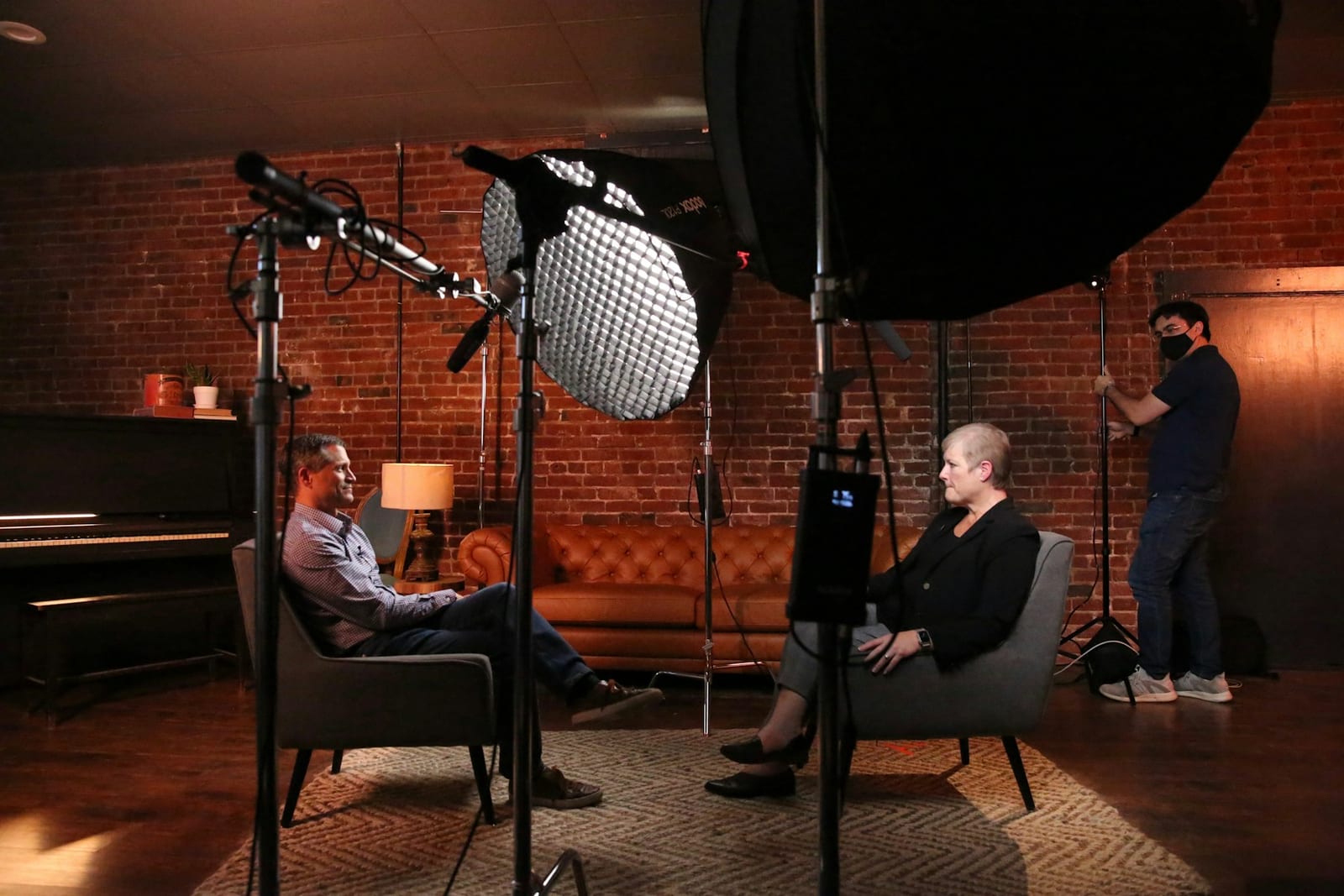
iMovie titles
Apple's iMovie guide for Mac gives the steps:
Move the playhead to where the text should appear.
Click Titles above the browser, then double-click a style, or drag it onto the clip.
Double-click the text clip, type the new words in the viewer and click Apply.
Drag either edge of the text clip to change how long it stays.
The text sits as an attached clip above your video. Apple's page does not name the styles, so open the Titles browser and look for one that puts the text low in the frame. Check your safe area on the viewer, because styles use fixed layouts.
Keynote exported as a movie
Build a name box in Keynote: a shape, two text boxes, your colors.
Then export it as a movie. Choose File > Export To > Movie, pick a Resolution, and click Advanced Options to see Frame rate, Movie format and Transparent slide backgrounds. Then click Export.
Apple does not say which formats keep the transparency, so export a short test and place it over your clip before you rely on it. Keynote is also better at a static card than at a graphic that slides in.
Where does Claude help with lower thirds?
Claude helps with the words. Writing 30 short, consistent lower thirds from a transcript is tedious, and Claude reads text well. In the Claude desktop app, Claude Code can run FFmpeg on your video, for example to pull frames.
In a regular chat, the upload list for Claude covers documents and images, not video, so give it the transcript and any notes about who is who.
Paste this into Claude with the transcript:
You are a video editor writing lower-third text.

Input: the transcript below, where each line starts with a speaker label. Any notes I give you about who people are come after the transcript.

Task: for every speaker who talks for more than 20 seconds, write one lower third.

Rules:
- Name: the speaker's full name as introduced in the transcript, 28 characters or fewer.
- Role: job title and company, 36 characters or fewer. Use the title they state, never guess one.
- Context: one line of 44 characters or fewer on why they matter to this video. Leave it empty if the transcript gives nothing.
- Shorten with common abbreviations, never cut a word in half.
- If a name or title is not in the transcript or notes, write NEEDS CHECK in that field instead of inventing it.
- Add the timestamp where the speaker first talks, if the transcript has timestamps.

Output: a table with the columns Speaker, Name, Role, Context, Start.

Transcript:
[paste here]
Check each name against the speaker yourself, then type the results into the Name and Role fields.
Mistakes to avoid
Text outside the safe area. A name at the very edge can be cut off. Use the 5% margin.
Low contrast. A light gray name over a bright shirt fails the 4.5:1 rule. Use a solid box.
Too many lines. A name and a role is enough. A third line is a caption.
A different look each time. Pick one font, one weight pairing and one accent color, and keep them.
Leaving it up too long. Four seconds is enough for a name.
Which method should you pick?
Method | Cost | Speed | Control |
|---|---|---|---|
Cutscript Design pack | Free plan, no AI needed | Under a minute | Words, colors, timing, position |
Cutscript Text panel | Free plan | A few minutes | Every detail |
iMovie titles | Free with your Mac | A few minutes | Fixed style layouts |
Keynote movie | Free with your Mac | Longer | Full design, test transparency |
The free plan carries a small Cutscript watermark on exports and holds every feature except timeline export and Remove background.
Frequently Asked Questions (FAQs)
What is a lower third in video?
A lower third is a graphic over the lower part of the frame that names the person on screen and gives their role. It appears when someone first speaks. It is not a full third of the frame, just the lower area.
How long should a lower third stay on screen?
About four seconds works for a name and a role, which is long enough to read twice. I hold it a little longer if the role is long. There is no official rule, so test it on someone who has not seen the video.
What is the safe area for a lower third?
Keep it at least 5% in from every edge. That is the EBU's graphics safe area, or 54 pixels top and bottom and 96 pixels at the sides on a 1920 by 1080 frame.
Can you make a lower third in iMovie?
Yes. Click Titles above the browser, double-click a style and type your words. Apple's guide does not name each style, so look in the Titles browser for a layout that sits low in the frame.
Can you make a lower third with a transparent background?
Keynote offers a Transparent slide backgrounds option when you export a movie. Apple does not say which formats keep it, so test one. In Cutscript the Design pack lower third already sits over your footage, so you do not need a transparent file.
Can you export a lower third as a GIF?
Not from Cutscript, which has no GIF export. Export the video with the lower third in it, or use the Design pack version over your footage.
Final Thoughts
A lower third is a small graphic with one job: tell the viewer who is talking. Keep it inside the 5% safe area, give the text 4.5:1 contrast and show it for about four seconds.
For the quickest result, open Cutscript, choose the Design pack and add Lower third over footage. Then let Claude write the text for every speaker.
Comments
Longer questions go better in the forum.
No comments yet. Ask a question or add what you found.
Sign in with GitHub or Google to comment.
Sign in to commentKeep reading
Tutorials
Blur screen in a video: 3 ways to hide private details
Hide emails, names, passwords and faces in a screen recording. A fixed box, a blur that follows, and what QuickTime Player and iMovie can do.
Tutorials
Extract audio from video on a Mac: 3 free ways, step by step
Pull the sound out of any video on a Mac with QuickTime Player, FFmpeg or Cutscript, and learn which of MP3, WAV and M4A to keep.
Tutorials
How to make a jump cut: 2 fast ways on a Mac
What a jump cut is, when it works, and two ways to make one on a Mac: split and delete by hand, or cut the pauses and fillers from the transcript.