Click tracking
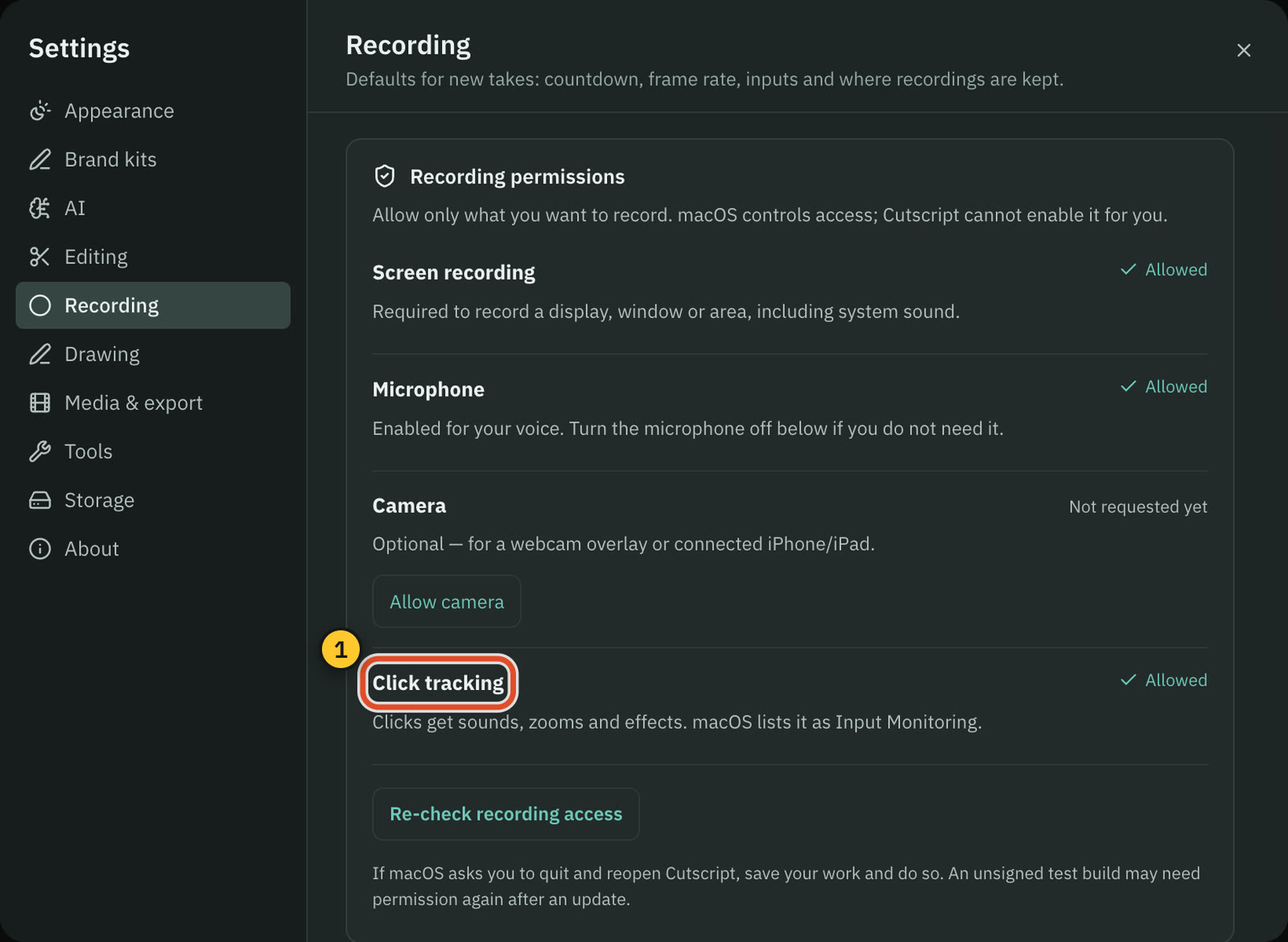
Let Cutscript see your clicks while you record, so they get sounds, zooms and effects. It needs one macOS permission.
Click tracking records when and where you click during a take. Cutscript uses those clicks to add zooms that follow them, click sounds and click effects such as a ripple. Without it you still get a normal recording with your pointer path, but no clicks.
It is optional. Screen recording works without it, and the pointer's position never needs a permission.
Which permission it needs
macOS keeps the permission under Input Monitoring. Either Input Monitoring or Accessibility is enough: if one of them is on for Cutscript, click tracking works. Cutscript only ever asks for Input Monitoring, because it is the narrower of the two. It is listed as Cutscript.
Turn it on
- Open the recorder with
⇧ ⌘ R. When clicks are not allowed yet, a row appears under the bar: "Click tracking is off: clicks won’t get sounds, zooms or effects." - Press Turn on. Cutscript adds itself to the Input Monitoring list and opens System Settings › Privacy & Security › Input Monitoring.
- Switch on Cutscript. Come back to the recorder: the row now reads "Turn on “Cutscript” in Input Monitoring, then come back" until macOS reports the change. Cutscript checks every 2 seconds and whenever you return to it, so you do not need to press anything. If the switch was already on, turn it off and on again.
- If the row says "Quit and reopen Cutscript to finish turning on click tracking", press Relaunch. macOS hands a new permission to an app the next time it opens. Save your work first. Relaunch is disabled while a recording is running.
What the status means
| Status | What it means | What to do |
|---|---|---|
| Allowed | Click tracking is on. | Nothing. |
| Not allowed yet | macOS has not given Cutscript the permission. | Press Turn on. |
| Waiting for you | Cutscript asked and is waiting for the switch in System Settings. | Press Open System Settings and switch on Cutscript. |
| Reopen to finish | macOS has the permission but has not handed it to the running app. | Press Relaunch. |
| Couldn't start | The permission is on, but the last recording could not start its click listener. | Press Relaunch, then record again. |
| Off | You turned click tracking off in the recording settings. | Turn Track clicks back on if you want it. |
You can see this status in four places: the row under the recorder bar, the permissions list in Settings › Recording, the Click tracking permission row in Get set up, and the same row in Settings › Tools.
Record without clicks
Press Record without clicks in the row to skip click tracking for the next recording only. Cutscript clears that choice when the recording ends and asks again next time.
Turn click tracking off
Switch Track clicks off in Settings › Recording, or in the recorder gear menu. Cutscript then stops asking for the permission.
After the recording
A take recorded without clicks has no click data. The Cursor panel says "This recording has no click data." and suggests turning click tracking on for next time. You can still add zooms by hand: see Zooms.
Recordings of an iPhone or iPad have no pointer, so click tracking does not apply to them.
Related
Was this page helpful?
Comments
Longer questions go better in the forum.
No comments yet. Ask a question or add what you found.
Sign in with GitHub or Google to comment.
Sign in to comment