How AI works in Cutscript
Which parts of Cutscript use AI, which of your own accounts powers each one, and how you stay in control of what is spent.
Cutscript has no AI of its own and sells no AI. The parts that use AI run on accounts you already have, or keys you create, and the provider bills you directly. Cutscript is free and open source, and it shows the price before most paid steps.
What needs AI and what does not
Most of the editor needs no AI and no internet:
- recording, the timeline, cutting by deleting words, zooms made from your clicks, cursor effects, backgrounds and export;
- finding filler words, long pauses and repeated takes, which runs on your Mac and is free;
- the Design pack, and editing any graphic by hand.
Editing by text starts from a transcript, and the transcript is an AI step. Cutscript has no on-device transcription today, so it needs a key. These parts use AI:
| What | Where you meet it | Which account |
|---|---|---|
| The transcript, with a time for every word | Settings › AI › Transcription | An ElevenLabs, fal.ai or OpenRouter key |
| The AI chat, Direct my video, Make short clips, new graphics and brand kit analysis | The AI panel, Graphics › Create, Settings › Brand kits | A Claude plan, an OpenRouter key or a ChatGPT plan |
| Pictures made for graphics | Settings › AI › Images | An OpenRouter or fal.ai key |
| Music, sound effects and voiceover | Media › Generate | An ElevenLabs, fal.ai or OpenRouter key |
In Settings, the text AI behind the chat, the clipper and graphics is called the AI director. It is one setting for all of them.
The five accounts
Cutscript connects to five providers. Connect only the ones you need.
| Account | Powers |
|---|---|
| ChatGPT plan | AI director |
| Claude plan | AI director |
| OpenRouter | Transcription, pictures, AI director, music, sound effects, voiceover |
| ElevenLabs | Transcription, music, sound effects, voiceover |
| fal.ai | Transcription, pictures, music, sound effects, voiceover |
The two plans cover text only. They do not make pictures, transcribe audio or generate music, so a plan on its own never gives you a transcript. See Connect an AI account for the steps.
How you stay in control
- You pick the account and the model. Each job has a default model in Settings › AI, and Recommended follows whichever accounts you have connected.
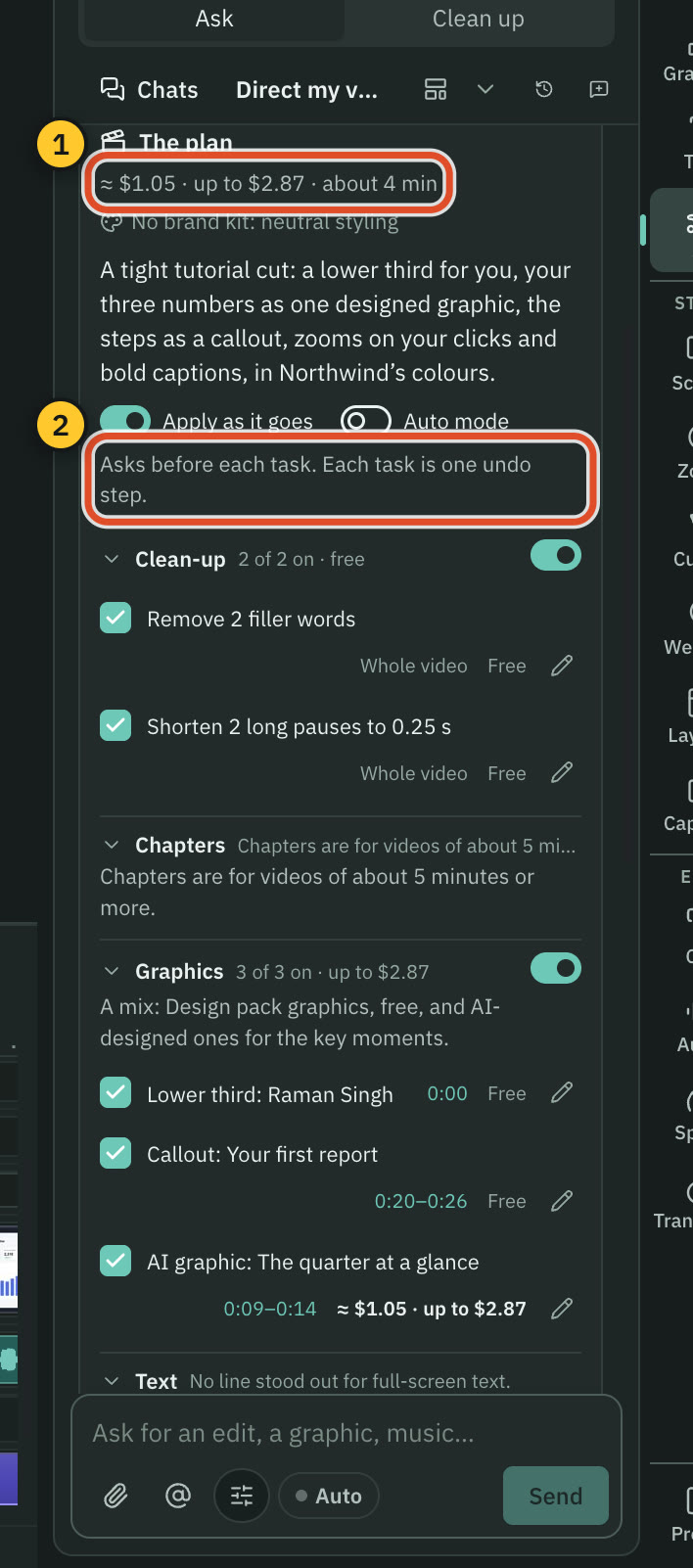
- Changes arrive as cards. The AI chat proposes edits as cards you apply as one undo step, or discard. Nothing changes until you choose.
- Most paid steps show their price first. A step that costs money waits for your click. A few start without a price, and the page below lists them. See Prices before every paid step.
- You can set limits. A per-message limit asks for a second click when a message could cost more, and you can add a daily limit.
- The prompts are yours. You can read every instruction the AI follows and change its wording. See Read and change the prompts.
Where the work happens
Your requests go from your Mac to the provider you connected. Cutscript does not send them through a server of its own. API keys are stored encrypted on your Mac with the system keychain and are only sent to the provider they belong to. A plan sign-in is also kept encrypted on your Mac. For Claude, Cutscript never sees your login at all: it runs your own Claude Code.
AI steps need an internet connection. Without one, everything else in the editor keeps working.
Note: Cutscript is in beta (0.1 beta). It is not affiliated with OpenAI or Anthropic.
Where to start
- Connect one account. If you want a single key that covers every AI feature, an OpenRouter key does. If you already pay for a ChatGPT or Claude plan, connect it for the AI director's text and add a key for transcription.
- Transcribe a video.
- Open the AI panel and try One AI.
Related
Was this page helpful?
Comments
Longer questions go better in the forum.
No comments yet. Ask a question or add what you found.
Sign in with GitHub or Google to comment.
Sign in to comment