ElevenLabs
Add an ElevenLabs API key for transcription, music, sound effects and voiceover, and see what the key needs to be allowed to do.
ElevenLabs is the first choice for the transcript. When you have an ElevenLabs key, Recommended transcription uses its Scribe v2 model. The same key also makes music, sound effects and voiceover.
Before you start
- An ElevenLabs account and an API key.
- An internet connection.
- Music needs a paid ElevenLabs plan. The card says so.
- ElevenLabs does not run the AI director's text. For the AI chat, Direct my video and graphics, connect a plan or OpenRouter as well.
What it powers
The card's Powers line lists Transcription, Music, Sound effects and Voiceover. With ElevenLabs, voiceover can use the voices in your own account, including voices you cloned. Enhance voice can also use ElevenLabs when you have a key. You choose the models in Settings › AI.
Add the key
- Press
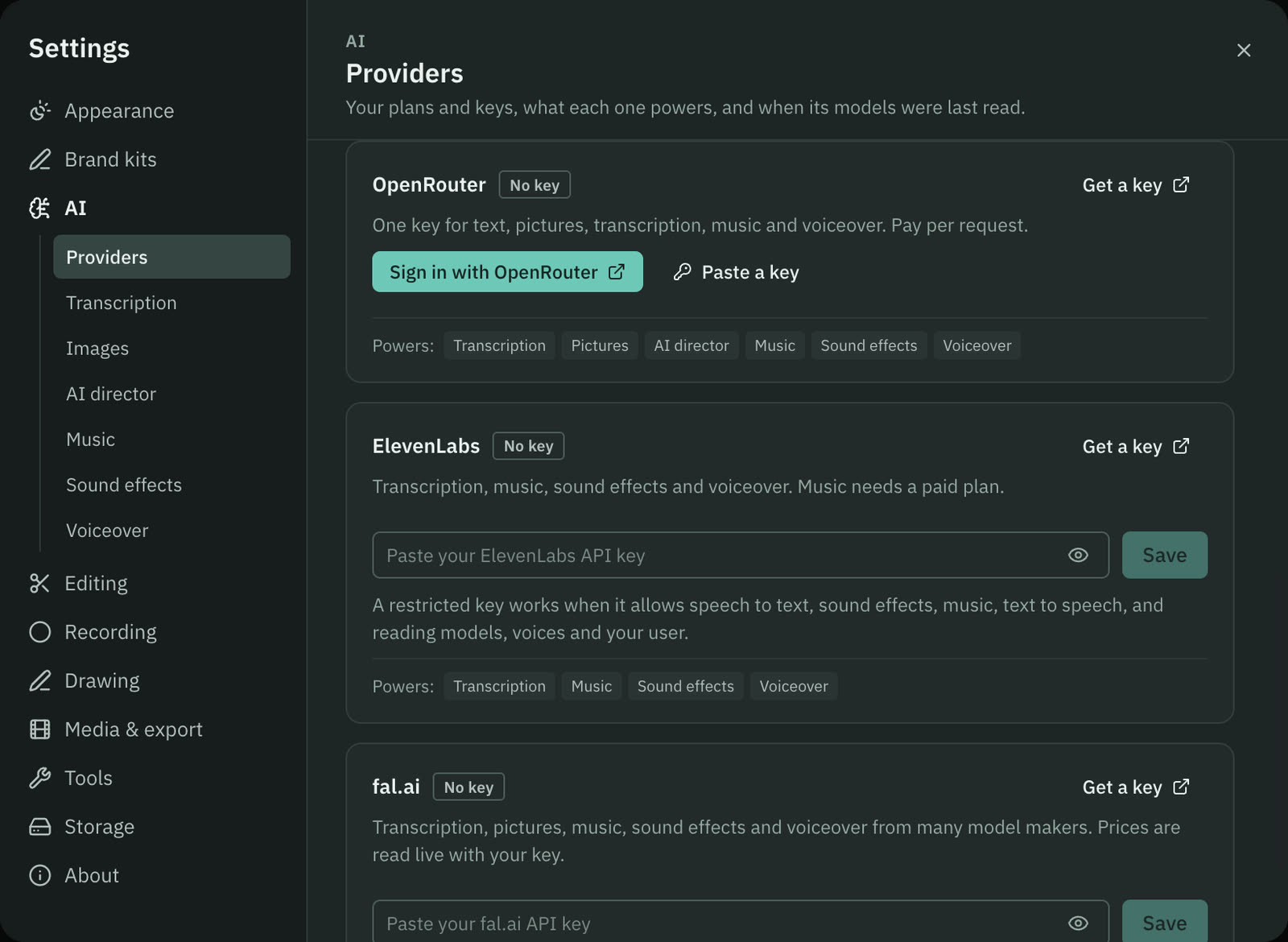
⌘ ,, choose AI, then Providers, and find the ElevenLabs card. - Press Get a key. ElevenLabs' page for API keys opens in your browser.
- Create a key and copy it. Treat it like a password.
- Paste it into the field that says "Paste your ElevenLabs API key". The eye button shows or hides what you typed.
- Press Save, or press Return.
Cutscript checks the key with ElevenLabs as it saves it. A notice says ElevenLabs key saved, or ElevenLabs rejected the key. The badge reads Connected, and the card shows the key as a short preview, a check word and a line from your account, such as your plan and the credits you have left.
If you restrict the key
ElevenLabs lets you limit what a key may do. A restricted key works in Cutscript when it allows these:
- speech to text,
- sound effects,
- music,
- text to speech,
- reading models, voices and your user.
If the key cannot read your user, the card still shows Valid, with the note "Restricted key (account details are not readable)". If the account has no credits left, the note says "No credits left".
What it costs
ElevenLabs charges its own credits, from your ElevenLabs plan. Transcription models show a price per hour of audio in Settings › AI › Transcription. Music and sound effects are shown as credits, for example "Uses your ElevenLabs credits" with the length of audio, because Cutscript does not guess a dollar figure for them. Credits are not counted in the AI director's dollar limits. See Prices before every paid step.
Disconnect
Press Remove on the card, then Remove key. The key is deleted from your Mac, and transcription, music, sound effects and voiceover on ElevenLabs stop working. If your default is Recommended and another provider has a key, Cutscript uses that one instead. To cancel the key itself, delete it in your ElevenLabs account.
Common problems
The key is rejected. ElevenLabs did not accept it. Create a new key and paste it again.
"This ElevenLabs API key is not allowed to use …". The key is restricted. Turn on the missing permission for the key in your ElevenLabs account. The list above shows what Cutscript needs.
"Not enough ElevenLabs credits for this request." Top up or upgrade your ElevenLabs plan, then try again.
Music does not run. Music needs a paid ElevenLabs plan. Pick a music model from another provider in Settings › AI › Music, or upgrade.
Transcription or music says it needs a key. The default model belongs to a provider with no key. Add the key, or choose a model from a provider you have connected in Settings › AI.
Related
Was this page helpful?
Comments
Longer questions go better in the forum.
No comments yet. Ask a question or add what you found.
Sign in with GitHub or Google to comment.
Sign in to comment