fal.ai
Add a fal.ai API key for pictures, transcription, music, sound effects and voiceover from many model makers, priced live on your account.
fal.ai hosts models from many makers behind one key. In Cutscript it makes pictures for graphics, and it can transcribe and generate audio. Prices are read live with your key, so what you see is what your account pays.
Before you start
- A fal.ai account with credit on it, and an API key.
- An internet connection.
- fal.ai does not run the AI director's text. For the AI chat, Direct my video and graphics, connect a plan or OpenRouter as well.
What it powers
The card's Powers line lists Transcription, Pictures, Music, Sound effects and Voiceover. You choose the models in Settings › AI.
Pictures are off until you choose an image model. Open Settings › AI › Images, check that Make pictures with fal.ai is on, and set a default model there. Until you do, the AI director makes no AI pictures.
Add the key
- Press
⌘ ,, choose AI, then Providers, and find the fal.ai card. It is the last card. - Press Get a key. The keys page of your fal.ai dashboard opens in your browser.
- Create an API key and copy it. The key needs API access. Treat it like a password.
- Paste it into the field that says "Paste your fal.ai API key". The eye button shows or hides what you typed.
- Press Save, or press Return.
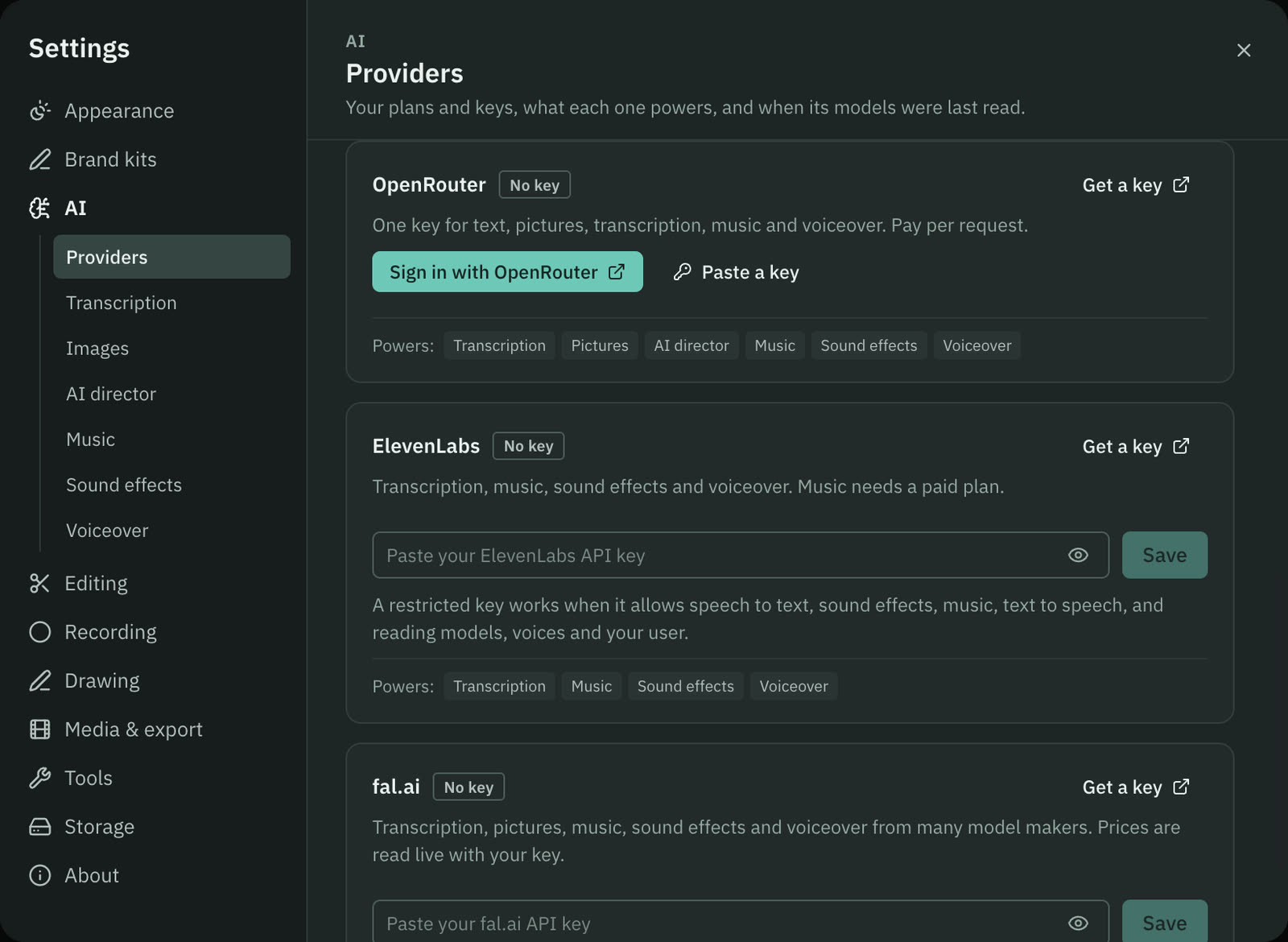
Cutscript checks the key with one free read of a price. A notice says fal.ai key saved, or fal.ai rejected the key. The badge reads Connected, and the card shows the key as a short preview with a line such as "Key accepted" and the price of a picture on your account.
What it costs
fal.ai charges your fal.ai account for each call. Cutscript shows the price of each model in Settings › AI, with its unit: per image, per minute of output, per second or per hour of audio. Picture prices on a storyboard can be estimates, and the storyboard card says so. The AI director's picture spending counts toward your limits. Transcription, music, sound effects and voiceover are charged by fal.ai and do not count. See Prices before every paid step.
Disconnect
Press Remove on the card, then Remove key. The key is deleted from your Mac, and pictures, transcription, music and sound effects on fal.ai stop working. To cancel the key itself, delete it in your fal.ai dashboard.
Common problems
"fal.ai did not accept the key." Create an API key in your fal.ai dashboard and paste it again.
"The key may not have API scope." The key exists but cannot call models. Create a key with API access.
"fal.ai says the account has no credits left." Add credit in your fal.ai account.
"fal.ai is rate limiting requests." Wait a moment and try again.
"fal.ai has no key, so image 1 would be skipped." A storyboard picked a fal.ai image model, and no key is saved. The storyboard card has an Add a fal.ai key button.
"Cutscript can't call … on fal.ai yet." That model is listed but not supported in this build. Pick another model in Settings › AI. Show all in a model list reveals the models Cutscript cannot call, each with the reason.
"The image model refused this prompt (content policy)." Change the request and try again.
Related
Was this page helpful?
Comments
Longer questions go better in the forum.
No comments yet. Ask a question or add what you found.
Sign in with GitHub or Google to comment.
Sign in to comment