What's new in 0.1 beta 18
Local AI models, recording more than one source, a storage scan, Intel Macs, and changes to drawing, brand kits, dubbing and the free plan.
Version 0.1 beta 18 brings AI models that run on your own Mac, takes with more than one picture, a page that shows what Cutscript keeps on your disk, and support for Intel Macs. Each change below has a short summary and a link to its full page. Cutscript downloads this update in the background and installs it when you restart: see Update Cutscript.
Local AI models
Settings › Local models reads your Mac's chip, memory and free space, and recommends a model for each job: Whisper to transcribe without uploading your audio, Ollama text models for the AI director, edits and pause analysis, and voices for voiceovers and dubbing. Models are free to run and download only when you press Download. Whisper and the voices need a Mac with Apple silicon. Ollama models also run on an Intel Mac.
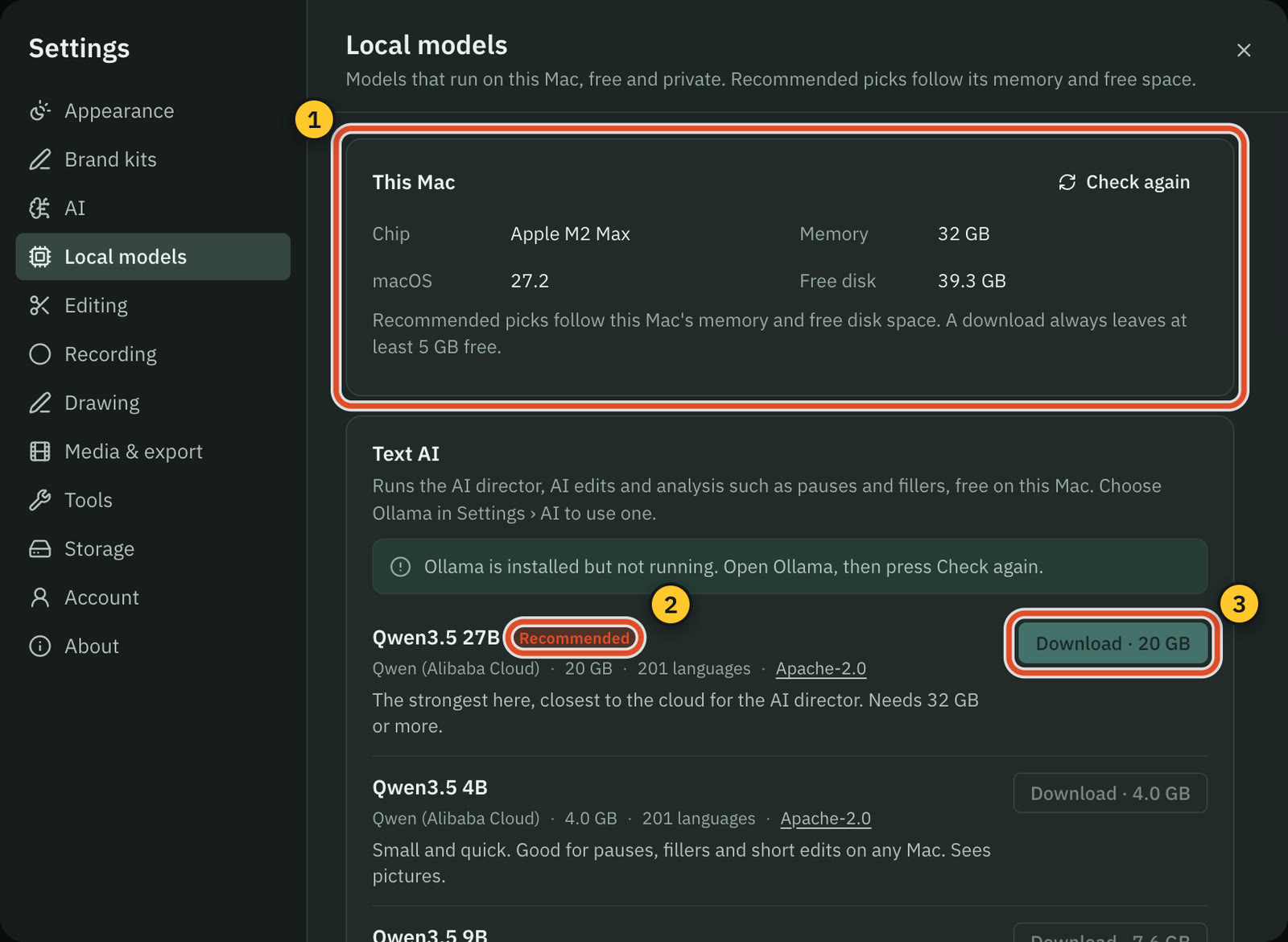
Read more in Local AI models.
Voices on your Mac in Dub & re-voice
Line by line dubbing can now copy the speaker's voice with Pocket TTS on this Mac (English), or speak with a preset voice from This Mac. The voice is made on your Mac for free, and only the lines go to your AI to be translated. This needs a Mac with Apple silicon.
Read more in Dub and re-voice and Voiceover.
Record more than one source
Add source in the recorder adds up to two more pictures to one take: another display, a window, an area or a cabled iPhone or iPad. The editor opens the take with every picture side by side, or stacked on a tall video, and Show one source in Layouts switches between them over time.
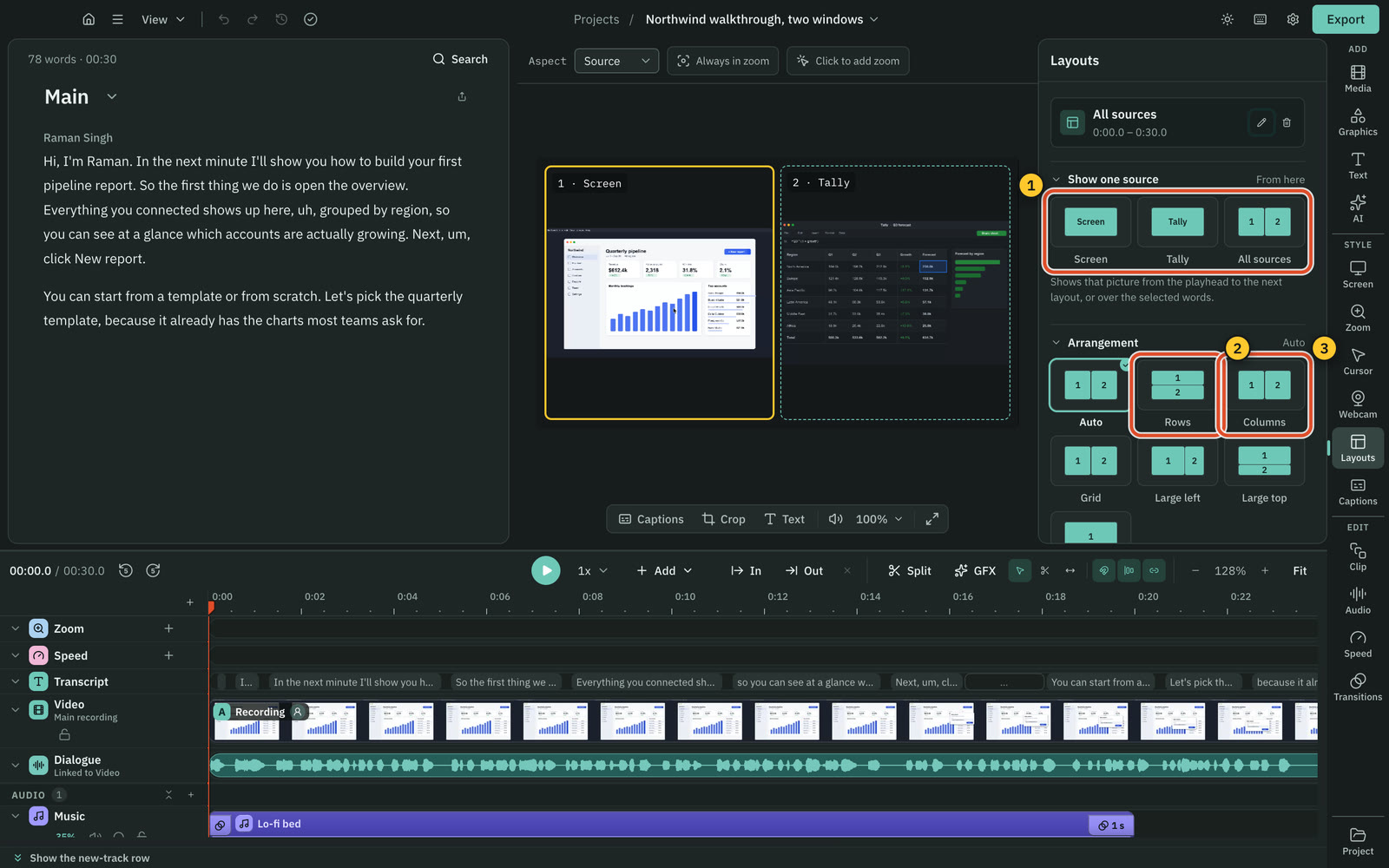
Read more in Record more than one source.
What uses space
Settings › Storage › What uses space shows how much Cutscript keeps on your Mac, group by group. It clears project caches and other caches that rebuild. After asking, it moves projects and unfinished recordings to the Trash, or removes models you no longer need.
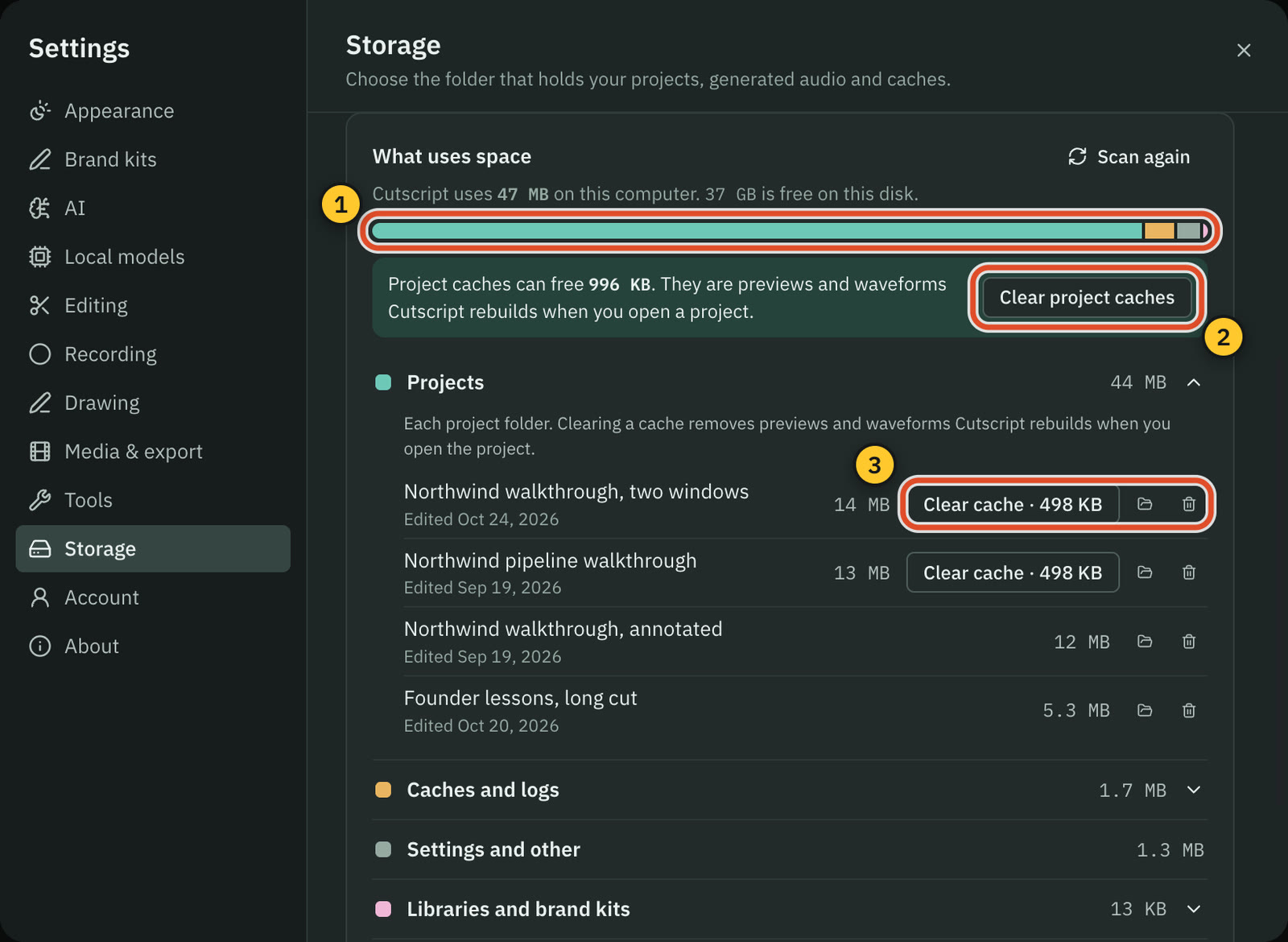
Read more in Storage and cleaning up.
Drawing: boards keep, one drawing fades
Drawings on the whiteboard and blackboard now stay until you remove them. While drawing, point at a drawing and press its × to fade only that one. The × never shows in the recording. Settings › Drawing › Fade sets screen drawings and board drawings separately.
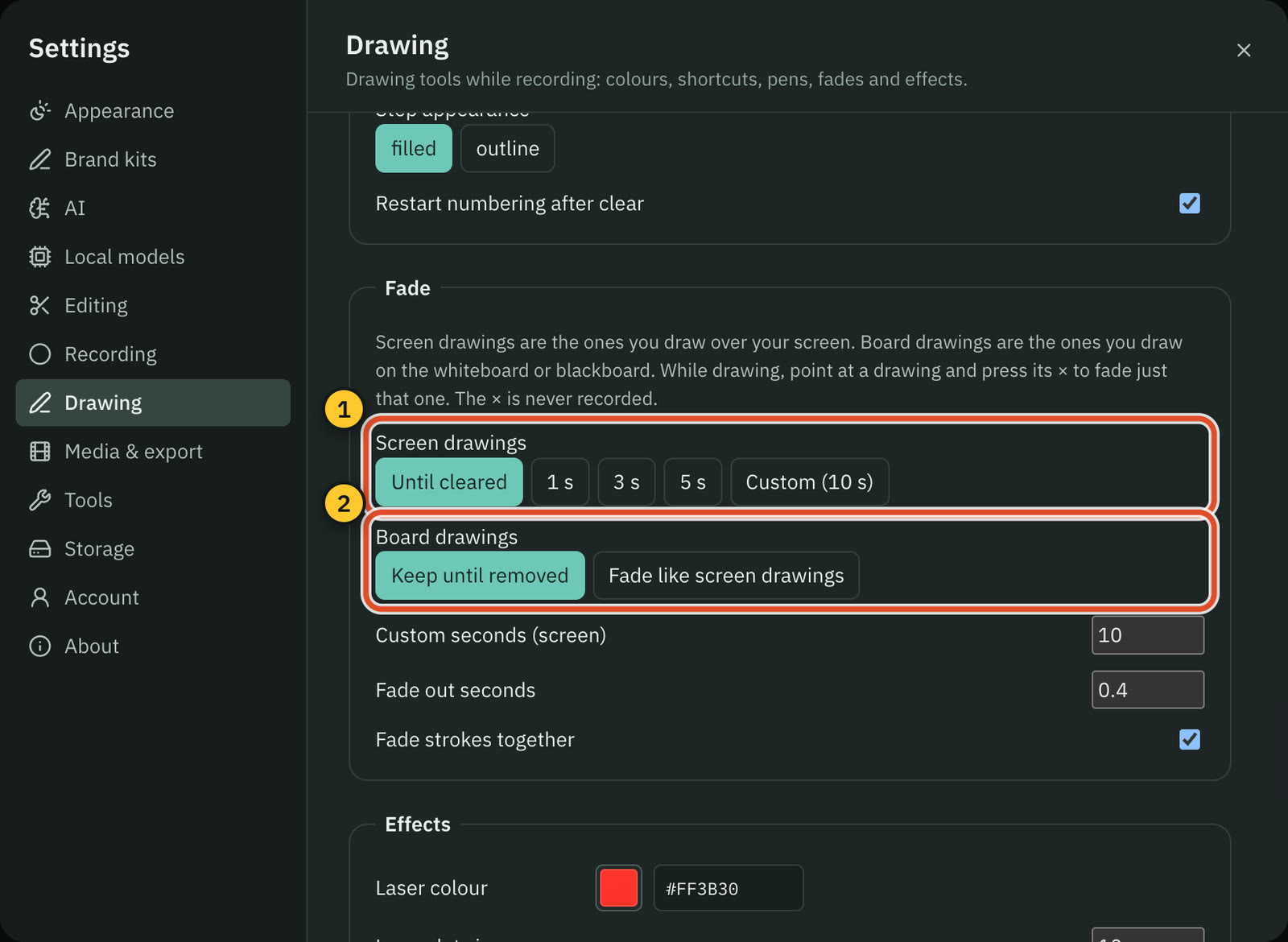
Read more in Draw while you record.
Brand kits: remove a logo, pick the default
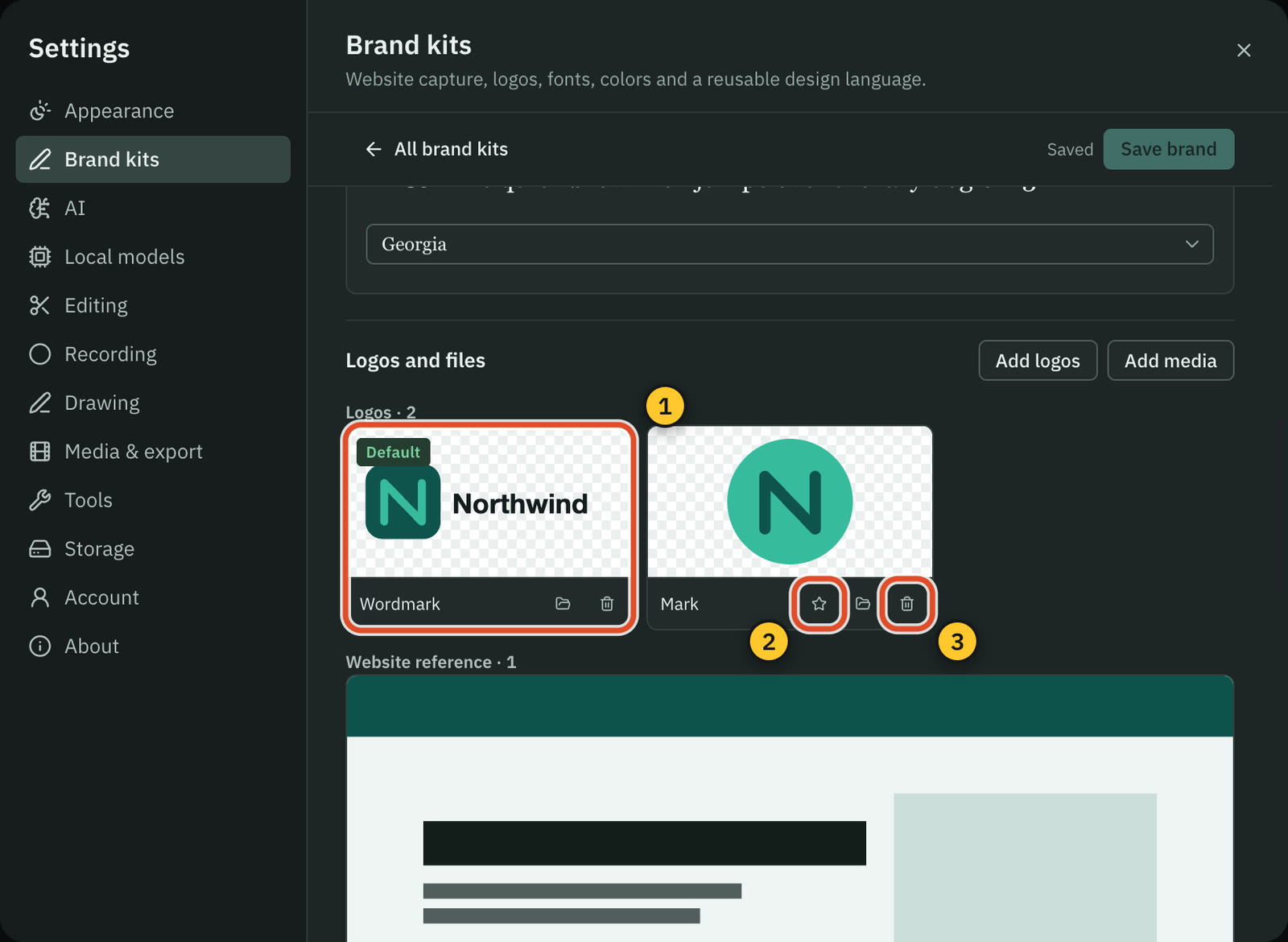
Each logo or file in a brand kit has its own remove button now, and the star on a logo makes it the kit's default: the one on the kit's card and the one graphics use.
Read more in Brand kits.
The free plan's mark, and two clean exports
On tall videos such as 9:16, the Cutscript mark on free exports is larger and shows in the middle of the frame for the third quarter of the video. And you can earn two video exports without the mark: post an honest review of Cutscript on X with your personal link, and send it from your account page on cutscript.dev.
Read more in Free and Pro.
Intel Macs
Cutscript now runs on Macs with an Intel processor as well as Apple silicon. On cutscript.dev/download, choose Download for Intel for an Intel Mac. Whisper transcription and the voices in Local models need Apple silicon. Windows and Linux versions are coming soon and are not ready to download yet.
Read more in System requirements and Install Cutscript.
Download from link
A download that stalls no longer sits at 1%. Cutscript tries again, then says what to check. See Bring in a video from a link.
Related
Was this page helpful?
Comments
Longer questions go better in the forum.
No comments yet. Ask a question or add what you found.
Sign in with GitHub or Google to comment.
Sign in to comment