What's new in 0.1 beta 20
The face in your video as a layer: click it to give it its own colours, detach it as a bubble with its own track, or ask the AI.
In version 0.1 beta 20 the face in your video becomes a layer of its own. Click it in the preview to give it its own colours, detach it from the screen as a bubble that follows the person, and see it on its own track on the timeline. Each section below says what changed, where to find it, and links to its full page.
On a Mac, Cutscript downloads updates in the background and installs them when you restart. On Windows the Microsoft Store updates it. See Update Cutscript.
Click a face in the preview
Cutscript finds the faces in your video on this computer, a few seconds after you open a project. It is free and nothing is uploaded. Click a face in the preview and the new Face panel opens. A click beside it still selects the screen recording.
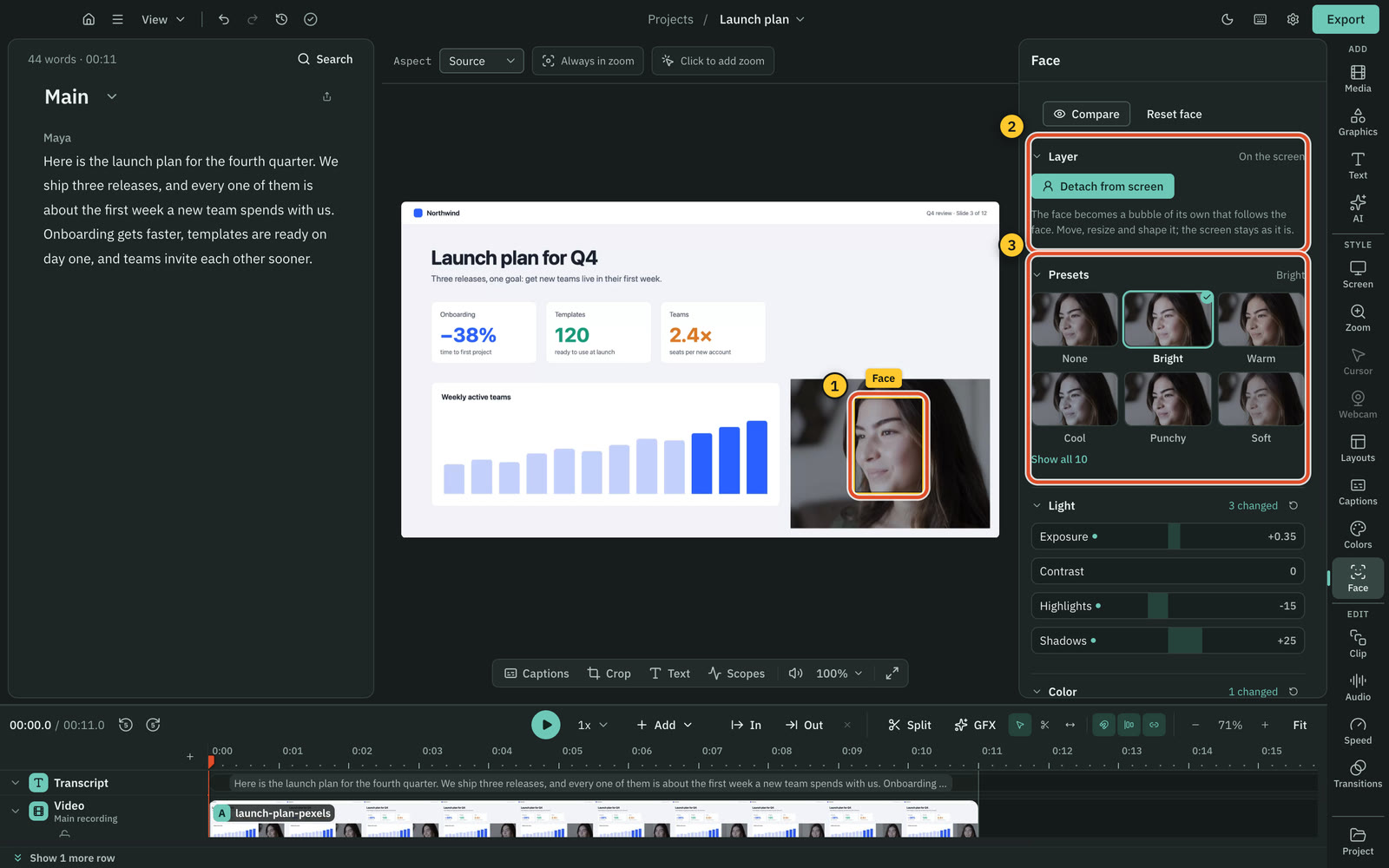
Read more in The face in your video.
Give the face its own colours
Presets show the person's own face through each look. Light and Color change the face only, inside a soft oval that follows it, on top of the colours from Colors. The export looks exactly like the preview.
Read more in Give the face its own colours.
Detach the face
Choose Detach face on the main track, press Detach from screen in Face, or drag the face out of the preview. The face becomes a bubble that follows the person as they move. Drag it anywhere, resize it and shape it like a camera bubble.
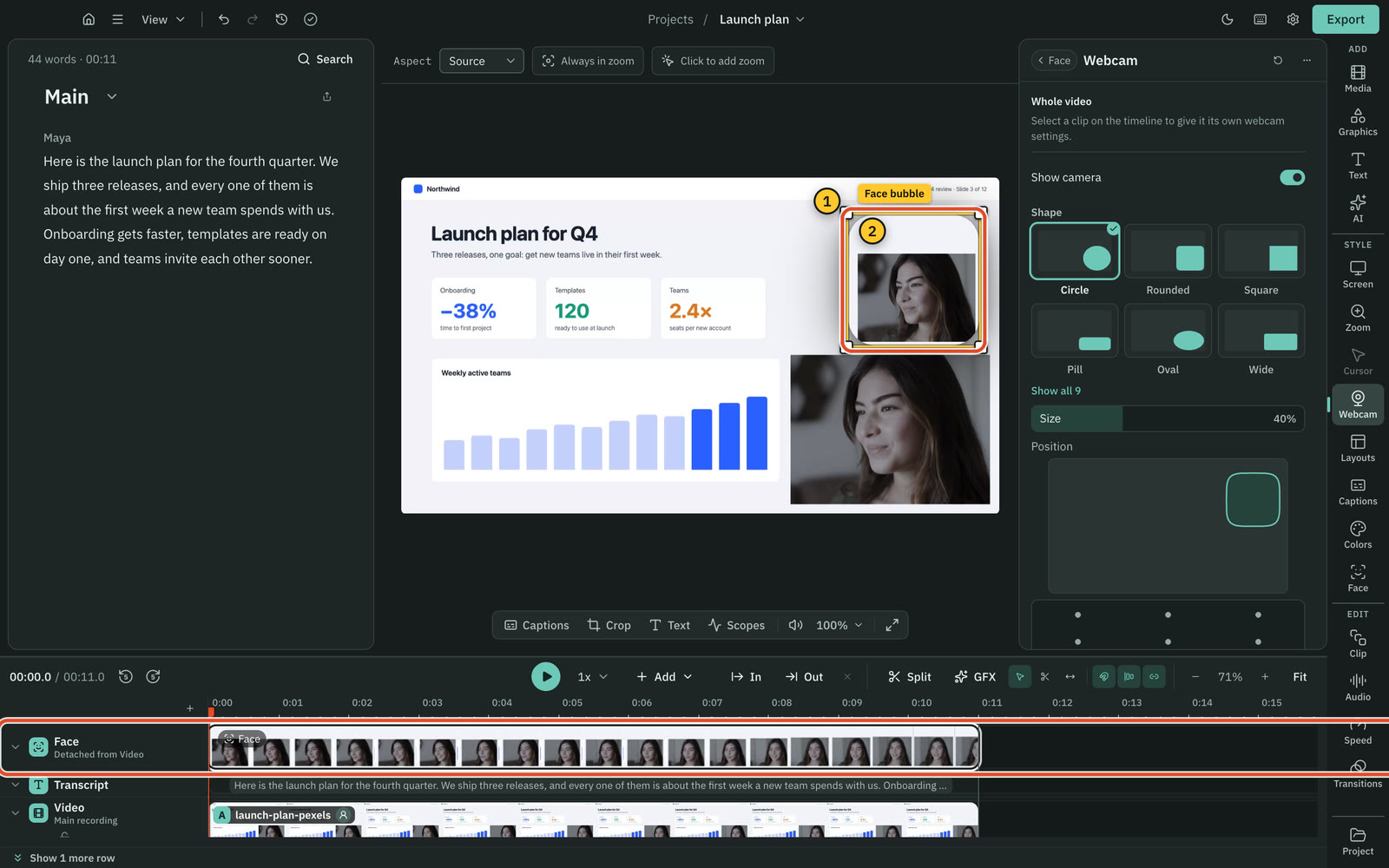
Read more in Detach the face from the screen.
The Face track
A detached face gets its own Face track above the video, showing the face in each frame. Drag its ends to choose when the bubble shows, and right-click it to hide it before or after the playhead.
Read more in The Face track.
Ask the AI about the face
In the AI panel, "make my face a little brighter", "warm up the skin" or "detach my face" make the change for free, on a card you apply.
Read more in Ask the AI.
Colors on Windows
The Microsoft Store version now has everything from 0.1 beta 19 too: Colors, video scopes, .cube looks and grading with AI.
Was this page helpful?
Comments
Longer questions go better in the forum.
No comments yet. Ask a question or add what you found.
Sign in with GitHub or Google to comment.
Sign in to comment